Branding strategy and design WordPress Theme


Stable Brand Content in a Four-Part Capability Section
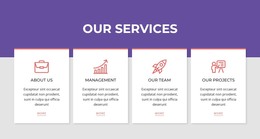
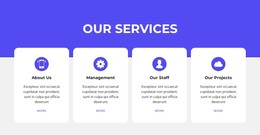
The About Us heading and vision paragraph give this section a clear role as lasting brand content rather than a short-lived announcement. The message focuses on advancing design-oriented brands and corporate identity, then expands through four related capability items: Strategy, Branding, Design, and Markeing. Because each item pairs a circular icon with a supporting paragraph, the content can be read as a connected capability summary while retaining four distinct points of information.
Within a WordPress-managed page, this block can provide a stable about or capabilities area that remains visually consistent as the broader site develops. It suits page-oriented content that explains who a design-focused organization is and what areas it covers. Other WordPress-managed content can surround it with deeper service descriptions, portfolio material, case studies, or contact information, while this section keeps its concise introductory role. The static interaction also means the labels and descriptions remain visible without requiring visitors to open tabs or operate a carousel.
Its visual treatment supports recognition across the page content. Purple uppercase typography establishes hierarchy, circular gradient icons connect the repeated items, and the white background preserves separation between text and artwork. The triangular form, circular forms, and irregular purple shape create visual anchors around the capability arrangement, with pink, purple, cyan, and blue gradients adding a distinctive branding cue. The result is a reusable WordPress page section that combines brand context and four readable capability groups without becoming a complete theme or site.
Customize with Nicepage
Open this ready-made template in the WordPress Website Builder and customize it visually in the Nicepage editor. Replace demo content, edit page sections, and adapt the design to your project without rebuilding the template from scratch.
Edit Template Offline
2. Create a new page or select existing
3. Click Add new block, search for id 2341486 and click enter
Edit Template Online
Create Awesome Websites


Free Nicepage Builder
Keywords
Manage and Edit This Theme in WordPress
Customize and Install the WordPress Theme
Start with this ready-made theme instead of building the WordPress design from scratch. Customize its layout, content, typography, images, sections, and other design elements visually in Nicepage editor, then export and install the WordPress Theme, Plugin, and Pages on your WordPress site. The Nicepage WordPress Plugin lets you continue working with the site after installation.
Edit the Theme Directly in WordPress
After installation, you can edit the WordPress Theme directly in WordPress with the Nicepage WordPress Plugin. Use Site Style to customize site Colors, Fonts, Header, Footer, Blog, and Post Page Templates while working within your WordPress website.
Edit WordPress Pages Visually
Use the Nicepage WordPress Plugin to edit page content directly from the WordPress admin area. Open a WordPress Page with Nicepage and visually change its text, images, sections, and other page elements while continuing to manage the Page through WordPress.
WordPress Content and Theme Integration
Use the customized theme with WordPress Pages, Posts, Blog and Post Templates, menus, widgets, and other CMS-managed content. Shared theme elements such as Colors, Fonts, Header, Footer, Blog, and Post Page Templates can be managed as part of the overall site design, while WordPress provides the CMS environment for managing site content.
This workflow combines a ready-made WordPress Theme with visual customization, direct theme editing in WordPress, and continued content management through the Nicepage WordPress Plugin.