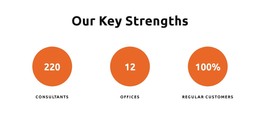
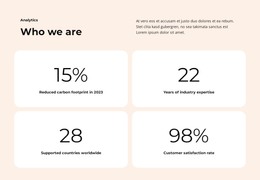
Participants counter WordPress Theme


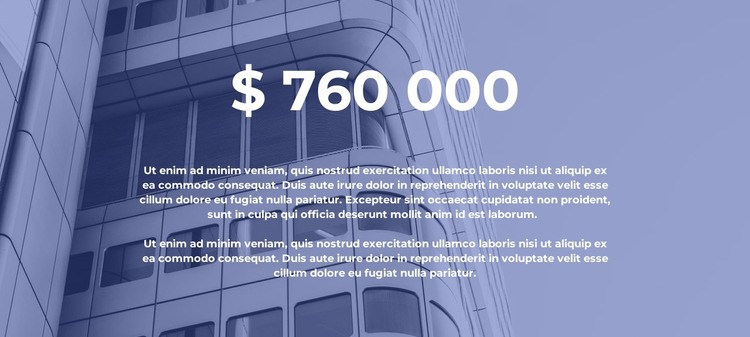
A Stable Page Section for One Important Site Figure
The centered metric gives this block a clear role as permanent or relatively stable page content in a WordPress-managed project. The "$ 760 000" value is the primary information, while the two paragraphs below can carry explanatory copy that helps readers understand the figure. Because the displayed amount and paragraph text are demonstration content, they should be adapted to the actual page subject rather than treated as a real financial claim. The underlying section arrangement remains suitable for a project value, property measure, or comparable statistic.
The content is presented as one coordinated visual region. A full-width multi-story building image supplies architectural context, and its blue tone is moderated by a dark overlay so the white metric and supporting text remain readable. The centered stack creates a predictable reading order: figure first, explanation second. Generous vertical spacing separates this content area from neighboring sections without adding interaction; the block itself is static and does not imply a form, post feed, or other CMS component.
In a WordPress-oriented site, the section can remain part of a stable page while the wider project manages its other content separately. It may support an About, project, or property-related page, depending on the final copy and surrounding sections. WordPress provides the broader publishing environment, but this block contributes one focused content region with its own image, metric, and explanatory hierarchy rather than functioning as a complete theme.
Customize with Nicepage
Open this ready-made template in the WordPress Website Builder and customize it visually in the Nicepage editor. Replace demo content, edit page sections, and adapt the design to your project without rebuilding the template from scratch.
Edit Template Offline
2. Create a new page or select existing
3. Click Add new block, search for id 2338821 and click enter
Edit Template Online
Create Awesome Websites


Free Nicepage Builder
Keywords
Manage and Edit This Theme in WordPress
Customize and Install the WordPress Theme
Start with this ready-made theme instead of building the WordPress design from scratch. Customize its layout, content, typography, images, sections, and other design elements visually in Nicepage editor, then export and install the WordPress Theme, Plugin, and Pages on your WordPress site. The Nicepage WordPress Plugin lets you continue working with the site after installation.
Edit the Theme Directly in WordPress
After installation, you can edit the WordPress Theme directly in WordPress with the Nicepage WordPress Plugin. Use Site Style to customize site Colors, Fonts, Header, Footer, Blog, and Post Page Templates while working within your WordPress website.
Edit WordPress Pages Visually
Use the Nicepage WordPress Plugin to edit page content directly from the WordPress admin area. Open a WordPress Page with Nicepage and visually change its text, images, sections, and other page elements while continuing to manage the Page through WordPress.
WordPress Content and Theme Integration
Use the customized theme with WordPress Pages, Posts, Blog and Post Templates, menus, widgets, and other CMS-managed content. Shared theme elements such as Colors, Fonts, Header, Footer, Blog, and Post Page Templates can be managed as part of the overall site design, while WordPress provides the CMS environment for managing site content.
This workflow combines a ready-made WordPress Theme with visual customization, direct theme editing in WordPress, and continued content management through the Nicepage WordPress Plugin.