We specialise in delivering large complex building projects WordPress Theme



Edit Template Offline
2. Create new page and search for id 6104676
Edit Template Online
Create Awesome Websites


Free Nicepage Builder
Keywords
Project Entries and Reusable Company Content Support WordPress Pages
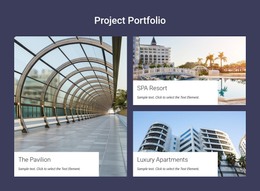
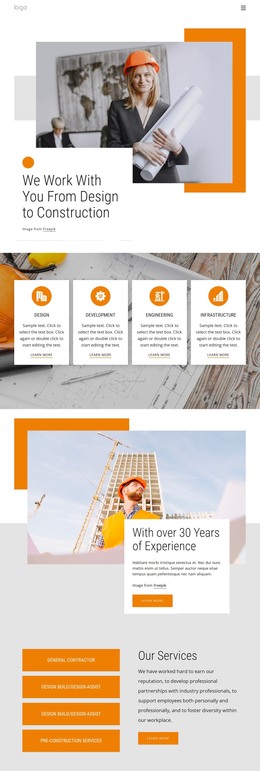
The portfolio and service sections create distinct page-oriented content areas for a WordPress-managed construction site. The three project panels—The Pavilion, SPA Resort, and Luxury Apartments—give the design a clear pattern for presenting visual project information, with one prominent image supported by two smaller entries. Their role is different from the five circular service labels, which summarize Finance, Plan, Build, Activate, and Operate as company offerings. Together, these areas separate work examples from the services that explain how the company operates.
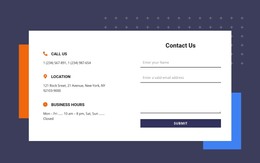
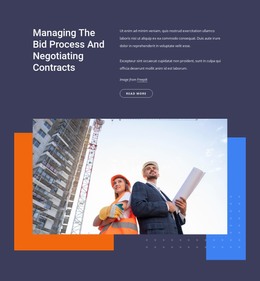
The “Our Company” and “Our Story” sections add permanent organizational content around those project-focused areas. Split layouts combine text with portrait or worker imagery, while the four-column section groups About Us, What We Do, Our Mission, and All Benefits into compact supporting subjects. The capabilities overview provides another content group through Building, Preconstruction, Development, Leadership, Self-Performance, and Sustainability. This mixture of project entries, service information, company background, and visual story content gives a WordPress theme several kinds of material to present without claiming that blog posts or other CMS records already exist. At the end, the contact-information panel and newsletter signup form create a practical page area for inquiries and subscriptions. The shared visual language can therefore frame both relatively stable company pages and future content added around the established construction presentation.
Customize with Nicepage
Open this ready-made template in the WordPress Website Builder and customize it visually in the Nicepage editor. Replace demo content, edit page sections, and adapt the design to your project without rebuilding the template from scratch.
Manage and Edit This Theme in WordPress
Customize and Install the WordPress Theme
Start with this ready-made theme instead of building the WordPress design from scratch. Customize its layout, content, typography, images, sections, and other design elements visually in Nicepage editor, then export and install the WordPress Theme, Plugin, and Pages on your WordPress site. The Nicepage WordPress Plugin lets you continue working with the site after installation.
Edit the Theme Directly in WordPress
After installation, you can edit the WordPress Theme directly in WordPress with the Nicepage WordPress Plugin. Use Site Style to customize site Colors, Fonts, Header, Footer, Blog, and Post Page Templates while working within your WordPress website.
Edit WordPress Pages Visually
Use the Nicepage WordPress Plugin to edit page content directly from the WordPress admin area. Open a WordPress Page with Nicepage and visually change its text, images, sections, and other page elements while continuing to manage the Page through WordPress.
WordPress Content and Theme Integration
Use the customized theme with WordPress Pages, Posts, Blog and Post Templates, menus, widgets, and other CMS-managed content. Shared theme elements such as Colors, Fonts, Header, Footer, Blog, and Post Page Templates can be managed as part of the overall site design, while WordPress provides the CMS environment for managing site content.
This workflow combines a ready-made WordPress Theme with visual customization, direct theme editing in WordPress, and continued content management through the Nicepage WordPress Plugin.