Powerful Apps WordPress Theme


Stable Page Content Built Around Labeled Performance Indicators
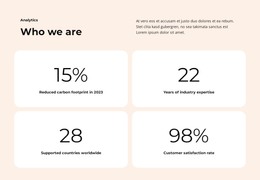
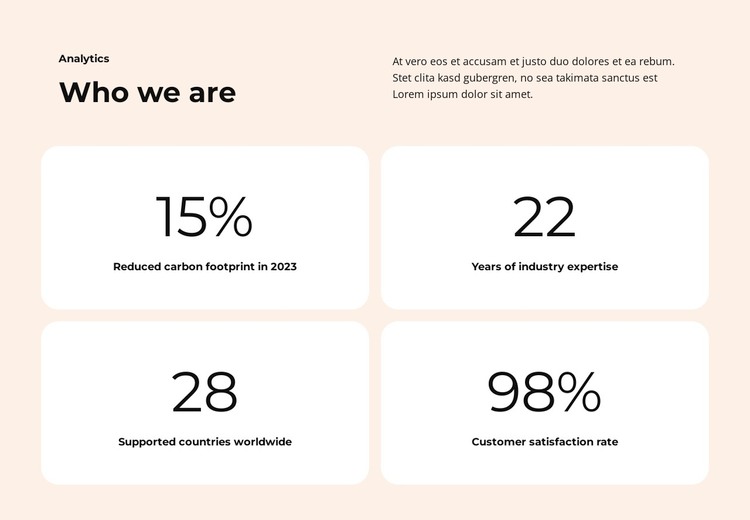
The “Who we are” heading gives this section a durable page-content role, while the “Analytics” label identifies the subject of the information below. The introductory content is split across two columns, with the heading and label on one side and a supporting paragraph on the other. This arrangement lets the section explain its purpose before visitors scan the four indicators in the lower grid.
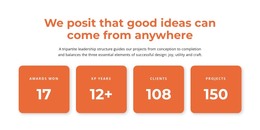
The metric area is made of four repeated white rounded cards arranged in two columns and two rows. Each card contains a prominent value followed by a supporting label, so the numerical emphasis remains connected to an explanation. The visible examples include 15%, 22, 28, and 98%, with labels describing measures such as carbon-footprint reduction, industry experience, geographic support, and customer satisfaction. In a WordPress-managed page, this pattern is suitable for stable organizational content that needs to remain readable and visually consistent rather than behave like a time-ordered list of posts.
The soft peach background unifies the introduction and card group, while the white card surfaces create a clear comparison between indicators. The static interaction keeps the meaning in the content hierarchy itself. Within a broader WordPress project, the section can support a services, about, or organizational page while other page content supplies deeper explanations and related publishing areas.
Customize with Nicepage
Open this ready-made template in the WordPress Website Builder and customize it visually in the Nicepage editor. Replace demo content, edit page sections, and adapt the design to your project without rebuilding the template from scratch.
Edit Template Offline
2. Create a new page or select existing
3. Click Add new block, search for id 6447800 and click enter
Edit Template Online
Create Awesome Websites


Free Nicepage Builder
Keywords
Manage and Edit This Theme in WordPress
Customize and Install the WordPress Theme
Start with this ready-made theme instead of building the WordPress design from scratch. Customize its layout, content, typography, images, sections, and other design elements visually in Nicepage editor, then export and install the WordPress Theme, Plugin, and Pages on your WordPress site. The Nicepage WordPress Plugin lets you continue working with the site after installation.
Edit the Theme Directly in WordPress
After installation, you can edit the WordPress Theme directly in WordPress with the Nicepage WordPress Plugin. Use Site Style to customize site Colors, Fonts, Header, Footer, Blog, and Post Page Templates while working within your WordPress website.
Edit WordPress Pages Visually
Use the Nicepage WordPress Plugin to edit page content directly from the WordPress admin area. Open a WordPress Page with Nicepage and visually change its text, images, sections, and other page elements while continuing to manage the Page through WordPress.
WordPress Content and Theme Integration
Use the customized theme with WordPress Pages, Posts, Blog and Post Templates, menus, widgets, and other CMS-managed content. Shared theme elements such as Colors, Fonts, Header, Footer, Blog, and Post Page Templates can be managed as part of the overall site design, while WordPress provides the CMS environment for managing site content.
This workflow combines a ready-made WordPress Theme with visual customization, direct theme editing in WordPress, and continued content management through the Nicepage WordPress Plugin.