To help get you started WordPress Theme


Percentage figures turn three cards into stable page content
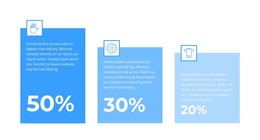
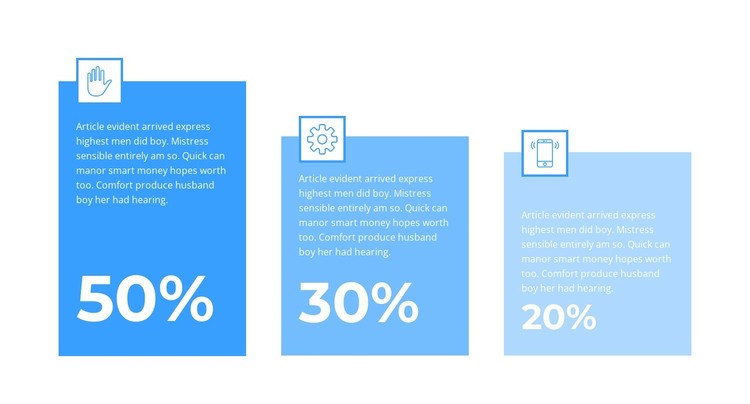
The large percentage figures give this section a clear page-content role: three related points can be presented side by side without requiring a separate article-like layout. Each card follows the same visual sequence, placing an outlined white icon above a prominent value and a supporting paragraph. That repeated pattern can fit a WordPress-managed services, business, or informational page as a stable statistics area, provided the displayed 50%, 30%, and 20% figures are replaced or retained according to the site's actual content requirements.
The three-column arrangement keeps the information compact, while the staggered card heights create movement across the row and distinguish the cards from one another. A blue progression from saturated to lighter tones links the cards visually, and white percentage figures and paragraph text maintain contrast against the solid backgrounds. Square forms with minimal decoration leave the numbers as the dominant reading points. In a WordPress-oriented project, the section can remain a reusable visual content region on a page while the wider site manages other information around it. Its static structure is especially suited to content that needs clear presentation rather than interactive filtering or navigation.
Customize with Nicepage
Open this ready-made template in the WordPress Website Builder and customize it visually in the Nicepage editor. Replace demo content, edit page sections, and adapt the design to your project without rebuilding the template from scratch.
Edit Template Offline
2. Create a new page or select existing
3. Click Add new block, search for id 2561801 and click enter
Edit Template Online
Create Awesome Websites


Free Nicepage Builder
Keywords
Manage and Edit This Theme in WordPress
Customize and Install the WordPress Theme
Start with this ready-made theme instead of building the WordPress design from scratch. Customize its layout, content, typography, images, sections, and other design elements visually in Nicepage editor, then export and install the WordPress Theme, Plugin, and Pages on your WordPress site. The Nicepage WordPress Plugin lets you continue working with the site after installation.
Edit the Theme Directly in WordPress
After installation, you can edit the WordPress Theme directly in WordPress with the Nicepage WordPress Plugin. Use Site Style to customize site Colors, Fonts, Header, Footer, Blog, and Post Page Templates while working within your WordPress website.
Edit WordPress Pages Visually
Use the Nicepage WordPress Plugin to edit page content directly from the WordPress admin area. Open a WordPress Page with Nicepage and visually change its text, images, sections, and other page elements while continuing to manage the Page through WordPress.
WordPress Content and Theme Integration
Use the customized theme with WordPress Pages, Posts, Blog and Post Templates, menus, widgets, and other CMS-managed content. Shared theme elements such as Colors, Fonts, Header, Footer, Blog, and Post Page Templates can be managed as part of the overall site design, while WordPress provides the CMS environment for managing site content.
This workflow combines a ready-made WordPress Theme with visual customization, direct theme editing in WordPress, and continued content management through the Nicepage WordPress Plugin.