Set up logistics WordPress Theme



Edit Template Offline
2. Create new page and search for id 6021880
Edit Template Online
Create Awesome Websites


Free Nicepage Builder
Keywords
Capability Groups and Repeated Profiles Create WordPress Content Areas
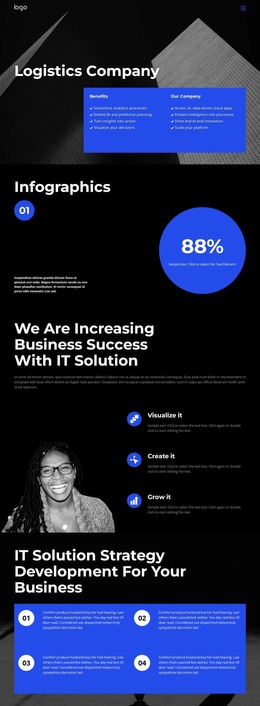
The three capability items create a compact page-oriented group around Visualize it, Create it, and Grow it, while the four numbered strategy cards provide a different kind of content relationship: a sequential explanation of IT solution strategy development. Keeping these groups separate helps a WordPress-oriented project distinguish service or initiative content from process information. The earlier Benefits and Our Company panels can frame that material with an introductory company context.
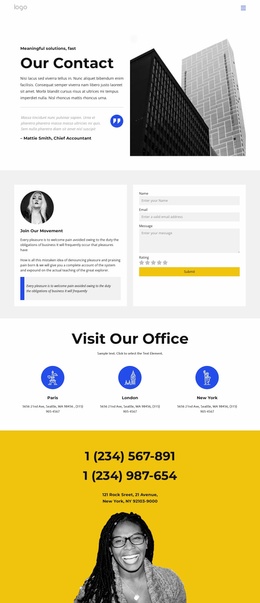
The template also contains several repeated areas that can work well around content that changes over time. Four featured client entries use a consistent pattern of logo, short copy, and more link, making them suitable for project or client-focused information. Four team profiles combine portraits, descriptions, and social links, while the two-slide testimonial carousel gives the page a separate testimonial presentation. The four-image architectural gallery adds visual evidence and variety without disrupting the text-led sections.
The Flexible Distance Learning block introduces two numbered lists covering equipment and production capabilities, so the theme can accommodate structured information as well as narrative content. A centered Contact us form provides a defined inquiry area at the end of the page. Together, these page sections and repeated content patterns give a WordPress theme project a coherent visual system for company pages, service information, client material, people profiles, and ongoing editorial additions without claiming that specific posts or categories already exist.
Customize with Nicepage
Open this ready-made template in the WordPress Website Builder and customize it visually in the Nicepage editor. Replace demo content, edit page sections, and adapt the design to your project without rebuilding the template from scratch.
Manage and Edit This Theme in WordPress
Customize and Install the WordPress Theme
Start with this ready-made theme instead of building the WordPress design from scratch. Customize its layout, content, typography, images, sections, and other design elements visually in Nicepage editor, then export and install the WordPress Theme, Plugin, and Pages on your WordPress site. The Nicepage WordPress Plugin lets you continue working with the site after installation.
Edit the Theme Directly in WordPress
After installation, you can edit the WordPress Theme directly in WordPress with the Nicepage WordPress Plugin. Use Site Style to customize site Colors, Fonts, Header, Footer, Blog, and Post Page Templates while working within your WordPress website.
Edit WordPress Pages Visually
Use the Nicepage WordPress Plugin to edit page content directly from the WordPress admin area. Open a WordPress Page with Nicepage and visually change its text, images, sections, and other page elements while continuing to manage the Page through WordPress.
WordPress Content and Theme Integration
Use the customized theme with WordPress Pages, Posts, Blog and Post Templates, menus, widgets, and other CMS-managed content. Shared theme elements such as Colors, Fonts, Header, Footer, Blog, and Post Page Templates can be managed as part of the overall site design, while WordPress provides the CMS environment for managing site content.
This workflow combines a ready-made WordPress Theme with visual customization, direct theme editing in WordPress, and continued content management through the Nicepage WordPress Plugin.