Unforgettable vacations WordPress Theme



Four Travel Counters Form Stable Page Content
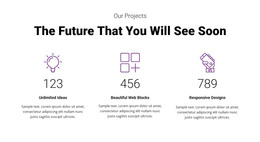
The four counters read as a compact, permanent information area rather than a stream of time-sensitive entries. Each item combines a decorative icon, a displayed number, and a label, creating four parallel content units for visited countries, travel tours, happy clients, and tracking tours. The visible values are 44, 120, 102, and 21; they are presented as sample block content rather than independently established business results.
For a WordPress-oriented project, this structure can fit naturally within a stable travel or tour page while the surrounding site handles other content areas. The single horizontal row keeps the statistics together, and the repeated icon-value-label hierarchy makes the section recognizable when it appears beside introductions, tour descriptions, image sections, or contact content. Blue typography and pale blue outlined icons provide a consistent visual pattern, while the white background allows the section to coordinate with different page arrangements without requiring its own complex interaction.
The block remains focused on one publishable page section, not on the complete theme or CMS structure. Its value comes from presenting related travel information in a concise, visually comparable format. WordPress-managed pages can place this section alongside other content while retaining the same four-item organization and centered presentation.
Customize with Nicepage
Open this ready-made template in the WordPress Website Builder and customize it visually in the Nicepage editor. Replace demo content, edit page sections, and adapt the design to your project without rebuilding the template from scratch.
Edit Template Offline
2. Create a new page or select existing
3. Click Add new block, search for id 40926 and click enter
Edit Template Online
Create Awesome Websites


Free Nicepage Builder
Keywords
Manage and Edit This Theme in WordPress
Customize and Install the WordPress Theme
Start with this ready-made theme instead of building the WordPress design from scratch. Customize its layout, content, typography, images, sections, and other design elements visually in Nicepage editor, then export and install the WordPress Theme, Plugin, and Pages on your WordPress site. The Nicepage WordPress Plugin lets you continue working with the site after installation.
Edit the Theme Directly in WordPress
After installation, you can edit the WordPress Theme directly in WordPress with the Nicepage WordPress Plugin. Use Site Style to customize site Colors, Fonts, Header, Footer, Blog, and Post Page Templates while working within your WordPress website.
Edit WordPress Pages Visually
Use the Nicepage WordPress Plugin to edit page content directly from the WordPress admin area. Open a WordPress Page with Nicepage and visually change its text, images, sections, and other page elements while continuing to manage the Page through WordPress.
WordPress Content and Theme Integration
Use the customized theme with WordPress Pages, Posts, Blog and Post Templates, menus, widgets, and other CMS-managed content. Shared theme elements such as Colors, Fonts, Header, Footer, Blog, and Post Page Templates can be managed as part of the overall site design, while WordPress provides the CMS environment for managing site content.
This workflow combines a ready-made WordPress Theme with visual customization, direct theme editing in WordPress, and continued content management through the Nicepage WordPress Plugin.