Fish lake resort WordPress Theme


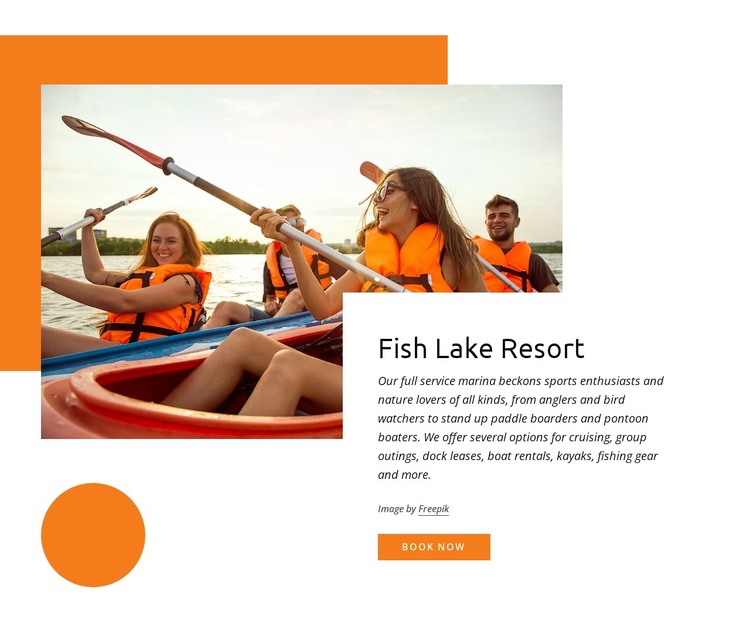
Kayaking Imagery Meets Stable Resort Page Content
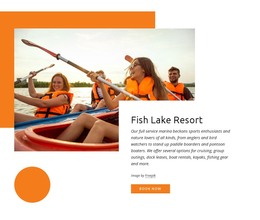
The Fish Lake Resort heading and descriptive paragraph read as stable page content for a WordPress-managed hospitality site. Rather than presenting a stream of time-sensitive posts, the section introduces the resort and summarizes the marina and recreation scope in one compact message. Its references to anglers, bird watchers, stand-up paddle boarders, and pontoon boaters help define the audience for the experience, while cruising, group outings, dock leases, boat rentals, kayaks, and fishing gear give the content several concrete points of interest.
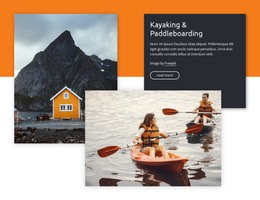
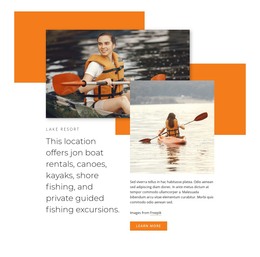
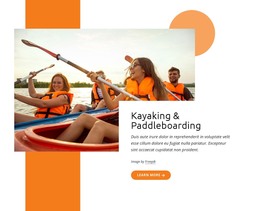
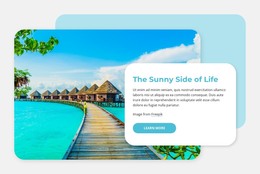
The content is presented through a strong image-and-card relationship. A wide kayaking photograph occupies the left side, and the white card on the right keeps the Fish Lake Resort name, explanatory text, and Book now action together. Orange geometric shapes add a visual frame without competing with the card's information hierarchy. In a WordPress-oriented project, this section can serve as permanent resort or services-page content while the wider site manages additional pages and regularly updated material separately. The button provides a visible route toward booking, but the block remains one reusable page region: an introduction that connects the outdoor setting with the available marina activities before visitors continue to other content.
Customize with Nicepage
Open this ready-made template in the WordPress Website Builder and customize it visually in the Nicepage editor. Replace demo content, edit page sections, and adapt the design to your project without rebuilding the template from scratch.
Edit Template Offline
2. Create a new page or select existing
3. Click Add new block, search for id 1150275 and click enter
Edit Template Online
Create Awesome Websites


Free Nicepage Builder
Keywords
Manage and Edit This Theme in WordPress
Customize and Install the WordPress Theme
Start with this ready-made theme instead of building the WordPress design from scratch. Customize its layout, content, typography, images, sections, and other design elements visually in Nicepage editor, then export and install the WordPress Theme, Plugin, and Pages on your WordPress site. The Nicepage WordPress Plugin lets you continue working with the site after installation.
Edit the Theme Directly in WordPress
After installation, you can edit the WordPress Theme directly in WordPress with the Nicepage WordPress Plugin. Use Site Style to customize site Colors, Fonts, Header, Footer, Blog, and Post Page Templates while working within your WordPress website.
Edit WordPress Pages Visually
Use the Nicepage WordPress Plugin to edit page content directly from the WordPress admin area. Open a WordPress Page with Nicepage and visually change its text, images, sections, and other page elements while continuing to manage the Page through WordPress.
WordPress Content and Theme Integration
Use the customized theme with WordPress Pages, Posts, Blog and Post Templates, menus, widgets, and other CMS-managed content. Shared theme elements such as Colors, Fonts, Header, Footer, Blog, and Post Page Templates can be managed as part of the overall site design, while WordPress provides the CMS environment for managing site content.
This workflow combines a ready-made WordPress Theme with visual customization, direct theme editing in WordPress, and continued content management through the Nicepage WordPress Plugin.