Interior in a new style WordPress Theme


A Quote-Led Editorial Section for WordPress Page Content
The left column treats the paragraph as a durable piece of page content rather than a collection of frequently changing items. There is no visible heading, so the oversized quotation-mark icon supplies the first visual signal and leads into the compact dark typography. In a WordPress-oriented project, this makes the section suitable for a permanent about-style statement, organizational explanation, or editorial passage placed within a larger page.
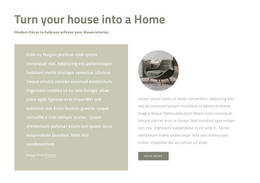
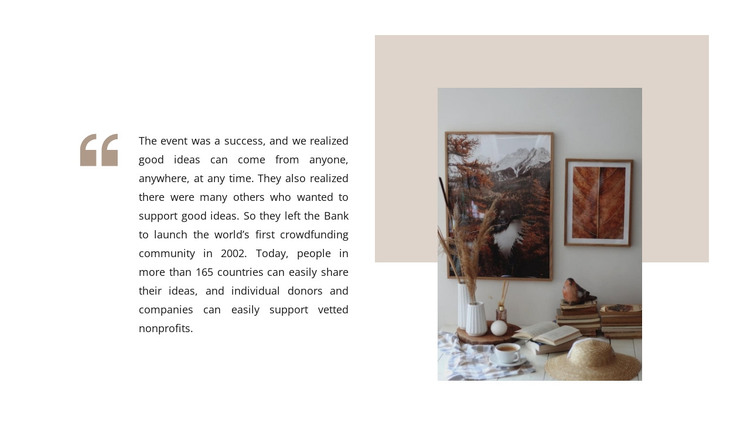
The right column gives that copy a strong visual companion without adding another content system. A single portrait-oriented interior photograph overlaps a muted beige rectangular shape, and the warm image contrasts with the white background around it. The layered treatment creates a recognizable visual pattern that can remain consistent when the paragraph is revised or replaced. It also keeps the section distinct from a repeated post list, product grid, or testimonial collection.
The supplied text refers to a crowdfunding community launched in 2002 and describes people sharing ideas and supporting nonprofits across more than 165 countries. Those details show how the block accommodates a longer narrative, but the same text area can hold other stable WordPress page content. The block contributes one focused content section; the surrounding project can provide its other pages, publishing areas, and broader theme structure.
Customize with Nicepage
Open this ready-made template in the WordPress Website Builder and customize it visually in the Nicepage editor. Replace demo content, edit page sections, and adapt the design to your project without rebuilding the template from scratch.
Edit Template Offline
2. Create a new page or select existing
3. Click Add new block, search for id 1021076 and click enter
Edit Template Online
Create Awesome Websites


Free Nicepage Builder
Keywords
Manage and Edit This Theme in WordPress
Customize and Install the WordPress Theme
Start with this ready-made theme instead of building the WordPress design from scratch. Customize its layout, content, typography, images, sections, and other design elements visually in Nicepage editor, then export and install the WordPress Theme, Plugin, and Pages on your WordPress site. The Nicepage WordPress Plugin lets you continue working with the site after installation.
Edit the Theme Directly in WordPress
After installation, you can edit the WordPress Theme directly in WordPress with the Nicepage WordPress Plugin. Use Site Style to customize site Colors, Fonts, Header, Footer, Blog, and Post Page Templates while working within your WordPress website.
Edit WordPress Pages Visually
Use the Nicepage WordPress Plugin to edit page content directly from the WordPress admin area. Open a WordPress Page with Nicepage and visually change its text, images, sections, and other page elements while continuing to manage the Page through WordPress.
WordPress Content and Theme Integration
Use the customized theme with WordPress Pages, Posts, Blog and Post Templates, menus, widgets, and other CMS-managed content. Shared theme elements such as Colors, Fonts, Header, Footer, Blog, and Post Page Templates can be managed as part of the overall site design, while WordPress provides the CMS environment for managing site content.
This workflow combines a ready-made WordPress Theme with visual customization, direct theme editing in WordPress, and continued content management through the Nicepage WordPress Plugin.