Interior Design Studio WordPress Theme


Edit Template Offline
2. Create new page and search for id 17295
Edit Template Online
Create Awesome Websites


Free Nicepage Builder
Keywords
Plant articles and repeated product content create a flexible theme base
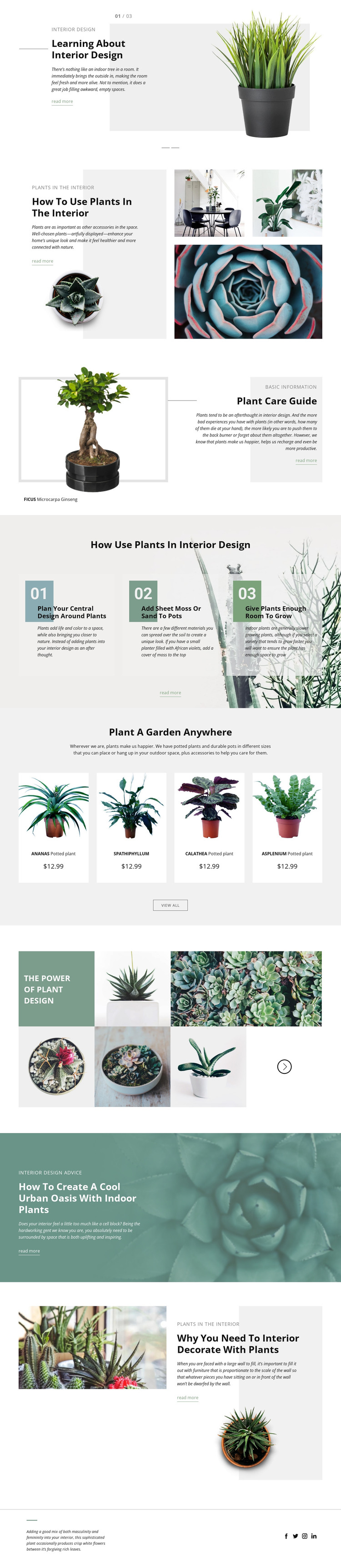
The opening slider gives the design a clear page-oriented entry point: a large plant image introduces an interior design topic, while the adjacent heading, summary, and read-more link provide space for focused editorial content. The split feature about using plants in the interior continues that approach with an article panel and supporting image collage. Together, these areas establish a visual relationship between explanatory page content and botanical imagery rather than limiting the theme to a single promotional message.
The FICUS Microcarpa Ginseng section offers a more specific care feature, and the three numbered recommendations create a repeatable format for practical guidance. This structure can accommodate permanent information about plant care or interior styling while preserving the same visual direction. The four-card product showcase adds another content area: ANANAS, SPATHIPHYLLUM, CALATHEA, and ASPLENIUM appear as a consistent group, making repeated plant entries easy to distinguish from the surrounding editorial sections. The displayed prices are treated as sample content, not verified offers.
A WordPress implementation can therefore organize page content around articles, guidance, plant entries, and product-oriented cards without changing the underlying design character. The botanical gallery and urban oasis feature provide additional visual storytelling, while the footer’s Facebook, Twitter, Instagram, and LinkedIn links complete the shared site presentation. The result is a theme foundation where informational and regularly maintained content can coexist within one recognizable plant-centered layout.
Customize with Nicepage
Open this ready-made template in the WordPress Website Builder and customize it visually in the Nicepage editor. Replace demo content, edit page sections, and adapt the design to your project without rebuilding the template from scratch.
Manage and Edit This Theme in WordPress
Customize and Install the WordPress Theme
Start with this ready-made theme instead of building the WordPress design from scratch. Customize its layout, content, typography, images, sections, and other design elements visually in Nicepage editor, then export and install the WordPress Theme, Plugin, and Pages on your WordPress site. The Nicepage WordPress Plugin lets you continue working with the site after installation.
Edit the Theme Directly in WordPress
After installation, you can edit the WordPress Theme directly in WordPress with the Nicepage WordPress Plugin. Use Site Style to customize site Colors, Fonts, Header, Footer, Blog, and Post Page Templates while working within your WordPress website.
Edit WordPress Pages Visually
Use the Nicepage WordPress Plugin to edit page content directly from the WordPress admin area. Open a WordPress Page with Nicepage and visually change its text, images, sections, and other page elements while continuing to manage the Page through WordPress.
WordPress Content and Theme Integration
Use the customized theme with WordPress Pages, Posts, Blog and Post Templates, menus, widgets, and other CMS-managed content. Shared theme elements such as Colors, Fonts, Header, Footer, Blog, and Post Page Templates can be managed as part of the overall site design, while WordPress provides the CMS environment for managing site content.
This workflow combines a ready-made WordPress Theme with visual customization, direct theme editing in WordPress, and continued content management through the Nicepage WordPress Plugin.