Furniture made just for you WordPress Theme



Edit Template Offline
2. Create new page and search for id 1161362
Edit Template Online
Create Awesome Websites


Free Nicepage Builder
Keywords
Service and Editorial Content Fit a WordPress-Oriented Theme Structure
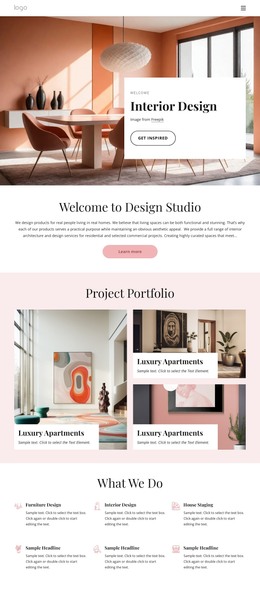
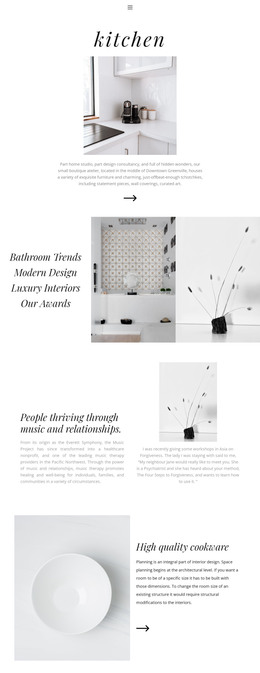
The service portion gives this design a useful page-oriented content base. Consultations, Planning, Accessories, and Living Rooms are presented as four distinct categories above an interior space planning description, while the About Design and About Workshop areas provide more permanent explanatory content. Their different roles make the design suitable for separating core page information from recurring or expandable content, without claiming that WordPress Posts, categories, or blog structures already exist in the template.
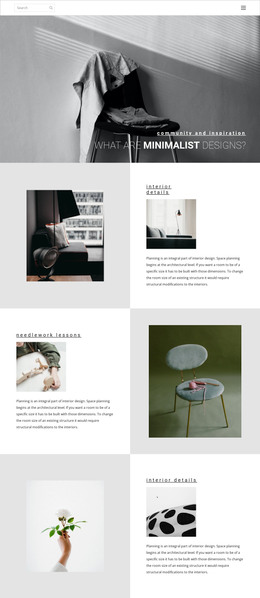
The two short articles about cozy minimalism and creating a warm home on a budget offer a natural editorial direction if the project later adds regularly updated content. They sit within the same visual language as the large room photographs, testimonial area, and home décor feature, so new content can remain connected to the theme’s calm, image-led identity. The Contact section supplies stable page content through office, phone, fax, and email cards, and the navigation and mobile-navigation components support movement among the site’s content areas. In a WordPress project, these verified regions can be interpreted as permanent pages and adaptable editorial areas while preserving the terracotta accents, bold numbering, and asymmetrical compositions. Sample names, addresses, contact values, and filler copy should be replaced with real content before publication.
Customize with Nicepage
Open this ready-made template in the WordPress Website Builder and customize it visually in the Nicepage editor. Replace demo content, edit page sections, and adapt the design to your project without rebuilding the template from scratch.
Manage and Edit This Theme in WordPress
Customize and Install the WordPress Theme
Start with this ready-made theme instead of building the WordPress design from scratch. Customize its layout, content, typography, images, sections, and other design elements visually in Nicepage editor, then export and install the WordPress Theme, Plugin, and Pages on your WordPress site. The Nicepage WordPress Plugin lets you continue working with the site after installation.
Edit the Theme Directly in WordPress
After installation, you can edit the WordPress Theme directly in WordPress with the Nicepage WordPress Plugin. Use Site Style to customize site Colors, Fonts, Header, Footer, Blog, and Post Page Templates while working within your WordPress website.
Edit WordPress Pages Visually
Use the Nicepage WordPress Plugin to edit page content directly from the WordPress admin area. Open a WordPress Page with Nicepage and visually change its text, images, sections, and other page elements while continuing to manage the Page through WordPress.
WordPress Content and Theme Integration
Use the customized theme with WordPress Pages, Posts, Blog and Post Templates, menus, widgets, and other CMS-managed content. Shared theme elements such as Colors, Fonts, Header, Footer, Blog, and Post Page Templates can be managed as part of the overall site design, while WordPress provides the CMS environment for managing site content.
This workflow combines a ready-made WordPress Theme with visual customization, direct theme editing in WordPress, and continued content management through the Nicepage WordPress Plugin.