Interior Studio WordPress Theme


Edit Template Offline
2. Create new page and search for id 14679
Edit Template Online
Create Awesome Websites


Free Nicepage Builder
Keywords
Case-study imagery and service content suit page-oriented WordPress content
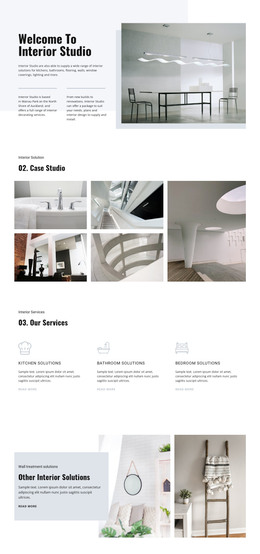
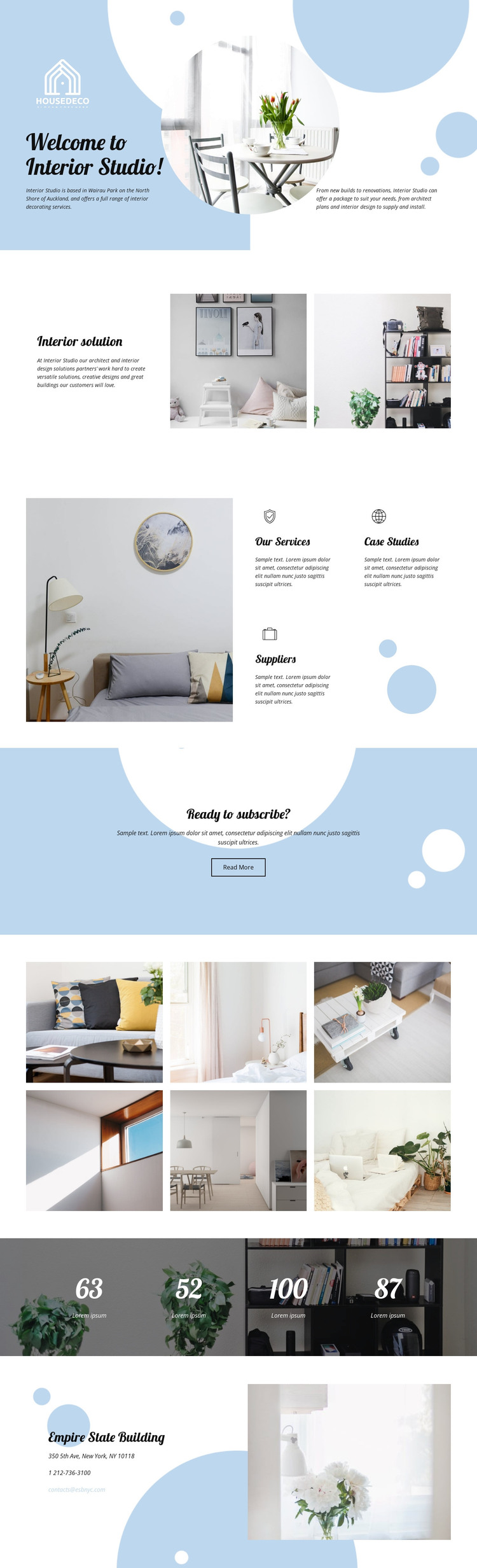
The page’s service and project areas can be read as distinct permanent content rather than as one undifferentiated promotional block. The opening introduces the interior studio and its work with new-build and renovation contexts, while the interior solution section gives the design approach a separate text-and-image relationship. This division provides a useful basis for page-oriented content about the studio, its methods, and its capabilities.
The labels Our Services, Case Studies, and Suppliers create another layer of content distinction. Case-study material is reinforced by the six-image interior gallery, which gives visual content a dedicated place instead of limiting it to the opening section. The large image beside the service areas also keeps the visual direction consistent with the residential subject. These relationships could support a WordPress-managed site where permanent studio information is presented alongside project-focused or regularly updated material, without claiming that posts or blog structures are already present in the template.
The Read More button offers a natural connection from summary information to more detailed content, while the contact area provides telephone and email channels for direct communication. The four numeric displays can be retained only as layout patterns until their filler labels and meanings are replaced. A WordPress implementation can therefore preserve the pale blue palette, rounded shapes, editorial headings, photography, and shared page character while organizing studio information, service content, project imagery, and contact details as a coherent theme context.
Customize with Nicepage
Open this ready-made template in the WordPress Website Builder and customize it visually in the Nicepage editor. Replace demo content, edit page sections, and adapt the design to your project without rebuilding the template from scratch.
Manage and Edit This Theme in WordPress
Customize and Install the WordPress Theme
Start with this ready-made theme instead of building the WordPress design from scratch. Customize its layout, content, typography, images, sections, and other design elements visually in Nicepage editor, then export and install the WordPress Theme, Plugin, and Pages on your WordPress site. The Nicepage WordPress Plugin lets you continue working with the site after installation.
Edit the Theme Directly in WordPress
After installation, you can edit the WordPress Theme directly in WordPress with the Nicepage WordPress Plugin. Use Site Style to customize site Colors, Fonts, Header, Footer, Blog, and Post Page Templates while working within your WordPress website.
Edit WordPress Pages Visually
Use the Nicepage WordPress Plugin to edit page content directly from the WordPress admin area. Open a WordPress Page with Nicepage and visually change its text, images, sections, and other page elements while continuing to manage the Page through WordPress.
WordPress Content and Theme Integration
Use the customized theme with WordPress Pages, Posts, Blog and Post Templates, menus, widgets, and other CMS-managed content. Shared theme elements such as Colors, Fonts, Header, Footer, Blog, and Post Page Templates can be managed as part of the overall site design, while WordPress provides the CMS environment for managing site content.
This workflow combines a ready-made WordPress Theme with visual customization, direct theme editing in WordPress, and continued content management through the Nicepage WordPress Plugin.