Pet health and wellness WordPress Theme


Stable Clinic Information for WordPress-Managed Page Content
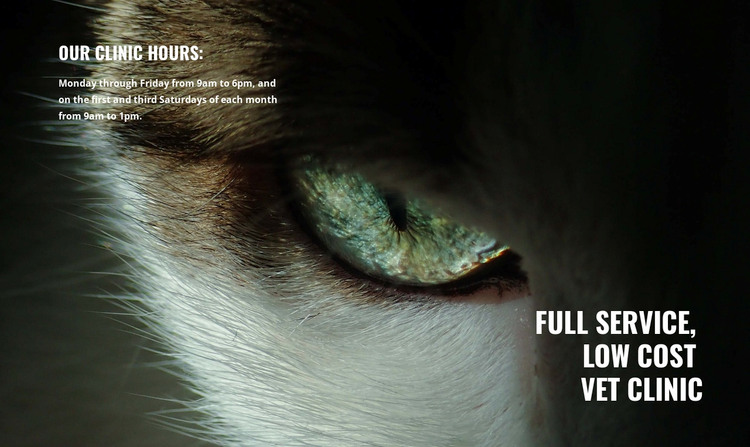
The block reads as permanent page content because its message and schedule describe a continuing clinic introduction rather than a time-sensitive article. The right-side heading, “Full Service, Low Cost Vet Clinic,” identifies the subject, while the left-side “Our clinic hours:” group gives visitors concrete availability: weekdays from 9am to 6pm and the first and third Saturdays from 9am to 1pm. These two content roles remain distinct within one section.
The close-up animal eye image supplies the visual context, and the dark background supports the white condensed typography used across both text areas. That treatment makes the section recognizable as a stable visual pattern that can be retained on a veterinary page while other page content changes around it. The static arrangement also keeps the block focused on presenting information rather than on a dynamic WordPress component.
In a WordPress-oriented project, this block can participate as one reusable page section within the wider theme and content environment. It can introduce a clinic before other sections explain services, treatment information, or contact options. The block itself remains limited to its verified role: a title, operating-hours information, and animal-focused imagery arranged as a cohesive content area, not a complete WordPress Theme or site.
Customize with Nicepage
Open this ready-made template in the WordPress Website Builder and customize it visually in the Nicepage editor. Replace demo content, edit page sections, and adapt the design to your project without rebuilding the template from scratch.
Edit Template Offline
2. Create a new page or select existing
3. Click Add new block, search for id 73872 and click enter
Edit Template Online
Create Awesome Websites


Free Nicepage Builder
Keywords
Manage and Edit This Theme in WordPress
Customize and Install the WordPress Theme
Start with this ready-made theme instead of building the WordPress design from scratch. Customize its layout, content, typography, images, sections, and other design elements visually in Nicepage editor, then export and install the WordPress Theme, Plugin, and Pages on your WordPress site. The Nicepage WordPress Plugin lets you continue working with the site after installation.
Edit the Theme Directly in WordPress
After installation, you can edit the WordPress Theme directly in WordPress with the Nicepage WordPress Plugin. Use Site Style to customize site Colors, Fonts, Header, Footer, Blog, and Post Page Templates while working within your WordPress website.
Edit WordPress Pages Visually
Use the Nicepage WordPress Plugin to edit page content directly from the WordPress admin area. Open a WordPress Page with Nicepage and visually change its text, images, sections, and other page elements while continuing to manage the Page through WordPress.
WordPress Content and Theme Integration
Use the customized theme with WordPress Pages, Posts, Blog and Post Templates, menus, widgets, and other CMS-managed content. Shared theme elements such as Colors, Fonts, Header, Footer, Blog, and Post Page Templates can be managed as part of the overall site design, while WordPress provides the CMS environment for managing site content.
This workflow combines a ready-made WordPress Theme with visual customization, direct theme editing in WordPress, and continued content management through the Nicepage WordPress Plugin.