Follow us on WordPress Theme


Edit Template Offline
2. Create new page and search for id 6172917
Edit Template Online
Create Awesome Websites


Free Nicepage Builder
Keywords
Permanent Contact Content With a Separate Subscription Route
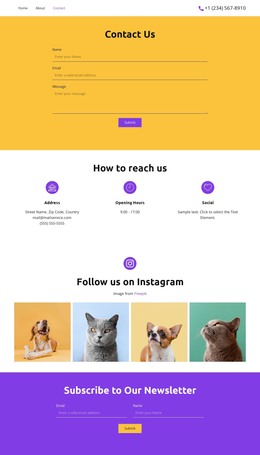
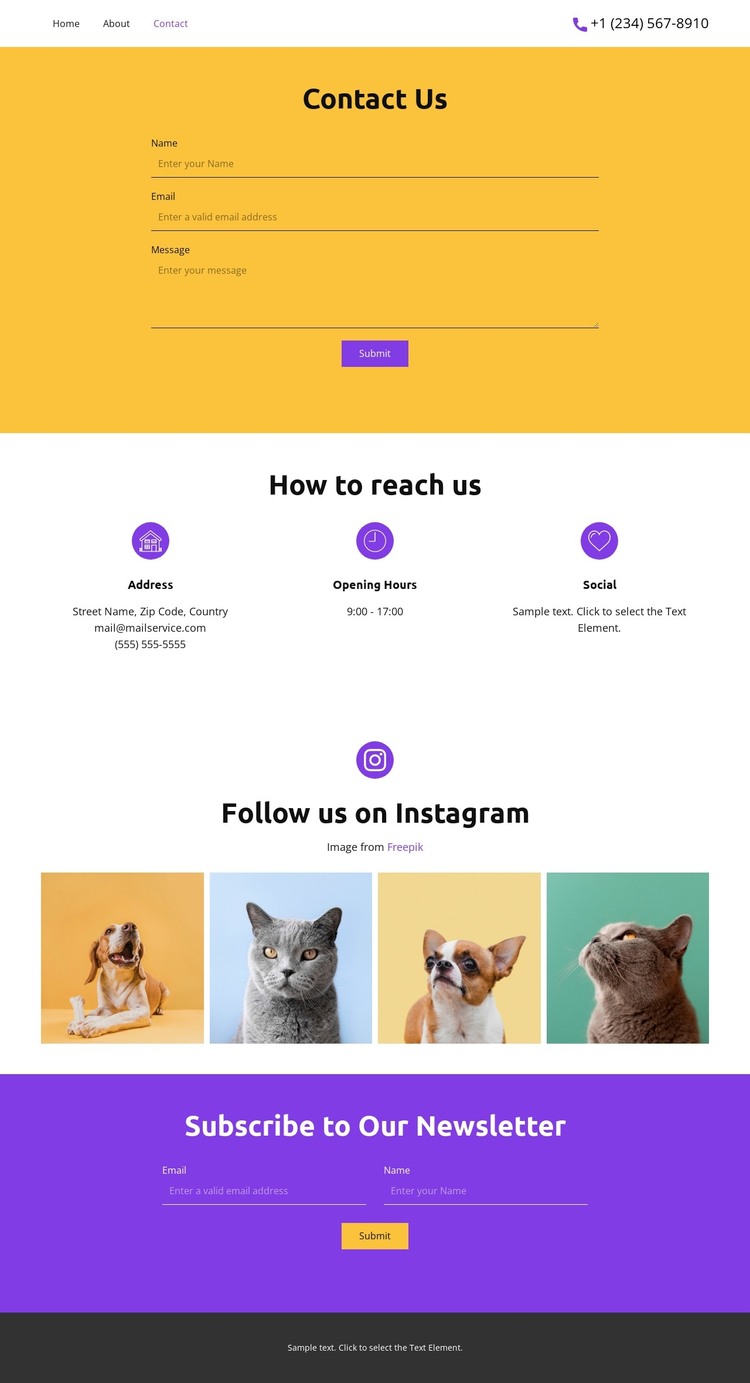
The design’s content areas map naturally to a WordPress-oriented site without requiring unsupported claims about posts or blog structures. The opening Contact Us form can represent permanent page content for direct communication, while the three cards give address, opening hours, and social information separate locations that are easy to maintain as site details change. Their repeated structure is more useful than treating the information as one fixed sample paragraph.
The Instagram gallery adds four image-led content units that can support the site’s social presentation, while the purple newsletter section creates a distinct subscription area. Keeping these functions separate helps a WordPress project distinguish stable contact information from an ongoing audience-communication route. The Home, About, and Contact menu also gives the design a clear page-oriented navigation framework, and the dark footer can act as a shared visual boundary around related site content.
The sample street name, email address, phone number, hours, and footer text are placeholders that demonstrate content fields rather than real records. The verified page therefore supports interpretation as a WordPress theme for contact-focused content, not a claim that it already contains posts or categories. If the project later needs CMS-managed editing, the Nicepage WordPress Plugin is an optional bridge for working with the design in WordPress.
Customize with Nicepage
Open this ready-made template in the WordPress Website Builder and customize it visually in the Nicepage editor. Replace demo content, edit page sections, and adapt the design to your project without rebuilding the template from scratch.
Manage and Edit This Theme in WordPress
Customize and Install the WordPress Theme
Start with this ready-made theme instead of building the WordPress design from scratch. Customize its layout, content, typography, images, sections, and other design elements visually in Nicepage editor, then export and install the WordPress Theme, Plugin, and Pages on your WordPress site. The Nicepage WordPress Plugin lets you continue working with the site after installation.
Edit the Theme Directly in WordPress
After installation, you can edit the WordPress Theme directly in WordPress with the Nicepage WordPress Plugin. Use Site Style to customize site Colors, Fonts, Header, Footer, Blog, and Post Page Templates while working within your WordPress website.
Edit WordPress Pages Visually
Use the Nicepage WordPress Plugin to edit page content directly from the WordPress admin area. Open a WordPress Page with Nicepage and visually change its text, images, sections, and other page elements while continuing to manage the Page through WordPress.
WordPress Content and Theme Integration
Use the customized theme with WordPress Pages, Posts, Blog and Post Templates, menus, widgets, and other CMS-managed content. Shared theme elements such as Colors, Fonts, Header, Footer, Blog, and Post Page Templates can be managed as part of the overall site design, while WordPress provides the CMS environment for managing site content.
This workflow combines a ready-made WordPress Theme with visual customization, direct theme editing in WordPress, and continued content management through the Nicepage WordPress Plugin.