Dog training courses WordPress Theme


Edit Template Offline
2. Create new page and search for id 1168654
Edit Template Online
Create Awesome Websites


Free Nicepage Builder
Keywords
Page Content and Repeated Training Areas Support WordPress Growth
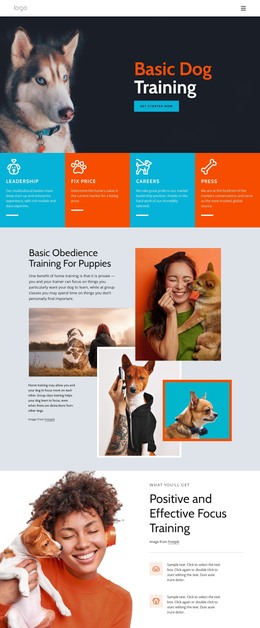
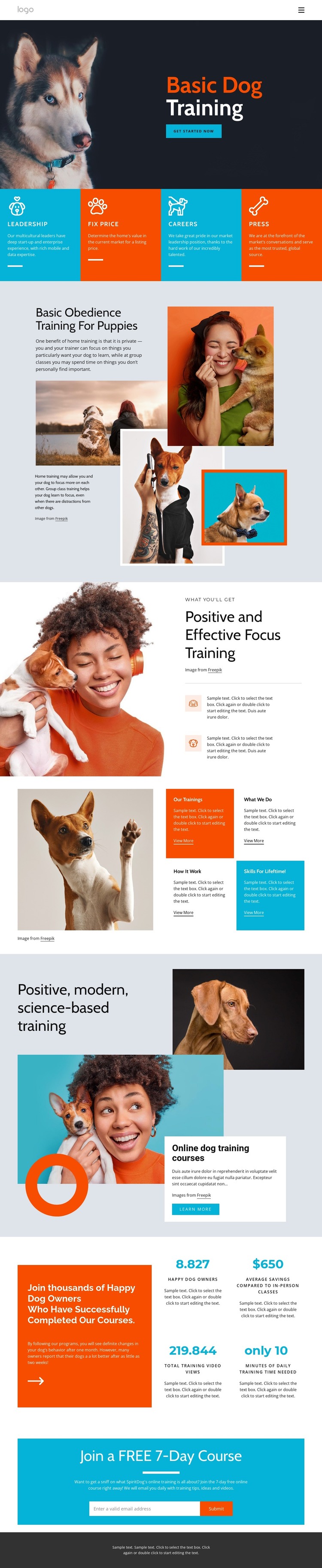
The basic obedience and focus sections create two distinct page-content relationships that can remain useful as the training project develops. The puppy-obedience area combines explanatory text with an overlapping dog-and-owner image composition, while the focus section pairs a large photograph with a heading and two benefit items. Together they provide more specific content than a single generic service introduction.
The four training option cards add repeated content units with short descriptions and View More actions. Their consistent format could accommodate separate program information or related editorial entries without losing the visual direction already established by the page. The online-course block offers a different featured region, using layered photography, a white text card, and a Learn more action to emphasize the online dog training courses heading. The four metric panels can remain supporting content, while their demo values should not be treated as verified achievements.
The final email subscription form gives the page a clear permanent response area for the free 7-day course. In a WordPress-oriented project, these page sections can sit alongside future content about training topics, announcements, or course resources while retaining the same visual character. The value is not a claim that posts or categories already exist; it is the way this design separates durable training information, repeated options, featured learning content, and signup content.
Customize with Nicepage
Open this ready-made template in the WordPress Website Builder and customize it visually in the Nicepage editor. Replace demo content, edit page sections, and adapt the design to your project without rebuilding the template from scratch.
Manage and Edit This Theme in WordPress
Customize and Install the WordPress Theme
Start with this ready-made theme instead of building the WordPress design from scratch. Customize its layout, content, typography, images, sections, and other design elements visually in Nicepage editor, then export and install the WordPress Theme, Plugin, and Pages on your WordPress site. The Nicepage WordPress Plugin lets you continue working with the site after installation.
Edit the Theme Directly in WordPress
After installation, you can edit the WordPress Theme directly in WordPress with the Nicepage WordPress Plugin. Use Site Style to customize site Colors, Fonts, Header, Footer, Blog, and Post Page Templates while working within your WordPress website.
Edit WordPress Pages Visually
Use the Nicepage WordPress Plugin to edit page content directly from the WordPress admin area. Open a WordPress Page with Nicepage and visually change its text, images, sections, and other page elements while continuing to manage the Page through WordPress.
WordPress Content and Theme Integration
Use the customized theme with WordPress Pages, Posts, Blog and Post Templates, menus, widgets, and other CMS-managed content. Shared theme elements such as Colors, Fonts, Header, Footer, Blog, and Post Page Templates can be managed as part of the overall site design, while WordPress provides the CMS environment for managing site content.
This workflow combines a ready-made WordPress Theme with visual customization, direct theme editing in WordPress, and continued content management through the Nicepage WordPress Plugin.