Best Friend's WordPress Theme

Edit Template Offline
2. Create new page and search for id 6172912
Edit Template Online
Create Awesome Websites


Free Nicepage Builder
Keywords
Product Categories and Publishable Pet-Retail Content
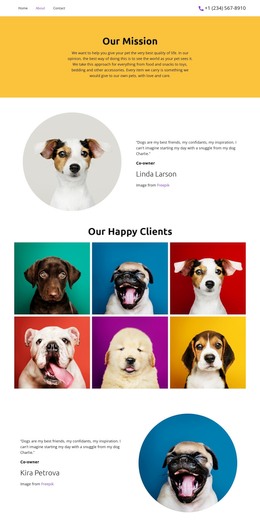
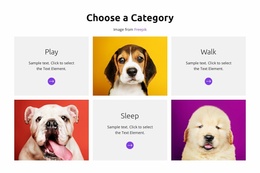
The six category tiles give the design a page-oriented content structure that can work well in a WordPress-managed retail site. Play, Walk, and Sleep divide the product message into clear areas, while the repeated tile format keeps each category visually connected. This provides a natural basis for maintaining permanent product or category information without presenting the template as if it already contains WordPress Posts, categories, or blog structures.
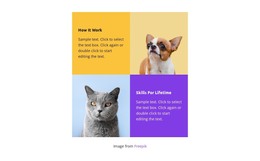
The promotional blocks create a separate content rhythm for changing offers. The yellow End of Season Sale banner can carry a concise campaign message, while the later cat-image section combines a 20% savings label with two buttons and supporting copy. The four benefits—Quality, Fair pricing, Transparency, and Family business—serve a more stable explanatory role. Together, these areas distinguish updateable promotional content from the page's enduring retail message.
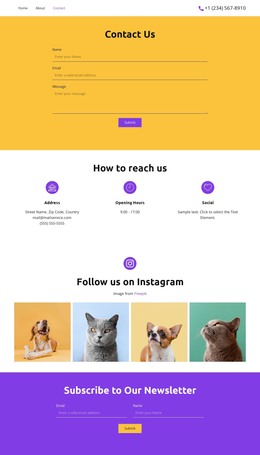
The four-image Instagram section and purple newsletter panel add recurring audience content. The former can be understood as a visual social area, while the latter provides a defined subscription interaction with a Subscribe action. Navigation, social links, contact affordance, and the footer supply shared site elements around those sections. A WordPress interpretation therefore centers on managing page content and future updates within the established visual system. It does not claim that a blog, Posts, or WordPress-specific content component is already present.
Customize with Nicepage
Open this ready-made template in the WordPress Website Builder and customize it visually in the Nicepage editor. Replace demo content, edit page sections, and adapt the design to your project without rebuilding the template from scratch.
Manage and Edit This Theme in WordPress
Customize and Install the WordPress Theme
Start with this ready-made theme instead of building the WordPress design from scratch. Customize its layout, content, typography, images, sections, and other design elements visually in Nicepage editor, then export and install the WordPress Theme, Plugin, and Pages on your WordPress site. The Nicepage WordPress Plugin lets you continue working with the site after installation.
Edit the Theme Directly in WordPress
After installation, you can edit the WordPress Theme directly in WordPress with the Nicepage WordPress Plugin. Use Site Style to customize site Colors, Fonts, Header, Footer, Blog, and Post Page Templates while working within your WordPress website.
Edit WordPress Pages Visually
Use the Nicepage WordPress Plugin to edit page content directly from the WordPress admin area. Open a WordPress Page with Nicepage and visually change its text, images, sections, and other page elements while continuing to manage the Page through WordPress.
WordPress Content and Theme Integration
Use the customized theme with WordPress Pages, Posts, Blog and Post Templates, menus, widgets, and other CMS-managed content. Shared theme elements such as Colors, Fonts, Header, Footer, Blog, and Post Page Templates can be managed as part of the overall site design, while WordPress provides the CMS environment for managing site content.
This workflow combines a ready-made WordPress Theme with visual customization, direct theme editing in WordPress, and continued content management through the Nicepage WordPress Plugin.