Eco-Friendly Waste WordPress Theme


Edit Template Offline
2. Create new page and search for id 6455327
Edit Template Online
Create Awesome Websites


Free Nicepage Builder
Keywords
Location Content Gives WordPress Pages a Clear Editorial Pattern
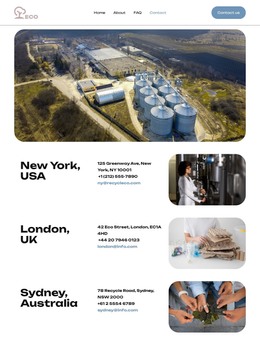
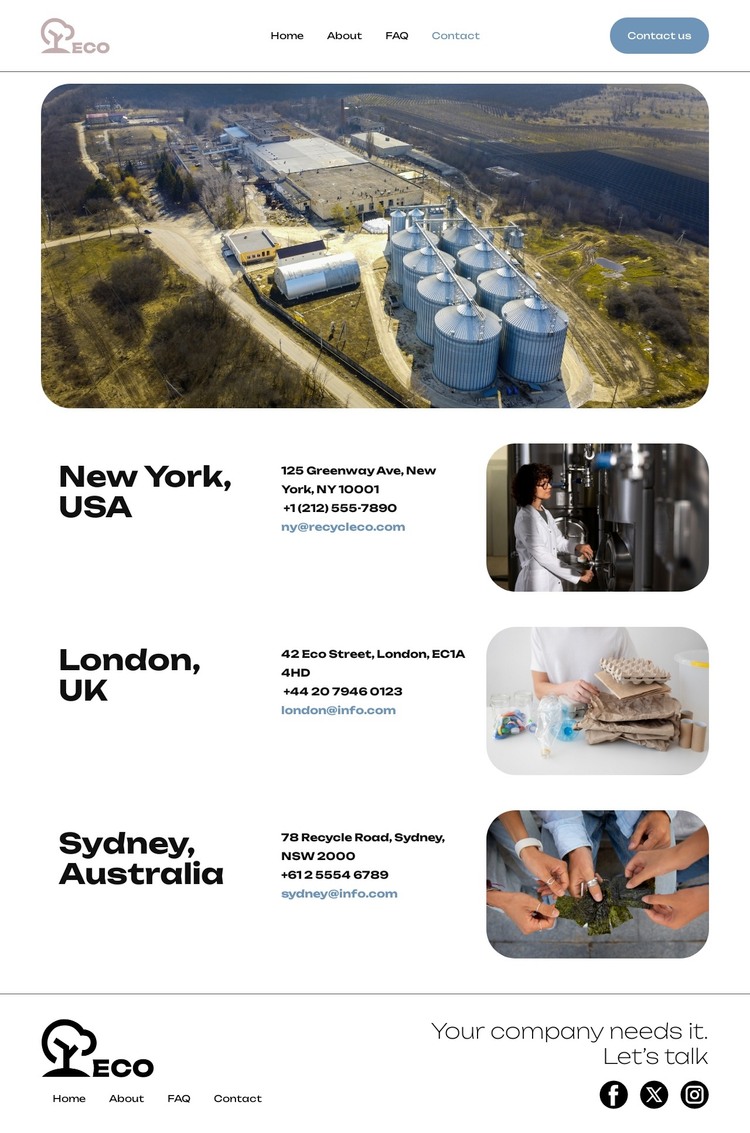
The three office sections provide the strongest content relationship for a WordPress-oriented implementation. New York, London, and Sydney are already separated into repeatable areas with a place heading, communication details, and an associated image. That pattern could guide permanent page content or reusable location information in a WordPress project, without claiming that WordPress Pages, Posts, categories, or widgets already exist in this template.
The header and footer supply the shared site context around those areas. The brand mark, Home, About, FAQ, and Contact navigation create a stable route between content subjects, while the footer repeats navigation and adds Facebook, Twitter, and Instagram links. The industrial banner can remain the visual introduction for the contact page, and the office images can continue to distinguish each location when the content is updated. Demo addresses, phone numbers, and emails should be treated as structural placeholders rather than published business facts.
This relationship differs from a static implementation because the design can organize permanent contact information alongside other content managed in the CMS. A WordPress project could extend the same visual direction around company information or regularly updated material while keeping the location sections recognizable. The theme interpretation therefore comes from the page’s content areas and shared elements, not merely from replacing the underlying platform name.
Customize with Nicepage
Open this ready-made template in the WordPress Website Builder and customize it visually in the Nicepage editor. Replace demo content, edit page sections, and adapt the design to your project without rebuilding the template from scratch.
Manage and Edit This Theme in WordPress
Customize and Install the WordPress Theme
Start with this ready-made theme instead of building the WordPress design from scratch. Customize its layout, content, typography, images, sections, and other design elements visually in Nicepage editor, then export and install the WordPress Theme, Plugin, and Pages on your WordPress site. The Nicepage WordPress Plugin lets you continue working with the site after installation.
Edit the Theme Directly in WordPress
After installation, you can edit the WordPress Theme directly in WordPress with the Nicepage WordPress Plugin. Use Site Style to customize site Colors, Fonts, Header, Footer, Blog, and Post Page Templates while working within your WordPress website.
Edit WordPress Pages Visually
Use the Nicepage WordPress Plugin to edit page content directly from the WordPress admin area. Open a WordPress Page with Nicepage and visually change its text, images, sections, and other page elements while continuing to manage the Page through WordPress.
WordPress Content and Theme Integration
Use the customized theme with WordPress Pages, Posts, Blog and Post Templates, menus, widgets, and other CMS-managed content. Shared theme elements such as Colors, Fonts, Header, Footer, Blog, and Post Page Templates can be managed as part of the overall site design, while WordPress provides the CMS environment for managing site content.
This workflow combines a ready-made WordPress Theme with visual customization, direct theme editing in WordPress, and continued content management through the Nicepage WordPress Plugin.