Reduce, Reuse, Recycle WordPress Theme


Edit Template Offline
2. Create new page and search for id 6455365
Edit Template Online
Create Awesome Websites


Free Nicepage Builder
Keywords
Recycling questions and page content fit a focused WordPress theme structure
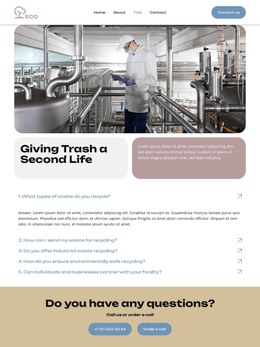
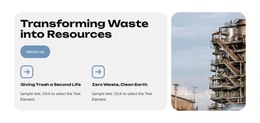
The page-oriented content is clearly divided into permanent information areas. The industrial facility image and “Giving Trash a Second Life” heading introduce the recycling subject, while the rounded panels provide a contained place for explanatory copy. The five-question accordion then gives the page a more specific editorial role: each recycling-related question can stand as a separate piece of visitor information while remaining within one consistent visual presentation.
The contact band connects that informational content with a practical site action. Its “Do you have any questions?” heading, displayed phone contact, and order-a-call action create a defined contact area that can remain part of the page content rather than being confused with the FAQ answers. The header’s Home, About, FAQ, and Contact links add navigation between content areas, and the footer repeats navigation alongside the logo and social links.
These facts make the design suitable for a WordPress-managed project without claiming that blog posts, categories, or other CMS structures already exist in the template. The strongest interpretation is a page-based theme arrangement for recycling information: permanent FAQ and service content can retain the industrial imagery and rounded visual language, while future site content can be added around the same navigation and shared footer direction. The design therefore provides a focused content foundation rather than an unverified collection of completed pages.
Customize with Nicepage
Open this ready-made template in the WordPress Website Builder and customize it visually in the Nicepage editor. Replace demo content, edit page sections, and adapt the design to your project without rebuilding the template from scratch.
Manage and Edit This Theme in WordPress
Customize and Install the WordPress Theme
Start with this ready-made theme instead of building the WordPress design from scratch. Customize its layout, content, typography, images, sections, and other design elements visually in Nicepage editor, then export and install the WordPress Theme, Plugin, and Pages on your WordPress site. The Nicepage WordPress Plugin lets you continue working with the site after installation.
Edit the Theme Directly in WordPress
After installation, you can edit the WordPress Theme directly in WordPress with the Nicepage WordPress Plugin. Use Site Style to customize site Colors, Fonts, Header, Footer, Blog, and Post Page Templates while working within your WordPress website.
Edit WordPress Pages Visually
Use the Nicepage WordPress Plugin to edit page content directly from the WordPress admin area. Open a WordPress Page with Nicepage and visually change its text, images, sections, and other page elements while continuing to manage the Page through WordPress.
WordPress Content and Theme Integration
Use the customized theme with WordPress Pages, Posts, Blog and Post Templates, menus, widgets, and other CMS-managed content. Shared theme elements such as Colors, Fonts, Header, Footer, Blog, and Post Page Templates can be managed as part of the overall site design, while WordPress provides the CMS environment for managing site content.
This workflow combines a ready-made WordPress Theme with visual customization, direct theme editing in WordPress, and continued content management through the Nicepage WordPress Plugin.