Good recipes for good food WordPress Theme


Edit Template Offline
2. Create new page and search for id 64449
Edit Template Online
Create Awesome Websites


Free Nicepage Builder
Keywords
Recipe and Cafe Areas Suit Page-Oriented WordPress Content
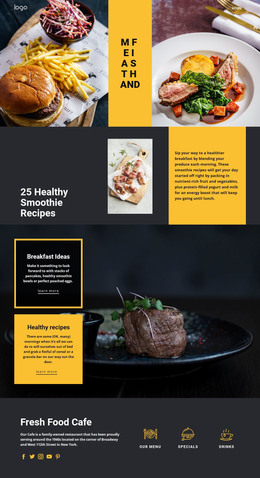
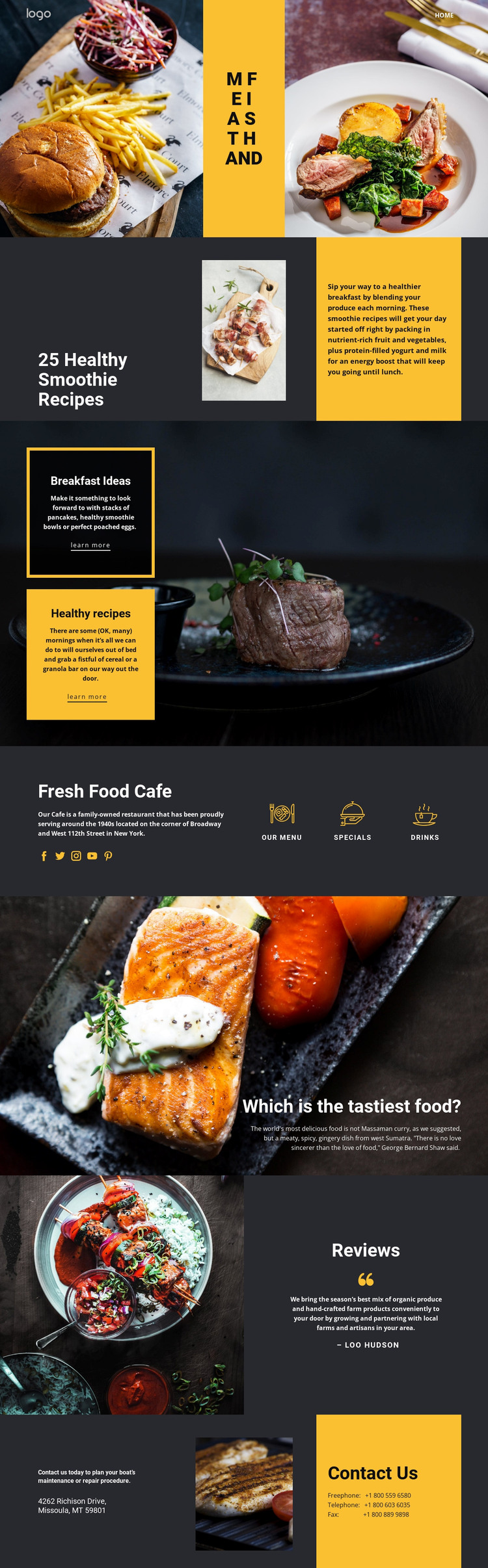
The design separates permanent informational subjects into recognizable areas that can remain part of one visual system. The smoothie recipe section gives the page a focused editorial subject, while the Breakfast Ideas and Healthy recipes cards create distinct content paths rather than one continuous paragraph. The Fresh Food Cafe band adds a second group of page content through Our menu, Specials, and Drinks, which can be interpreted as stable information about the cafe’s offerings.
The food highlight and Reviews section provide additional content relationships. The image-led statement can introduce a featured food topic, while the review panel pairs a photograph with attributed text and a reviewer name. Social links and the final Contact Us area then support the broader site context through external destinations, telephone details, a displayed location, and a contact message. These facts describe the design’s content areas; they do not prove that WordPress Posts, categories, or blog templates already exist.
For a WordPress-oriented project, the theme can therefore provide a coordinated presentation for permanent pages and any later content that genuinely fits the site. The emphasis is on mapping the existing recipe, cafe, review, and contact areas to a content environment, not on replacing the design with a generic CMS layout. Sample names, addresses, phone numbers, and demo copy should be reviewed before being used as real business information.
Customize with Nicepage
Open this ready-made template in the WordPress Website Builder and customize it visually in the Nicepage editor. Replace demo content, edit page sections, and adapt the design to your project without rebuilding the template from scratch.
Manage and Edit This Theme in WordPress
Customize and Install the WordPress Theme
Start with this ready-made theme instead of building the WordPress design from scratch. Customize its layout, content, typography, images, sections, and other design elements visually in Nicepage editor, then export and install the WordPress Theme, Plugin, and Pages on your WordPress site. The Nicepage WordPress Plugin lets you continue working with the site after installation.
Edit the Theme Directly in WordPress
After installation, you can edit the WordPress Theme directly in WordPress with the Nicepage WordPress Plugin. Use Site Style to customize site Colors, Fonts, Header, Footer, Blog, and Post Page Templates while working within your WordPress website.
Edit WordPress Pages Visually
Use the Nicepage WordPress Plugin to edit page content directly from the WordPress admin area. Open a WordPress Page with Nicepage and visually change its text, images, sections, and other page elements while continuing to manage the Page through WordPress.
WordPress Content and Theme Integration
Use the customized theme with WordPress Pages, Posts, Blog and Post Templates, menus, widgets, and other CMS-managed content. Shared theme elements such as Colors, Fonts, Header, Footer, Blog, and Post Page Templates can be managed as part of the overall site design, while WordPress provides the CMS environment for managing site content.
This workflow combines a ready-made WordPress Theme with visual customization, direct theme editing in WordPress, and continued content management through the Nicepage WordPress Plugin.