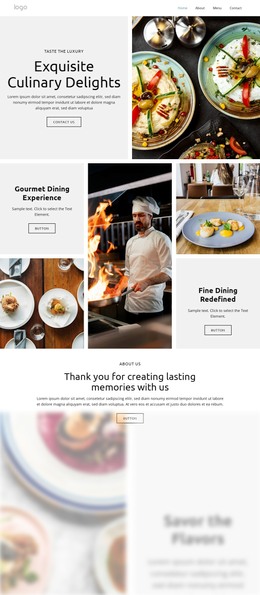
Indulge in Culinary Bliss WordPress Theme


Categorized Restaurant Contact Content in a Two-Column Layout
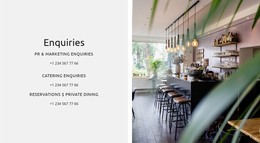
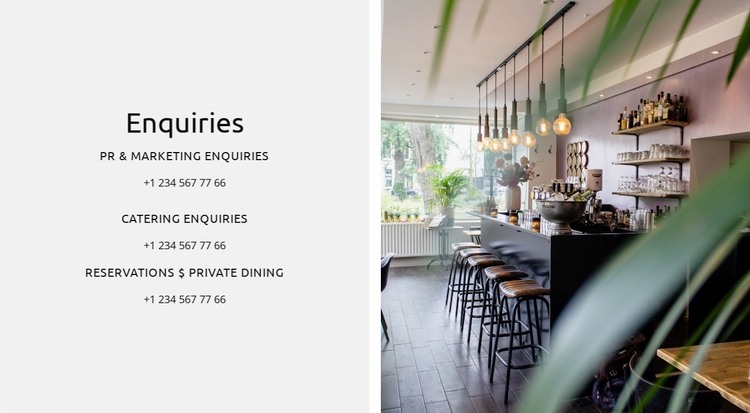
The “Enquiries” heading and three labeled contact groups make this section read as stable page content rather than a rotating or time-sensitive feed. PR & Marketing, Catering, and Reservations & Private Dining are presented as separate reasons to get in touch, and each has a displayed phone entry beneath or alongside its label. That repeated relationship gives a WordPress-managed page a concise way to organize restaurant enquiries without implying that a submission form or booking system is already part of the block.
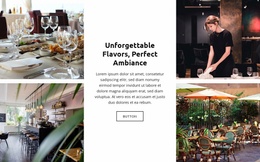
The visual arrangement reinforces the content hierarchy. A light gray panel occupies the left column, where centered black typography, smaller uppercase labels, and generous vertical spacing keep each enquiry channel distinct. The right column contains a full-height restaurant interior image with visible seating, pendant lights, and shelving. The photograph provides atmosphere and venue context, while the text panel remains the functional reference area.
In a WordPress-oriented project, this block can be used as a permanent contact section on a restaurant or hospitality page. Its categorized phone content can sit alongside other publishable page material, while the wider site handles menus, editorial updates, or additional venue information separately. The section therefore offers a focused content region that can retain its visual arrangement as the surrounding WordPress-managed project develops.
Customize with Nicepage
Open this ready-made template in the WordPress Website Builder and customize it visually in the Nicepage editor. Replace demo content, edit page sections, and adapt the design to your project without rebuilding the template from scratch.
Edit Template Offline
2. Create a new page or select existing
3. Click Add new block, search for id 6332520 and click enter
Edit Template Online
Create Awesome Websites


Free Nicepage Builder
Keywords
Manage and Edit This Theme in WordPress
Customize and Install the WordPress Theme
Start with this ready-made theme instead of building the WordPress design from scratch. Customize its layout, content, typography, images, sections, and other design elements visually in Nicepage editor, then export and install the WordPress Theme, Plugin, and Pages on your WordPress site. The Nicepage WordPress Plugin lets you continue working with the site after installation.
Edit the Theme Directly in WordPress
After installation, you can edit the WordPress Theme directly in WordPress with the Nicepage WordPress Plugin. Use Site Style to customize site Colors, Fonts, Header, Footer, Blog, and Post Page Templates while working within your WordPress website.
Edit WordPress Pages Visually
Use the Nicepage WordPress Plugin to edit page content directly from the WordPress admin area. Open a WordPress Page with Nicepage and visually change its text, images, sections, and other page elements while continuing to manage the Page through WordPress.
WordPress Content and Theme Integration
Use the customized theme with WordPress Pages, Posts, Blog and Post Templates, menus, widgets, and other CMS-managed content. Shared theme elements such as Colors, Fonts, Header, Footer, Blog, and Post Page Templates can be managed as part of the overall site design, while WordPress provides the CMS environment for managing site content.
This workflow combines a ready-made WordPress Theme with visual customization, direct theme editing in WordPress, and continued content management through the Nicepage WordPress Plugin.