Our Mission and history WordPress Theme


Permanent About Content in a WordPress Page Section
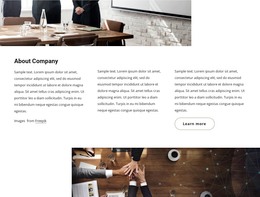
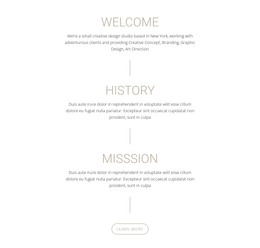
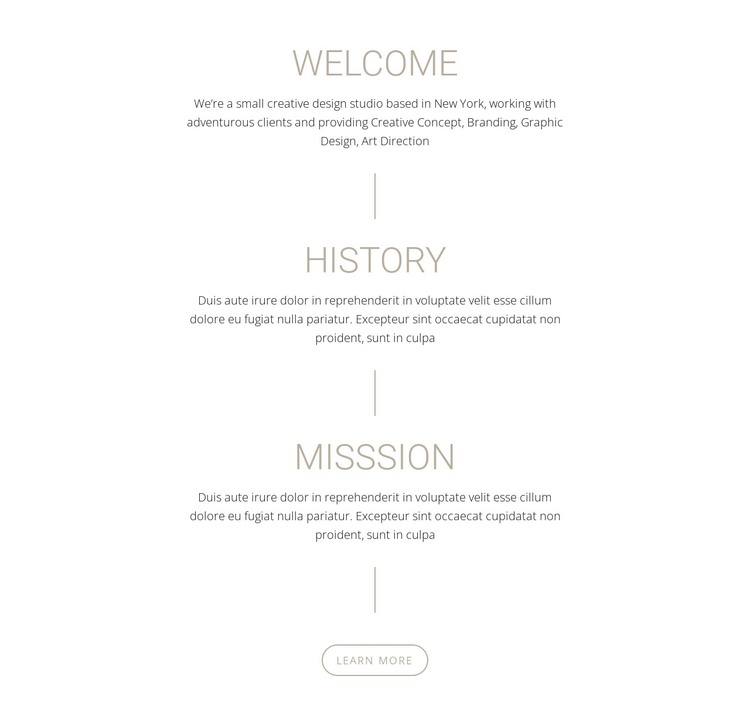
The Welcome, History, and Misssion panels read as stable explanatory content rather than as a stream of dated posts. Welcome introduces the studio and lists Creative Concept, Branding, Graphic Design, and Art Direction; History and Misssion then provide the background and purpose that support that introduction. The centered narrow column and three vertical separators keep these related subjects together, while the Learn more button offers a controlled route to additional information.
In a WordPress-oriented project, the section can serve as reusable about content on a page while the wider site manages other publishable material around it. Its white background, muted taupe-gray typography, large headings, and rounded outlined button provide a defined visual pattern that can remain consistent when the section is placed beside portfolio, services, or contact content. The block itself does not need to carry blog, category, or site-wide theme functions to be useful in that context.
Nicepage supports WordPress-managed page content through its WordPress workflow, but the CMS context belongs to the containing site. This particular block remains one visual and informational region. Its practical role is to preserve a coherent studio narrative in a page layout, with the three-panel order and final Learn more action making the content easy to recognize and reuse without expanding its scope into a complete theme.
Customize with Nicepage
Open this ready-made template in the WordPress Website Builder and customize it visually in the Nicepage editor. Replace demo content, edit page sections, and adapt the design to your project without rebuilding the template from scratch.
Edit Template Offline
2. Create a new page or select existing
3. Click Add new block, search for id 2711549 and click enter
Edit Template Online
Create Awesome Websites


Free Nicepage Builder
Keywords
Manage and Edit This Theme in WordPress
Customize and Install the WordPress Theme
Start with this ready-made theme instead of building the WordPress design from scratch. Customize its layout, content, typography, images, sections, and other design elements visually in Nicepage editor, then export and install the WordPress Theme, Plugin, and Pages on your WordPress site. The Nicepage WordPress Plugin lets you continue working with the site after installation.
Edit the Theme Directly in WordPress
After installation, you can edit the WordPress Theme directly in WordPress with the Nicepage WordPress Plugin. Use Site Style to customize site Colors, Fonts, Header, Footer, Blog, and Post Page Templates while working within your WordPress website.
Edit WordPress Pages Visually
Use the Nicepage WordPress Plugin to edit page content directly from the WordPress admin area. Open a WordPress Page with Nicepage and visually change its text, images, sections, and other page elements while continuing to manage the Page through WordPress.
WordPress Content and Theme Integration
Use the customized theme with WordPress Pages, Posts, Blog and Post Templates, menus, widgets, and other CMS-managed content. Shared theme elements such as Colors, Fonts, Header, Footer, Blog, and Post Page Templates can be managed as part of the overall site design, while WordPress provides the CMS environment for managing site content.
This workflow combines a ready-made WordPress Theme with visual customization, direct theme editing in WordPress, and continued content management through the Nicepage WordPress Plugin.