Smart Bottle WordPress Theme


Edit Template Offline
2. Create new page and search for id 13068
Edit Template Online
Create Awesome Websites


Free Nicepage Builder
Keywords
Product Pages and Editorial Content Can Share One Visual Direction
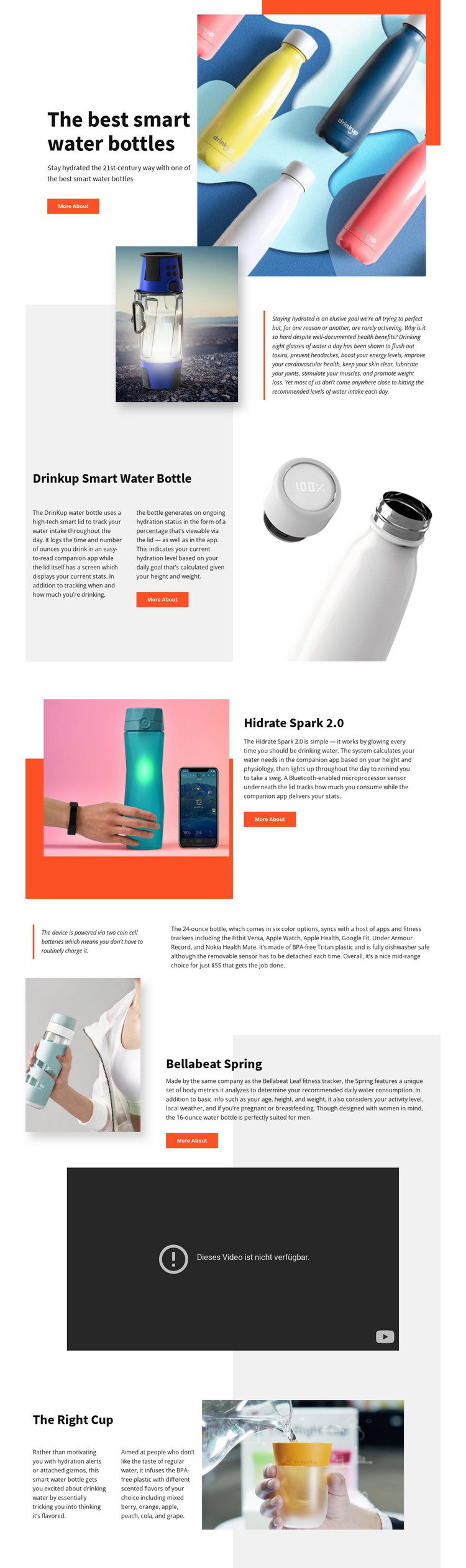
The four named product areas give this design a strong page-oriented content structure. Drinkup Smart Water Bottle, Hidrate Spark 2.0, Bellabeat Spring, and The Right Cup each have a recognizable presentation built from a product name, descriptive copy, and imagery. That makes them suitable reference areas for permanent product or category pages in a WordPress-managed project, without claiming that WordPress content types are already present in the template.
The hero can introduce the wider smart water bottle subject, while the standalone supporting statement can carry category context or editorial explanation. The large video section adds a separate media-focused region that can complement the product descriptions rather than repeating them. Because the split layouts alternate image and text positions, recurring product content can remain visually related while still giving individual items enough space to be understood.
The WordPress interpretation is therefore centered on organizing and extending page content, not on a generic CMS label. A project could preserve the coral accents, pale backgrounds, bold headings, and spacious product imagery while adding further pages or regularly updated material around the same visual system. The existing design does not verify Posts, categories, or a blog; those should only be introduced if the later project requires them.
Customize with Nicepage
Open this ready-made template in the WordPress Website Builder and customize it visually in the Nicepage editor. Replace demo content, edit page sections, and adapt the design to your project without rebuilding the template from scratch.
Manage and Edit This Theme in WordPress
Customize and Install the WordPress Theme
Start with this ready-made theme instead of building the WordPress design from scratch. Customize its layout, content, typography, images, sections, and other design elements visually in Nicepage editor, then export and install the WordPress Theme, Plugin, and Pages on your WordPress site. The Nicepage WordPress Plugin lets you continue working with the site after installation.
Edit the Theme Directly in WordPress
After installation, you can edit the WordPress Theme directly in WordPress with the Nicepage WordPress Plugin. Use Site Style to customize site Colors, Fonts, Header, Footer, Blog, and Post Page Templates while working within your WordPress website.
Edit WordPress Pages Visually
Use the Nicepage WordPress Plugin to edit page content directly from the WordPress admin area. Open a WordPress Page with Nicepage and visually change its text, images, sections, and other page elements while continuing to manage the Page through WordPress.
WordPress Content and Theme Integration
Use the customized theme with WordPress Pages, Posts, Blog and Post Templates, menus, widgets, and other CMS-managed content. Shared theme elements such as Colors, Fonts, Header, Footer, Blog, and Post Page Templates can be managed as part of the overall site design, while WordPress provides the CMS environment for managing site content.
This workflow combines a ready-made WordPress Theme with visual customization, direct theme editing in WordPress, and continued content management through the Nicepage WordPress Plugin.