Clean your car in 10 minutes WordPress Theme


The Product Message Fits Stable WordPress Page Content
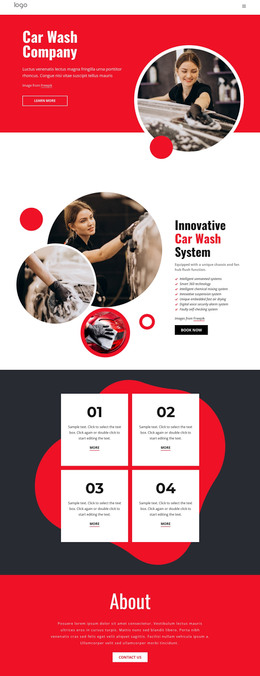
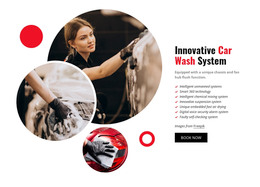
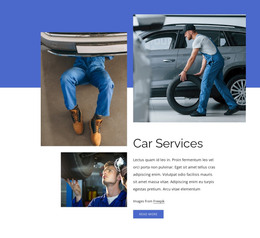
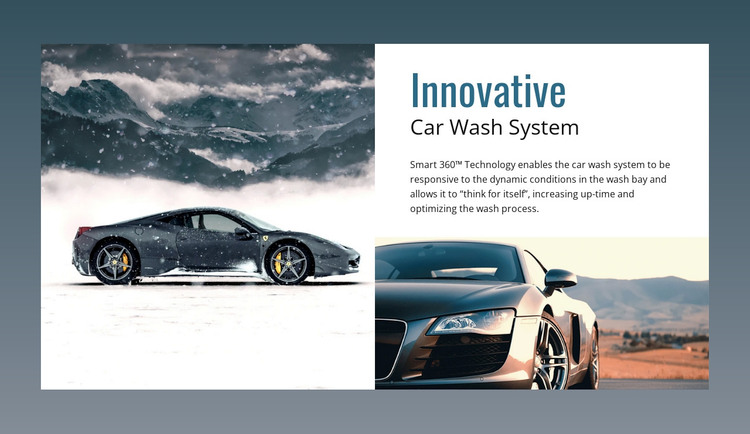
The heading and subtitle make this section read as durable product information rather than a stream of dated editorial entries. “Innovative” introduces the presentation, “Car Wash System” identifies the offering, and the Smart 360™ Technology description gives the content a specific subject for a car wash equipment page. The two vehicle photographs support that message visually, with the larger left image establishing the product context and the lower-right image extending it beneath the descriptive panel.
Inside a WordPress-managed page, this section can hold a stable product introduction while the surrounding project provides related service information, technical details, articles, or inquiry content. Its structured visual hierarchy keeps the content understandable when placed among other page regions: the large image attracts attention, the upper-right text explains what is being presented, and the second image closes the collage with a related visual cue. The block’s static interaction also makes its main message continuously available rather than dependent on a rotating or expandable control.
The white collage and muted blue-gray surround give the section a consistent visual container that can be coordinated with other page content. A broader WordPress project can echo the blue heading treatment, white surfaces, or image alignment elsewhere while preserving this block’s specific product role. The result is a reusable content area for presenting the car wash system within a managed page, with additional site content organized around it.
Customize with Nicepage
Open this ready-made template in the WordPress Website Builder and customize it visually in the Nicepage editor. Replace demo content, edit page sections, and adapt the design to your project without rebuilding the template from scratch.
Edit Template Offline
2. Create a new page or select existing
3. Click Add new block, search for id 55635 and click enter
Edit Template Online
Create Awesome Websites


Free Nicepage Builder
Keywords
Manage and Edit This Theme in WordPress
Customize and Install the WordPress Theme
Start with this ready-made theme instead of building the WordPress design from scratch. Customize its layout, content, typography, images, sections, and other design elements visually in Nicepage editor, then export and install the WordPress Theme, Plugin, and Pages on your WordPress site. The Nicepage WordPress Plugin lets you continue working with the site after installation.
Edit the Theme Directly in WordPress
After installation, you can edit the WordPress Theme directly in WordPress with the Nicepage WordPress Plugin. Use Site Style to customize site Colors, Fonts, Header, Footer, Blog, and Post Page Templates while working within your WordPress website.
Edit WordPress Pages Visually
Use the Nicepage WordPress Plugin to edit page content directly from the WordPress admin area. Open a WordPress Page with Nicepage and visually change its text, images, sections, and other page elements while continuing to manage the Page through WordPress.
WordPress Content and Theme Integration
Use the customized theme with WordPress Pages, Posts, Blog and Post Templates, menus, widgets, and other CMS-managed content. Shared theme elements such as Colors, Fonts, Header, Footer, Blog, and Post Page Templates can be managed as part of the overall site design, while WordPress provides the CMS environment for managing site content.
This workflow combines a ready-made WordPress Theme with visual customization, direct theme editing in WordPress, and continued content management through the Nicepage WordPress Plugin.