Car repair team WordPress Theme


Edit Template Offline
2. Create new page and search for id 6334504
Edit Template Online
Create Awesome Websites


Free Nicepage Builder
Keywords
Repair Services and Editorial Content Areas Fit a Managed Theme Structure
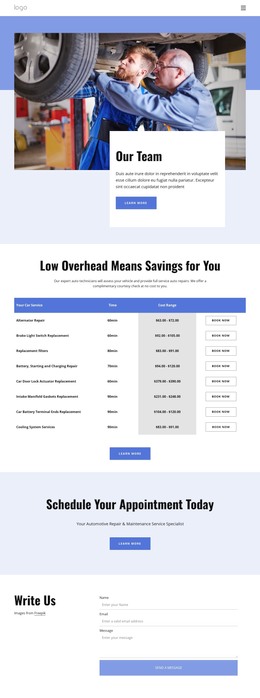
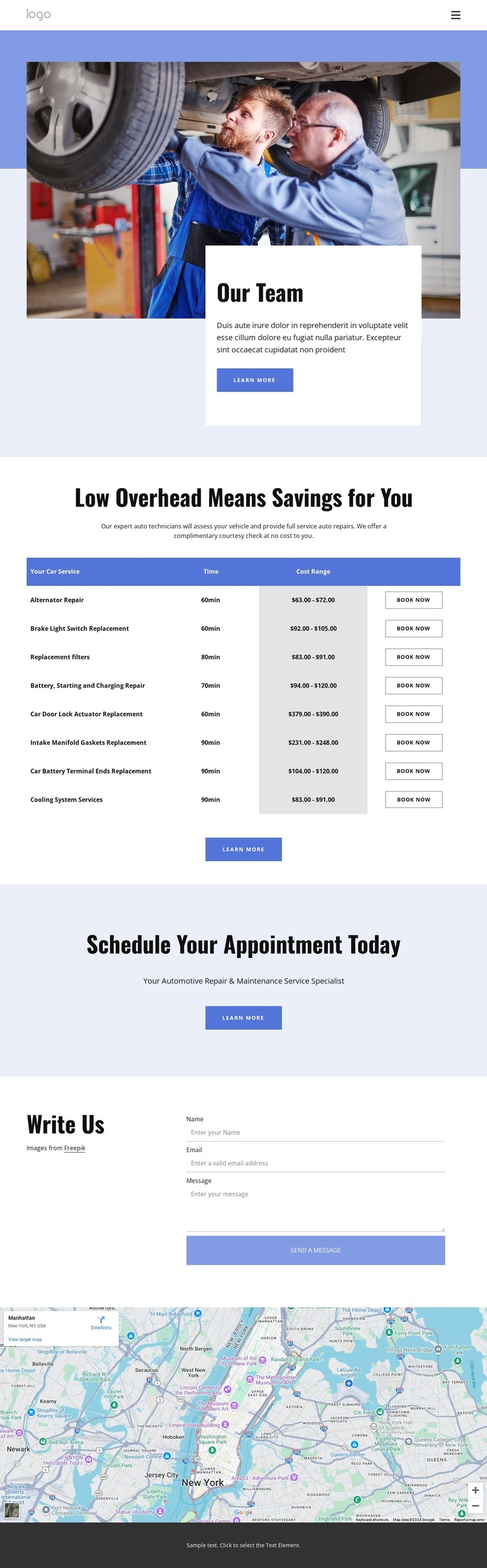
The eight-row pricing table provides the clearest page-oriented content in this design. Each row connects a repair service with an estimated duration, cost range, and booking action, so the information can be understood as a coordinated set of service content rather than as isolated decorative text. The arrangement gives a WordPress project a firm permanent-page foundation for explaining repair options and presenting the pricing context visitors need before making contact.
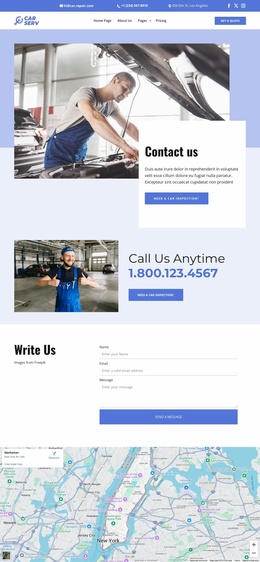
The surrounding sections add different types of content. The appointment block emphasizes scheduling, while the contact area collects a name, email, and message through a dedicated inquiry form. The map supplies location context below that interaction. In a WordPress-managed site, these areas can remain part of the same visual system while the project develops additional page content around services, locations, or regularly updated announcements when those content needs are confirmed.
The footer is also important to the theme interpretation because it contains recurring site information: service links, quick links, contact details, working hours, social links, and an email subscription form. Those elements create a consistent frame for page content instead of treating the pricing section as a standalone graphic. The design therefore works as a theme foundation through its relationship between permanent service information, visitor inquiries, location context, and shared site elements. Demo prices and contact details should be replaced with the project’s own verified content.
Customize with Nicepage
Open this ready-made template in the WordPress Website Builder and customize it visually in the Nicepage editor. Replace demo content, edit page sections, and adapt the design to your project without rebuilding the template from scratch.
Manage and Edit This Theme in WordPress
Customize and Install the WordPress Theme
Start with this ready-made theme instead of building the WordPress design from scratch. Customize its layout, content, typography, images, sections, and other design elements visually in Nicepage editor, then export and install the WordPress Theme, Plugin, and Pages on your WordPress site. The Nicepage WordPress Plugin lets you continue working with the site after installation.
Edit the Theme Directly in WordPress
After installation, you can edit the WordPress Theme directly in WordPress with the Nicepage WordPress Plugin. Use Site Style to customize site Colors, Fonts, Header, Footer, Blog, and Post Page Templates while working within your WordPress website.
Edit WordPress Pages Visually
Use the Nicepage WordPress Plugin to edit page content directly from the WordPress admin area. Open a WordPress Page with Nicepage and visually change its text, images, sections, and other page elements while continuing to manage the Page through WordPress.
WordPress Content and Theme Integration
Use the customized theme with WordPress Pages, Posts, Blog and Post Templates, menus, widgets, and other CMS-managed content. Shared theme elements such as Colors, Fonts, Header, Footer, Blog, and Post Page Templates can be managed as part of the overall site design, while WordPress provides the CMS environment for managing site content.
This workflow combines a ready-made WordPress Theme with visual customization, direct theme editing in WordPress, and continued content management through the Nicepage WordPress Plugin.