Zero Emissions, Full Potential WordPress Theme


Edit Template Offline
2. Create new page and search for id 6410354
Edit Template Online
Create Awesome Websites


Free Nicepage Builder
Keywords
Page content and recurring values suit a WordPress theme setting
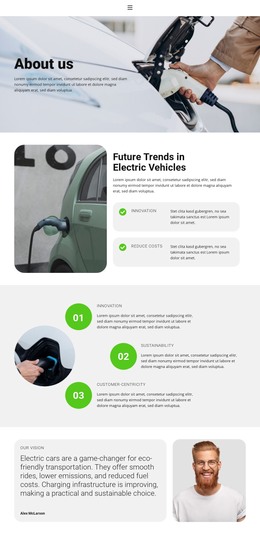
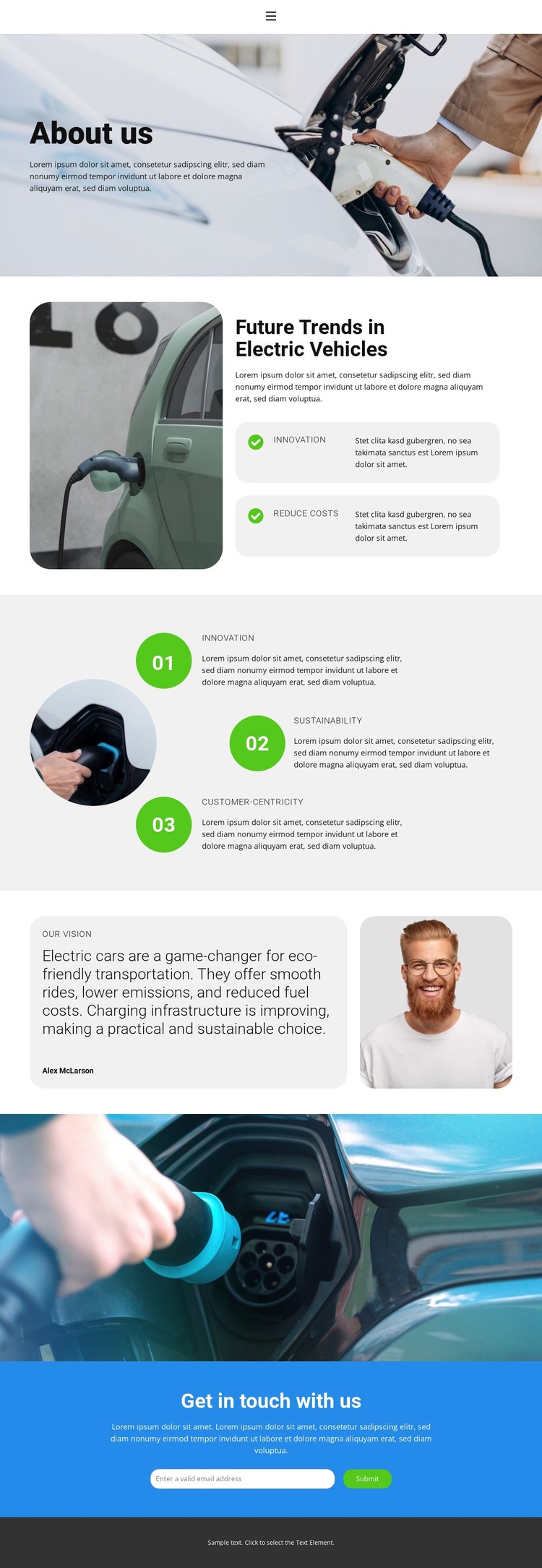
The page separates several types of content that can remain visually coordinated in a WordPress-oriented project. The About us introduction establishes the electric-vehicle subject, while the Future Trends in Electric Vehicles section combines explanatory copy with two concise feature cards: Innovation and Reduce Costs. That pairing leaves room for page-focused information to be expanded without changing the relationship between the main message and its supporting points.
The three numbered values create a reusable editorial pattern around Innovation, Sustainability, and Customer-Centricity. Their ordered presentation differs from the feature-card group, giving the design two distinct ways to organize related content. The vision card and portrait image then add a more personal organizational perspective, while the full-width charging image supplies a strong visual divider before the closing interaction.
The Home, About, and Contact links provide the page’s navigation frame, and the blue contact section contains a heading, email field, and Submit action for visitor inquiries. In a WordPress project, these permanent page areas could sit alongside additional managed content while retaining the same visual direction; the template itself does not prove that posts, categories, or blog sections already exist. Its strongest theme value is the combination of page content, repeated values, imagery, and a clearly separated contact destination.
Customize with Nicepage
Open this ready-made template in the WordPress Website Builder and customize it visually in the Nicepage editor. Replace demo content, edit page sections, and adapt the design to your project without rebuilding the template from scratch.
Manage and Edit This Theme in WordPress
Customize and Install the WordPress Theme
Start with this ready-made theme instead of building the WordPress design from scratch. Customize its layout, content, typography, images, sections, and other design elements visually in Nicepage editor, then export and install the WordPress Theme, Plugin, and Pages on your WordPress site. The Nicepage WordPress Plugin lets you continue working with the site after installation.
Edit the Theme Directly in WordPress
After installation, you can edit the WordPress Theme directly in WordPress with the Nicepage WordPress Plugin. Use Site Style to customize site Colors, Fonts, Header, Footer, Blog, and Post Page Templates while working within your WordPress website.
Edit WordPress Pages Visually
Use the Nicepage WordPress Plugin to edit page content directly from the WordPress admin area. Open a WordPress Page with Nicepage and visually change its text, images, sections, and other page elements while continuing to manage the Page through WordPress.
WordPress Content and Theme Integration
Use the customized theme with WordPress Pages, Posts, Blog and Post Templates, menus, widgets, and other CMS-managed content. Shared theme elements such as Colors, Fonts, Header, Footer, Blog, and Post Page Templates can be managed as part of the overall site design, while WordPress provides the CMS environment for managing site content.
This workflow combines a ready-made WordPress Theme with visual customization, direct theme editing in WordPress, and continued content management through the Nicepage WordPress Plugin.