Caring for cycles and cars WordPress Theme


Edit Template Offline
2. Create new page and search for id 78418
Edit Template Online
Create Awesome Websites


Free Nicepage Builder
Keywords
Service Pages, Visual Galleries, and Contact Content Fit the Theme
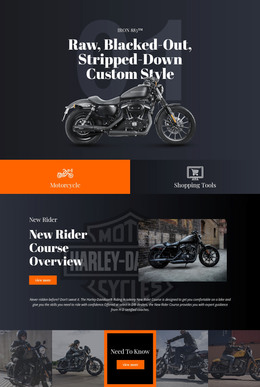
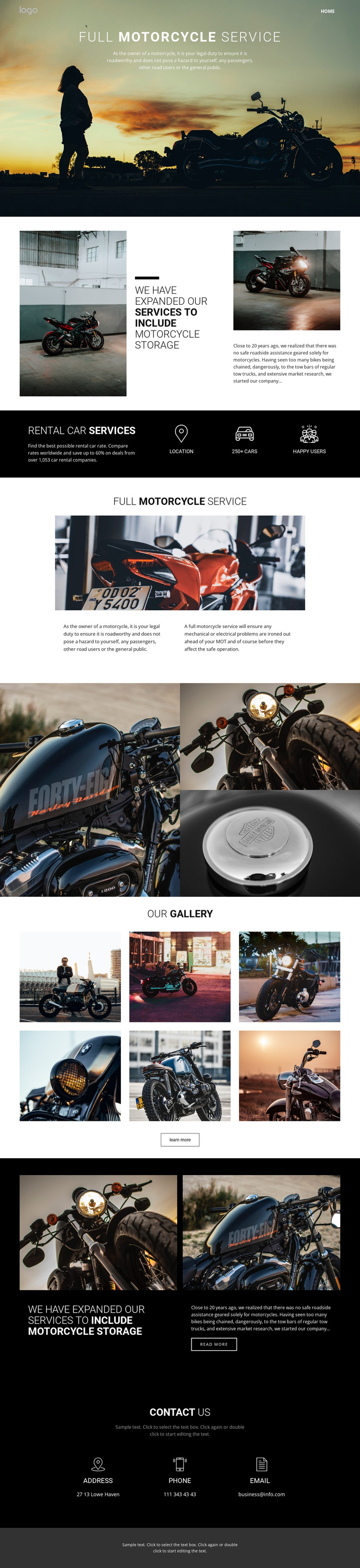
The repeated full motorcycle service and motorcycle storage sections create clear permanent content areas for a WordPress-oriented site. Service information can remain page-focused, with the hero supplying a direct introduction and the later split section carrying fuller explanation. Storage has its own visual treatment and a read more action, making it suitable for content that may later be expanded without confusing it with the main service description. The page also references roadside assistance, giving the subject another possible informational direction without claiming that a separate article structure already exists.
The galleries work differently from the service areas. The three-image composition can support a focused visual presentation, while the six-image “Our Gallery” section offers a broader collection with a learn more action. Together, these areas give the theme a strong visual content layer around the more permanent service information. The address, phone, and email columns then provide a stable contact destination within the same design system. In a WordPress-managed project, this combination can keep page content, recurring visual material, and contact information coordinated while the underlying content is adapted to the project’s needs. The theme’s value comes from this relationship between service-focused pages, image-led presentation, and shared contact content—not from assuming that specific posts or categories already exist.
Customize with Nicepage
Open this ready-made template in the WordPress Website Builder and customize it visually in the Nicepage editor. Replace demo content, edit page sections, and adapt the design to your project without rebuilding the template from scratch.
Manage and Edit This Theme in WordPress
Customize and Install the WordPress Theme
Start with this ready-made theme instead of building the WordPress design from scratch. Customize its layout, content, typography, images, sections, and other design elements visually in Nicepage editor, then export and install the WordPress Theme, Plugin, and Pages on your WordPress site. The Nicepage WordPress Plugin lets you continue working with the site after installation.
Edit the Theme Directly in WordPress
After installation, you can edit the WordPress Theme directly in WordPress with the Nicepage WordPress Plugin. Use Site Style to customize site Colors, Fonts, Header, Footer, Blog, and Post Page Templates while working within your WordPress website.
Edit WordPress Pages Visually
Use the Nicepage WordPress Plugin to edit page content directly from the WordPress admin area. Open a WordPress Page with Nicepage and visually change its text, images, sections, and other page elements while continuing to manage the Page through WordPress.
WordPress Content and Theme Integration
Use the customized theme with WordPress Pages, Posts, Blog and Post Templates, menus, widgets, and other CMS-managed content. Shared theme elements such as Colors, Fonts, Header, Footer, Blog, and Post Page Templates can be managed as part of the overall site design, while WordPress provides the CMS environment for managing site content.
This workflow combines a ready-made WordPress Theme with visual customization, direct theme editing in WordPress, and continued content management through the Nicepage WordPress Plugin.