Traveling in luxury cars WordPress Theme


Edit Template Offline
2. Create new page and search for id 60111
Edit Template Online
Create Awesome Websites


Free Nicepage Builder
Keywords
Service categories and recurring content areas suit a managed automotive theme
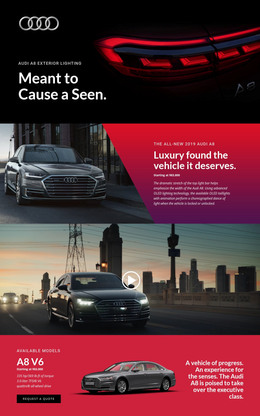
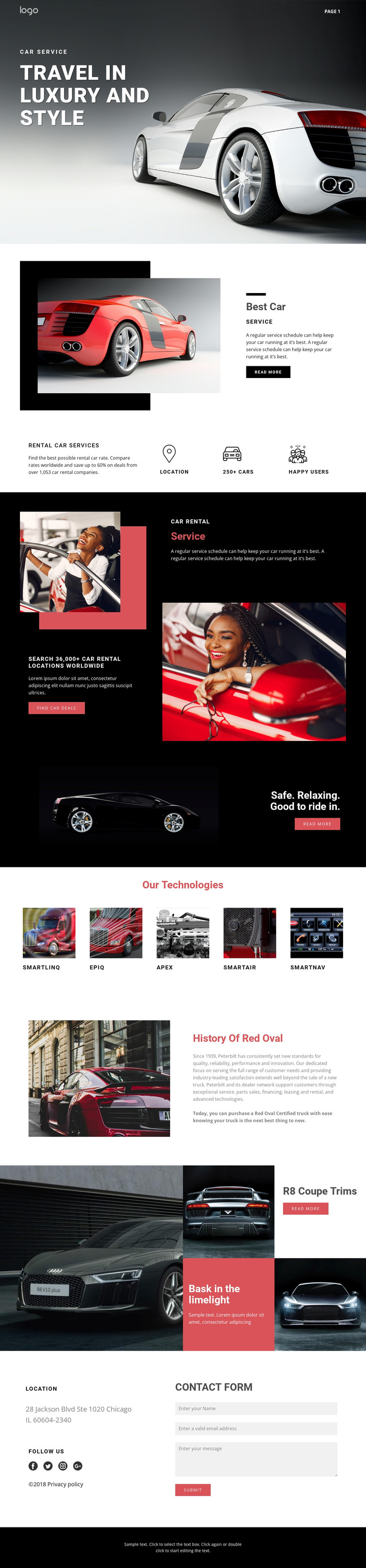
The page separates several kinds of permanent content that could be maintained as page-oriented material in a WordPress project. “Best Car Service” introduces the primary service context, while “Rental Car Services” and the car-deal section provide distinct offer areas with different emphasis. The technology row adds five named categories—SmartLINQ, EPIQ, APEX, SMARTAIR, and SMARTNAV—giving the design a repeatable content pattern that can be updated without changing the overall visual direction.
The history section and R8 Coupe trims area create two further content roles. One supports longer explanatory material, while the other gives vehicle imagery and promotional panels greater visual prominence. Interpreted together with the navigation, these areas can support a site where permanent service information and recurring automotive content remain within one recognizable theme. The analysis does not verify blog posts, categories, or other WordPress-specific structures, so those should not be presented as existing template elements.
The location block, social links, and contact form provide a practical closing relationship: visitors can move from service and vehicle content toward an inquiry area without leaving the page context. In a WordPress-managed implementation, the theme’s value would come from preserving that relationship while allowing the page content to evolve. The black, white, gray, and red system can continue across related pages, keeping updated automotive information visually connected to the original design.
Customize with Nicepage
Open this ready-made template in the WordPress Website Builder and customize it visually in the Nicepage editor. Replace demo content, edit page sections, and adapt the design to your project without rebuilding the template from scratch.
Manage and Edit This Theme in WordPress
Customize and Install the WordPress Theme
Start with this ready-made theme instead of building the WordPress design from scratch. Customize its layout, content, typography, images, sections, and other design elements visually in Nicepage editor, then export and install the WordPress Theme, Plugin, and Pages on your WordPress site. The Nicepage WordPress Plugin lets you continue working with the site after installation.
Edit the Theme Directly in WordPress
After installation, you can edit the WordPress Theme directly in WordPress with the Nicepage WordPress Plugin. Use Site Style to customize site Colors, Fonts, Header, Footer, Blog, and Post Page Templates while working within your WordPress website.
Edit WordPress Pages Visually
Use the Nicepage WordPress Plugin to edit page content directly from the WordPress admin area. Open a WordPress Page with Nicepage and visually change its text, images, sections, and other page elements while continuing to manage the Page through WordPress.
WordPress Content and Theme Integration
Use the customized theme with WordPress Pages, Posts, Blog and Post Templates, menus, widgets, and other CMS-managed content. Shared theme elements such as Colors, Fonts, Header, Footer, Blog, and Post Page Templates can be managed as part of the overall site design, while WordPress provides the CMS environment for managing site content.
This workflow combines a ready-made WordPress Theme with visual customization, direct theme editing in WordPress, and continued content management through the Nicepage WordPress Plugin.