Walking ultra marathons WordPress Theme


A Stable Training-Program Area for WordPress Page Content
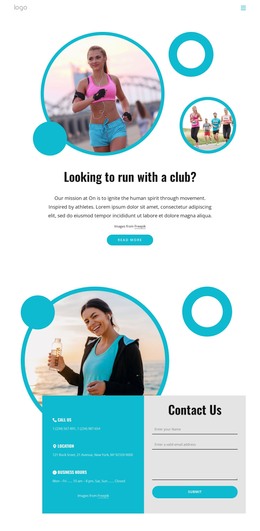
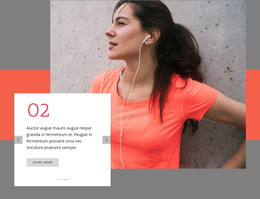
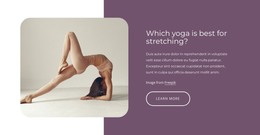
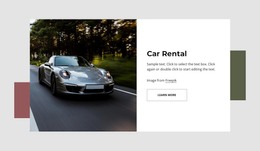
The runner photograph gives the section an immediate athletic setting, but the right panel carries the primary content role. “From Walking to Ultra Marathons” names the progression, and the supporting copy extends that idea from 3 miles to 50 miles. The Learn More button then provides a clear route to additional information without requiring this single section to contain every detail of the training offering.
The two equal-width panels create a dependable page-content pattern. On the left, the dramatically lit female runner provides visual emphasis; on the right, the coral background groups the heading and paragraph with the white action button. The dark navy outer background acts as a frame around the pair, while generous spacing and left-aligned text preserve a readable hierarchy. This arrangement can remain recognizable even when the surrounding page content changes.
In a WordPress-managed site, the block can serve as permanent services content on a page for running or endurance programs. Other CMS-managed material can provide schedules, fuller descriptions, articles, or contact information around it, while this section continues to introduce the offering and invite further reading. Its value lies in keeping the image, distance range, heading, and action together as one reusable visual content area rather than treating them as unrelated page elements.
Customize with Nicepage
Open this ready-made template in the WordPress Website Builder and customize it visually in the Nicepage editor. Replace demo content, edit page sections, and adapt the design to your project without rebuilding the template from scratch.
Edit Template Offline
2. Create a new page or select existing
3. Click Add new block, search for id 44326 and click enter
Edit Template Online
Create Awesome Websites


Free Nicepage Builder
Keywords
Manage and Edit This Theme in WordPress
Customize and Install the WordPress Theme
Start with this ready-made theme instead of building the WordPress design from scratch. Customize its layout, content, typography, images, sections, and other design elements visually in Nicepage editor, then export and install the WordPress Theme, Plugin, and Pages on your WordPress site. The Nicepage WordPress Plugin lets you continue working with the site after installation.
Edit the Theme Directly in WordPress
After installation, you can edit the WordPress Theme directly in WordPress with the Nicepage WordPress Plugin. Use Site Style to customize site Colors, Fonts, Header, Footer, Blog, and Post Page Templates while working within your WordPress website.
Edit WordPress Pages Visually
Use the Nicepage WordPress Plugin to edit page content directly from the WordPress admin area. Open a WordPress Page with Nicepage and visually change its text, images, sections, and other page elements while continuing to manage the Page through WordPress.
WordPress Content and Theme Integration
Use the customized theme with WordPress Pages, Posts, Blog and Post Templates, menus, widgets, and other CMS-managed content. Shared theme elements such as Colors, Fonts, Header, Footer, Blog, and Post Page Templates can be managed as part of the overall site design, while WordPress provides the CMS environment for managing site content.
This workflow combines a ready-made WordPress Theme with visual customization, direct theme editing in WordPress, and continued content management through the Nicepage WordPress Plugin.