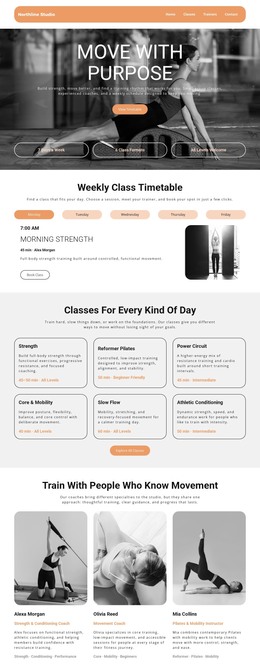
Pilates and yoga center WordPress Theme



Edit Template Offline
2. Create new page and search for id 214514
Edit Template Online
Create Awesome Websites


Free Nicepage Builder
Keywords
Class and Educational Content Can Continue Through WordPress Pages
The page-oriented content is the strongest basis for a WordPress interpretation. The opening Pilates and Yoga section gives the design a permanent subject area, while the three class items divide the offering into For Beginners, Group Classes, and Fitness Challenge. These repeated content units can be understood as related page material in a WordPress-managed site, without claiming that WordPress Posts, categories, or blog structures already exist in the template.
The educational and benefit sections provide a different content relationship. “How Yoga Changes the Brain” and “Yoga is a mind and body practice” create explanatory material that can sit alongside the more promotional Pilates transformation and benefits statements. The Learn with Us! card then adds a further invitation, allowing the same visual system to surround content that may be updated or expanded over time. Circular imagery, pale blue surfaces, and large headings keep these different content purposes recognizable as part of one theme.
The contact area is especially clear as permanent page content: call, location, and business-hours categories appear beside a form with name, email, message, and submission action. Navigation and mobile navigation connect these areas, while the footer provides a shared closing region. In a WordPress project, the design can therefore support stable class and educational pages alongside changing studio information, with the core visual direction held together by the theme. The interpretation concerns content organization and presentation, not an unsupported claim about existing WordPress Posts or templates.
Customize with Nicepage
Open this ready-made template in the WordPress Website Builder and customize it visually in the Nicepage editor. Replace demo content, edit page sections, and adapt the design to your project without rebuilding the template from scratch.
Manage and Edit This Theme in WordPress
Customize and Install the WordPress Theme
Start with this ready-made theme instead of building the WordPress design from scratch. Customize its layout, content, typography, images, sections, and other design elements visually in Nicepage editor, then export and install the WordPress Theme, Plugin, and Pages on your WordPress site. The Nicepage WordPress Plugin lets you continue working with the site after installation.
Edit the Theme Directly in WordPress
After installation, you can edit the WordPress Theme directly in WordPress with the Nicepage WordPress Plugin. Use Site Style to customize site Colors, Fonts, Header, Footer, Blog, and Post Page Templates while working within your WordPress website.
Edit WordPress Pages Visually
Use the Nicepage WordPress Plugin to edit page content directly from the WordPress admin area. Open a WordPress Page with Nicepage and visually change its text, images, sections, and other page elements while continuing to manage the Page through WordPress.
WordPress Content and Theme Integration
Use the customized theme with WordPress Pages, Posts, Blog and Post Templates, menus, widgets, and other CMS-managed content. Shared theme elements such as Colors, Fonts, Header, Footer, Blog, and Post Page Templates can be managed as part of the overall site design, while WordPress provides the CMS environment for managing site content.
This workflow combines a ready-made WordPress Theme with visual customization, direct theme editing in WordPress, and continued content management through the Nicepage WordPress Plugin.