Sea travel WordPress Theme


Stable service content for a WordPress-managed page
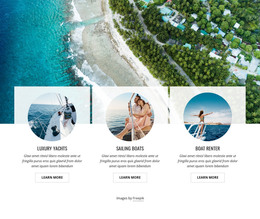
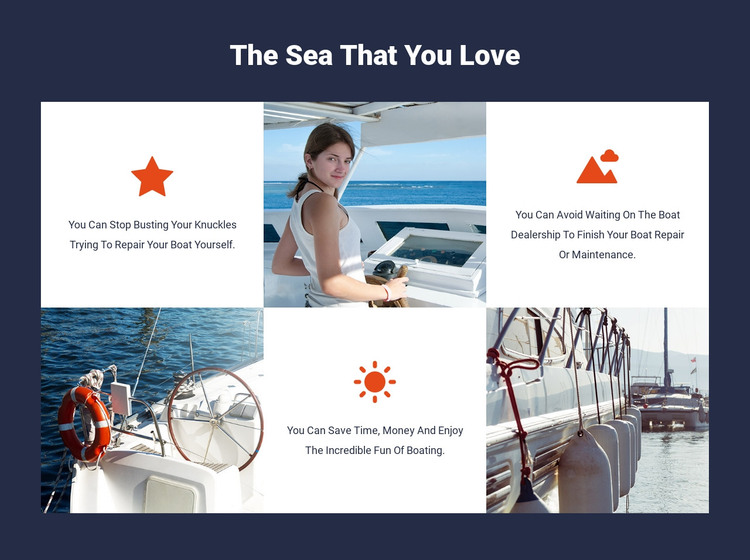
The heading “The Sea That You Love” introduces a compact set of boating benefits, and the alternating grid turns each message into a distinct content unit. Three white tiles use centered copy and orange icons to identify the statements, while three marine photographs show the subject visually through boats, open water, and equipment. The repeated image-and-text pairing helps the section remain scannable even though the messages address different service advantages.
In a WordPress-managed site, this block can provide stable page content for a services or marine-information page. The first statement focuses on avoiding the task of repairing a boat independently. The second highlights the waiting time associated with dealership repair or maintenance. The third presents the practical value of saving time and money while returning attention to the enjoyment of boating. Those relationships make the section suitable for permanent explanatory content, while other parts of the project can handle deeper service information or regularly updated material.
The visual treatment supports consistent page presentation: a deep navy field contains white tiles, orange icons repeat across the benefits, and centered alignment gives all three statements similar weight. The static interaction keeps the content immediately visible rather than hiding it behind controls. As a reusable WordPress page section, it can preserve this arrangement while the surrounding site adds related marine content, calls to action, or contact information.
Customize with Nicepage
Open this ready-made template in the WordPress Website Builder and customize it visually in the Nicepage editor. Replace demo content, edit page sections, and adapt the design to your project without rebuilding the template from scratch.
Edit Template Offline
2. Create a new page or select existing
3. Click Add new block, search for id 42571 and click enter
Edit Template Online
Create Awesome Websites


Free Nicepage Builder
Keywords
Manage and Edit This Theme in WordPress
Customize and Install the WordPress Theme
Start with this ready-made theme instead of building the WordPress design from scratch. Customize its layout, content, typography, images, sections, and other design elements visually in Nicepage editor, then export and install the WordPress Theme, Plugin, and Pages on your WordPress site. The Nicepage WordPress Plugin lets you continue working with the site after installation.
Edit the Theme Directly in WordPress
After installation, you can edit the WordPress Theme directly in WordPress with the Nicepage WordPress Plugin. Use Site Style to customize site Colors, Fonts, Header, Footer, Blog, and Post Page Templates while working within your WordPress website.
Edit WordPress Pages Visually
Use the Nicepage WordPress Plugin to edit page content directly from the WordPress admin area. Open a WordPress Page with Nicepage and visually change its text, images, sections, and other page elements while continuing to manage the Page through WordPress.
WordPress Content and Theme Integration
Use the customized theme with WordPress Pages, Posts, Blog and Post Templates, menus, widgets, and other CMS-managed content. Shared theme elements such as Colors, Fonts, Header, Footer, Blog, and Post Page Templates can be managed as part of the overall site design, while WordPress provides the CMS environment for managing site content.
This workflow combines a ready-made WordPress Theme with visual customization, direct theme editing in WordPress, and continued content management through the Nicepage WordPress Plugin.