Collection of our favorites WordPress Theme



Categorized Project Examples Form Stable Page Content
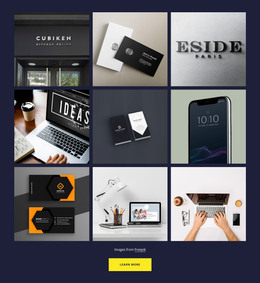
The centered Portfolio heading and supporting paragraph introduce a durable visual content area rather than a time-sensitive update. Six cards follow in a three-column, two-row arrangement, and each card pairs an image with a category label. Website Design, Mobile Application, Corporate Design, Responsive Design, and Digital Product provide clear content distinctions within the same repeated presentation, making the section suitable for a stable portfolio or work-showcase area on a managed page.
The dark charcoal background and white caption panels give the collection a consistent visual identity that can remain intact while the broader page grows around it. The large heading establishes the section's purpose, while the muted light paragraph supports it without competing with the project images. This separation between introduction and repeated visual items helps the block retain its role when other page content is edited or added elsewhere.
The centered image credit line belongs beneath the card collection as a separate attribution detail. In a WordPress-oriented context, the section can remain a reusable page-content region while the wider project manages other pages and publishing needs. It should be understood through the content it visibly organizes: a portfolio heading, six categorized image cards, and a credit line. The CMS context surrounds the block; it does not change the block into a standalone theme.
Customize with Nicepage
Open this ready-made template in the WordPress Website Builder and customize it visually in the Nicepage editor. Replace demo content, edit page sections, and adapt the design to your project without rebuilding the template from scratch.
Edit Template Offline
2. Create a new page or select existing
3. Click Add new block, search for id 3846817 and click enter
Edit Template Online
Create Awesome Websites


Free Nicepage Builder
Keywords
Manage and Edit This Theme in WordPress
Customize and Install the WordPress Theme
Start with this ready-made theme instead of building the WordPress design from scratch. Customize its layout, content, typography, images, sections, and other design elements visually in Nicepage editor, then export and install the WordPress Theme, Plugin, and Pages on your WordPress site. The Nicepage WordPress Plugin lets you continue working with the site after installation.
Edit the Theme Directly in WordPress
After installation, you can edit the WordPress Theme directly in WordPress with the Nicepage WordPress Plugin. Use Site Style to customize site Colors, Fonts, Header, Footer, Blog, and Post Page Templates while working within your WordPress website.
Edit WordPress Pages Visually
Use the Nicepage WordPress Plugin to edit page content directly from the WordPress admin area. Open a WordPress Page with Nicepage and visually change its text, images, sections, and other page elements while continuing to manage the Page through WordPress.
WordPress Content and Theme Integration
Use the customized theme with WordPress Pages, Posts, Blog and Post Templates, menus, widgets, and other CMS-managed content. Shared theme elements such as Colors, Fonts, Header, Footer, Blog, and Post Page Templates can be managed as part of the overall site design, while WordPress provides the CMS environment for managing site content.
This workflow combines a ready-made WordPress Theme with visual customization, direct theme editing in WordPress, and continued content management through the Nicepage WordPress Plugin.