Platfom address WordPress Theme



Edit Template Offline
2. Create new page and search for id 5060489
Edit Template Online
Create Awesome Websites


Free Nicepage Builder
Keywords
IT Content and Inquiry Details Fit a Page-Oriented WordPress Theme
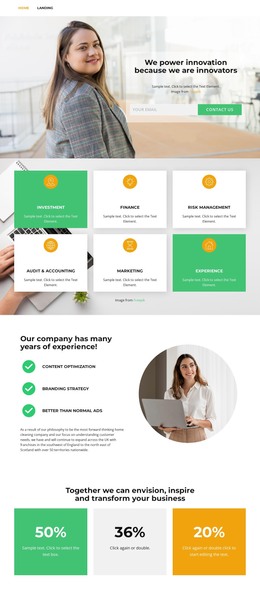
The page divides its business message into permanent content areas that can translate naturally into a WordPress-managed presentation. The green mission band provides a focused introduction with a heading, supporting text, and read-more action. The About Us section adds an IT solutions heading, circular portrait, and social links, giving the design a page-oriented company narrative rather than relying only on the opening form. These regions can remain visually connected while their wording and imagery are adapted to the site’s actual content.
The contact material has a different role. Email, address, and message inputs appear in the opening form beside a portrait photograph, creating the direct inquiry area. The later white contact card over a business photograph gathers phone, location, email, and a contacts button as a reference block for visitors who are evaluating the business. That distinction helps organize the design around informational content and response content without claiming that blog posts, categories, or other CMS structures already exist. The Facebook, Instagram, and YouTube links extend the same content environment beyond the page, while the dark footer provides a compact shared ending. As a WordPress theme, the design offers a coherent visual frame for maintaining IT solutions, mission, social, and contact content as the project grows.
Customize with Nicepage
Open this ready-made template in the WordPress Website Builder and customize it visually in the Nicepage editor. Replace demo content, edit page sections, and adapt the design to your project without rebuilding the template from scratch.
Manage and Edit This Theme in WordPress
Customize and Install the WordPress Theme
Start with this ready-made theme instead of building the WordPress design from scratch. Customize its layout, content, typography, images, sections, and other design elements visually in Nicepage editor, then export and install the WordPress Theme, Plugin, and Pages on your WordPress site. The Nicepage WordPress Plugin lets you continue working with the site after installation.
Edit the Theme Directly in WordPress
After installation, you can edit the WordPress Theme directly in WordPress with the Nicepage WordPress Plugin. Use Site Style to customize site Colors, Fonts, Header, Footer, Blog, and Post Page Templates while working within your WordPress website.
Edit WordPress Pages Visually
Use the Nicepage WordPress Plugin to edit page content directly from the WordPress admin area. Open a WordPress Page with Nicepage and visually change its text, images, sections, and other page elements while continuing to manage the Page through WordPress.
WordPress Content and Theme Integration
Use the customized theme with WordPress Pages, Posts, Blog and Post Templates, menus, widgets, and other CMS-managed content. Shared theme elements such as Colors, Fonts, Header, Footer, Blog, and Post Page Templates can be managed as part of the overall site design, while WordPress provides the CMS environment for managing site content.
This workflow combines a ready-made WordPress Theme with visual customization, direct theme editing in WordPress, and continued content management through the Nicepage WordPress Plugin.