Juicy and fashionable WordPress Theme



A stable visual introduction for managed page content
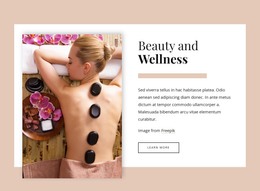
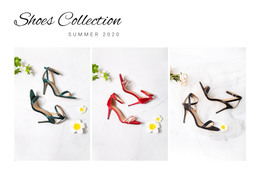
The block’s main content is a concise visual statement: the heading “juicy and fashionable” is placed over a composition of two adjacent photographic panels. In a WordPress-managed page, that relationship can function as stable introductory content for a fashion or beauty presentation, while additional page sections provide details, collections, editorial material, or contact information elsewhere in the broader project. The block remains one reusable content area rather than a complete theme or site.
Its content model is especially clear because the title and imagery work together instead of competing as separate modules. The large white serif text crosses the panel boundary, creating a single editorial message from two visual sources. Warm yellow, orange, and cream colors support the imagery, while the generous scale gives the section enough visual weight to open a page without requiring a complex interaction model. Since the interaction is static, the section can preserve this visual role while related content is maintained around it.
For WordPress-oriented use, the important interpretation is page content that can hold a consistent visual introduction. The image panels carry atmosphere, and the overlaid heading identifies the theme; the wider CMS-managed page can then handle the remaining content areas without changing what this hero section communicates.
Customize with Nicepage
Open this ready-made template in the WordPress Website Builder and customize it visually in the Nicepage editor. Replace demo content, edit page sections, and adapt the design to your project without rebuilding the template from scratch.
Edit Template Offline
2. Create a new page or select existing
3. Click Add new block, search for id 346075 and click enter
Edit Template Online
Create Awesome Websites


Free Nicepage Builder
Keywords
Manage and Edit This Theme in WordPress
Customize and Install the WordPress Theme
Start with this ready-made theme instead of building the WordPress design from scratch. Customize its layout, content, typography, images, sections, and other design elements visually in Nicepage editor, then export and install the WordPress Theme, Plugin, and Pages on your WordPress site. The Nicepage WordPress Plugin lets you continue working with the site after installation.
Edit the Theme Directly in WordPress
After installation, you can edit the WordPress Theme directly in WordPress with the Nicepage WordPress Plugin. Use Site Style to customize site Colors, Fonts, Header, Footer, Blog, and Post Page Templates while working within your WordPress website.
Edit WordPress Pages Visually
Use the Nicepage WordPress Plugin to edit page content directly from the WordPress admin area. Open a WordPress Page with Nicepage and visually change its text, images, sections, and other page elements while continuing to manage the Page through WordPress.
WordPress Content and Theme Integration
Use the customized theme with WordPress Pages, Posts, Blog and Post Templates, menus, widgets, and other CMS-managed content. Shared theme elements such as Colors, Fonts, Header, Footer, Blog, and Post Page Templates can be managed as part of the overall site design, while WordPress provides the CMS environment for managing site content.
This workflow combines a ready-made WordPress Theme with visual customization, direct theme editing in WordPress, and continued content management through the Nicepage WordPress Plugin.