We create highly effective original campaigns WordPress Theme


A focused feature area for WordPress-managed page content
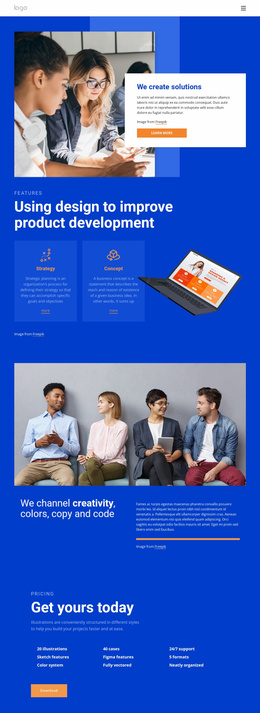
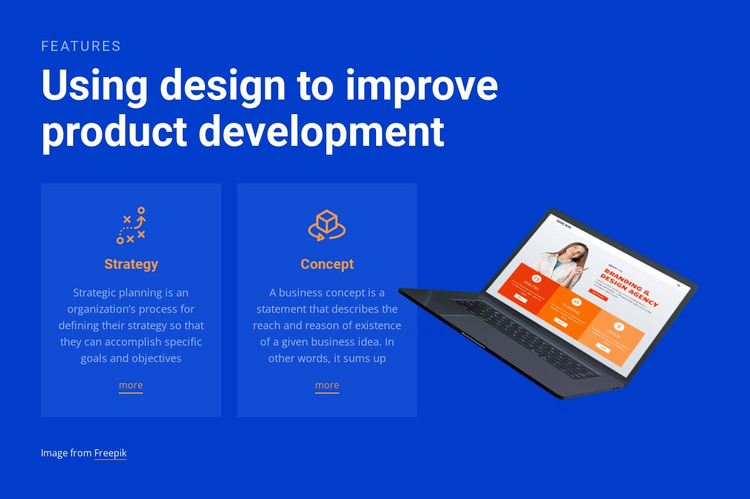
The heading and two named cards give this block a stable page-content role. “Strategy” and “Concept” are not presented as a long feed; they form two concise information units, each supported by an icon, descriptive sample paragraph, and “more” link. That structure can suit a WordPress-managed services or capabilities page where related product-development information needs to remain grouped and easy to scan.
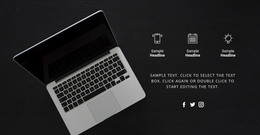
The laptop image sits beside the text rather than inside a card, creating a visual distinction between the explanatory content and its supporting product reference. The saturated blue background carries both regions, while white typography establishes the reading order from the “Features” eyebrow to the main heading and card details. Orange accents add a secondary emphasis, and the semi-transparent card surfaces make the two topics readable without breaking the shared color field.
Within a WordPress-oriented project, this section can function as permanent page content while the wider site supplies additional pages and managed content around it. The sample descriptions can be revised for the intended offering, but the paired Strategy–Concept structure can remain intact. The “more” links provide room for deeper destinations in the surrounding project, without turning this single block into a complete page or theme.
Customize with Nicepage
Open this ready-made template in the WordPress Website Builder and customize it visually in the Nicepage editor. Replace demo content, edit page sections, and adapt the design to your project without rebuilding the template from scratch.
Edit Template Offline
2. Create a new page or select existing
3. Click Add new block, search for id 250747 and click enter
Edit Template Online
Create Awesome Websites


Free Nicepage Builder
Keywords
Manage and Edit This Theme in WordPress
Customize and Install the WordPress Theme
Start with this ready-made theme instead of building the WordPress design from scratch. Customize its layout, content, typography, images, sections, and other design elements visually in Nicepage editor, then export and install the WordPress Theme, Plugin, and Pages on your WordPress site. The Nicepage WordPress Plugin lets you continue working with the site after installation.
Edit the Theme Directly in WordPress
After installation, you can edit the WordPress Theme directly in WordPress with the Nicepage WordPress Plugin. Use Site Style to customize site Colors, Fonts, Header, Footer, Blog, and Post Page Templates while working within your WordPress website.
Edit WordPress Pages Visually
Use the Nicepage WordPress Plugin to edit page content directly from the WordPress admin area. Open a WordPress Page with Nicepage and visually change its text, images, sections, and other page elements while continuing to manage the Page through WordPress.
WordPress Content and Theme Integration
Use the customized theme with WordPress Pages, Posts, Blog and Post Templates, menus, widgets, and other CMS-managed content. Shared theme elements such as Colors, Fonts, Header, Footer, Blog, and Post Page Templates can be managed as part of the overall site design, while WordPress provides the CMS environment for managing site content.
This workflow combines a ready-made WordPress Theme with visual customization, direct theme editing in WordPress, and continued content management through the Nicepage WordPress Plugin.