Web design for your small business WordPress Theme


Edit Template Offline
2. Create new page and search for id 6189032
Edit Template Online
Create Awesome Websites


Free Nicepage Builder
Keywords
Project cards and page sections support a publishable WordPress content model
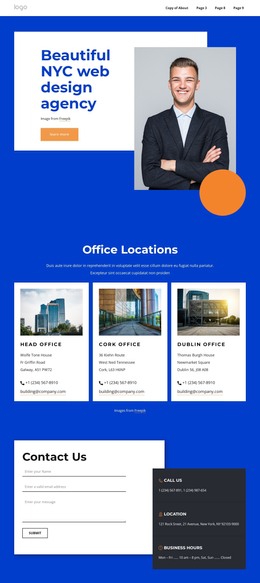
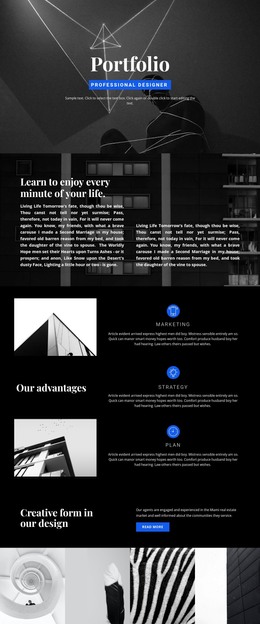
The design separates permanent page content into recognizable areas that suit a WordPress-managed presentation. The navigation links Home, About Us, Portfolio, and Contact Us, while the opening “Our Works” block provides an introductory frame for the creative work. The three cards for Strategy, Concept, and Marketing can serve as a stable capability section, keeping service-oriented information distinct from the project examples that follow.
The eight portfolio cards are the most natural repeated content relationship in the design. Their labels—including Brand Campaign, A Corporate Identity, Flyer design, Applications, and Business cards—show how individual creative examples can remain visually consistent while their titles and images change. This makes the gallery a useful place to interpret project-oriented content without claiming that WordPress posts, categories, or blog structures already exist in the template. The split business section adds page-oriented explanatory content, combining circular office imagery with a business-improvement message.
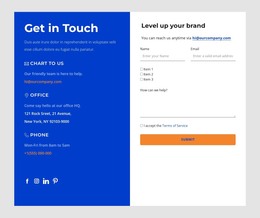
At the bottom, the contact form and the three Call Us, Location, and Business Hours cards divide inquiry content from reference information. They can remain part of the page’s permanent visual structure while other content areas evolve. The royal-blue backgrounds, orange accents, white panels, and centered headings provide the theme’s recognizable design character. If the project later adds regularly updated material, the existing navigation and repeated card logic offer a coherent visual setting for that content rather than requiring a new design direction.
Customize with Nicepage
Open this ready-made template in the WordPress Website Builder and customize it visually in the Nicepage editor. Replace demo content, edit page sections, and adapt the design to your project without rebuilding the template from scratch.
Manage and Edit This Theme in WordPress
Customize and Install the WordPress Theme
Start with this ready-made theme instead of building the WordPress design from scratch. Customize its layout, content, typography, images, sections, and other design elements visually in Nicepage editor, then export and install the WordPress Theme, Plugin, and Pages on your WordPress site. The Nicepage WordPress Plugin lets you continue working with the site after installation.
Edit the Theme Directly in WordPress
After installation, you can edit the WordPress Theme directly in WordPress with the Nicepage WordPress Plugin. Use Site Style to customize site Colors, Fonts, Header, Footer, Blog, and Post Page Templates while working within your WordPress website.
Edit WordPress Pages Visually
Use the Nicepage WordPress Plugin to edit page content directly from the WordPress admin area. Open a WordPress Page with Nicepage and visually change its text, images, sections, and other page elements while continuing to manage the Page through WordPress.
WordPress Content and Theme Integration
Use the customized theme with WordPress Pages, Posts, Blog and Post Templates, menus, widgets, and other CMS-managed content. Shared theme elements such as Colors, Fonts, Header, Footer, Blog, and Post Page Templates can be managed as part of the overall site design, while WordPress provides the CMS environment for managing site content.
This workflow combines a ready-made WordPress Theme with visual customization, direct theme editing in WordPress, and continued content management through the Nicepage WordPress Plugin.