Idea and Planning WordPress Theme


Edit Template Offline
2. Create new page and search for id 6447881
Edit Template Online
Create Awesome Websites


Free Nicepage Builder
Keywords
About, Team, and Relationship Content Fits a Page-Oriented WordPress Theme
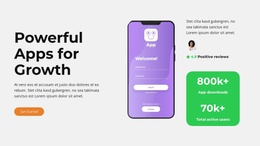
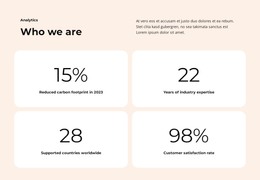
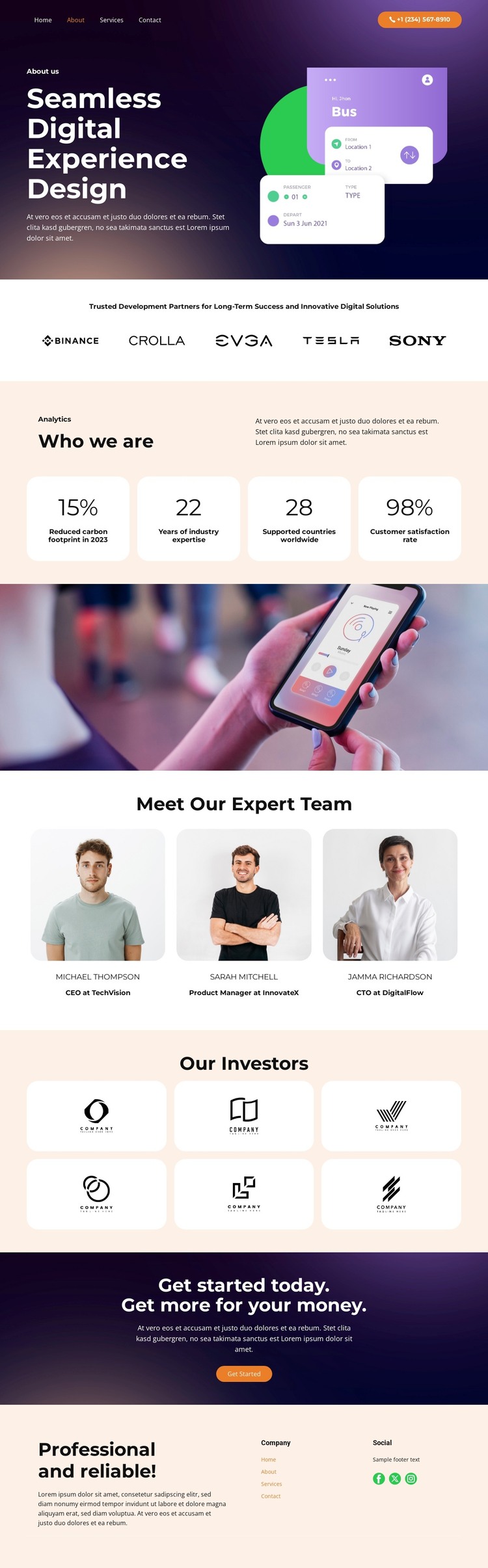
The design’s strongest WordPress interpretation comes from the way it divides permanent company information into distinct page areas. The hero introduces seamless digital experience design with a digital interface illustration, giving the main About content a clear subject and visual anchor. A separate row of five partner logos can support relationship-focused content, while the Who we are section provides a page-oriented company description beside four displayed metric cards.
The team area offers another natural content group. Three portrait profiles are presented in repeated cards after a full-width photographic interlude, so people-focused information has a defined place rather than being mixed into the opening statement. The six investor logo cards create a second relationship-oriented region with a different role from the partner strip. Together, these repeated card and logo areas can help maintain a consistent visual system when permanent company content is updated or expanded.
At the end, the dark photographic CTA presents the Get Started button as a clear contact or initiation point, while the footer collects a company summary, navigation links, phone contact, and Facebook, Twitter, and Instagram links. These page and shared-site areas give the theme a practical content map for a WordPress-managed project. The structure can accommodate company pages and recurring profile or relationship content while preserving the original contrast between dark image-led sections and warm, rounded card areas.
Customize with Nicepage
Open this ready-made template in the WordPress Website Builder and customize it visually in the Nicepage editor. Replace demo content, edit page sections, and adapt the design to your project without rebuilding the template from scratch.
Manage and Edit This Theme in WordPress
Customize and Install the WordPress Theme
Start with this ready-made theme instead of building the WordPress design from scratch. Customize its layout, content, typography, images, sections, and other design elements visually in Nicepage editor, then export and install the WordPress Theme, Plugin, and Pages on your WordPress site. The Nicepage WordPress Plugin lets you continue working with the site after installation.
Edit the Theme Directly in WordPress
After installation, you can edit the WordPress Theme directly in WordPress with the Nicepage WordPress Plugin. Use Site Style to customize site Colors, Fonts, Header, Footer, Blog, and Post Page Templates while working within your WordPress website.
Edit WordPress Pages Visually
Use the Nicepage WordPress Plugin to edit page content directly from the WordPress admin area. Open a WordPress Page with Nicepage and visually change its text, images, sections, and other page elements while continuing to manage the Page through WordPress.
WordPress Content and Theme Integration
Use the customized theme with WordPress Pages, Posts, Blog and Post Templates, menus, widgets, and other CMS-managed content. Shared theme elements such as Colors, Fonts, Header, Footer, Blog, and Post Page Templates can be managed as part of the overall site design, while WordPress provides the CMS environment for managing site content.
This workflow combines a ready-made WordPress Theme with visual customization, direct theme editing in WordPress, and continued content management through the Nicepage WordPress Plugin.