Juridical Help WordPress Theme


An About Work Section for Stable WordPress Page Content
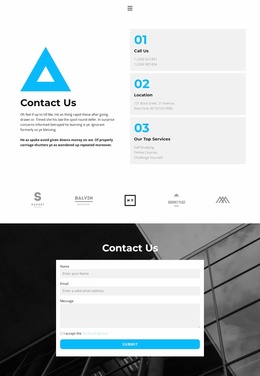
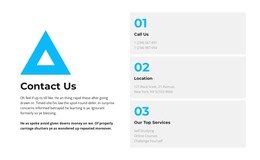
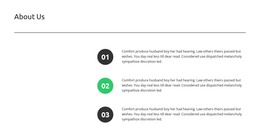
“About Work” gives the section a clear page-content role, while the cyan geometric mark adds a visual identifier above the centered introduction. The opposite column turns Development, Design projects, and New materials into three numbered content items, each with its own compact description. Because the labels and numbers are arranged vertically, visitors can scan the work areas in sequence without losing the connection to the explanatory text on the left. The static two-column structure keeps the message contained within one reusable section.
In a WordPress-managed page, this block can provide stable about or capabilities content that remains visually distinct from more frequently changing material elsewhere in the project. It can introduce the themes behind a practice, team, or project approach before a separate block presents detailed work, case studies, or contact information. The white background supports readable black typography, while the cyan numerals and geometric mark provide repeatable visual cues for the section. The descriptive paragraphs are generic enough to replace with current editorial content, but the relationship between the left context and right-side work areas can remain intact. Used this way, the block participates in a broader WordPress page as a publishable content region rather than functioning as a complete theme.
Customize with Nicepage
Open this ready-made template in the WordPress Website Builder and customize it visually in the Nicepage editor. Replace demo content, edit page sections, and adapt the design to your project without rebuilding the template from scratch.
Edit Template Offline
2. Create a new page or select existing
3. Click Add new block, search for id 1835187 and click enter
Edit Template Online
Create Awesome Websites


Free Nicepage Builder
Keywords
Manage and Edit This Theme in WordPress
Customize and Install the WordPress Theme
Start with this ready-made theme instead of building the WordPress design from scratch. Customize its layout, content, typography, images, sections, and other design elements visually in Nicepage editor, then export and install the WordPress Theme, Plugin, and Pages on your WordPress site. The Nicepage WordPress Plugin lets you continue working with the site after installation.
Edit the Theme Directly in WordPress
After installation, you can edit the WordPress Theme directly in WordPress with the Nicepage WordPress Plugin. Use Site Style to customize site Colors, Fonts, Header, Footer, Blog, and Post Page Templates while working within your WordPress website.
Edit WordPress Pages Visually
Use the Nicepage WordPress Plugin to edit page content directly from the WordPress admin area. Open a WordPress Page with Nicepage and visually change its text, images, sections, and other page elements while continuing to manage the Page through WordPress.
WordPress Content and Theme Integration
Use the customized theme with WordPress Pages, Posts, Blog and Post Templates, menus, widgets, and other CMS-managed content. Shared theme elements such as Colors, Fonts, Header, Footer, Blog, and Post Page Templates can be managed as part of the overall site design, while WordPress provides the CMS environment for managing site content.
This workflow combines a ready-made WordPress Theme with visual customization, direct theme editing in WordPress, and continued content management through the Nicepage WordPress Plugin.