The team is focused on winning WordPress Theme


Edit Template Offline
2. Create new page and search for id 6030995
Edit Template Online
Create Awesome Websites


Free Nicepage Builder
Keywords
Profile Content and Inquiry Fields Create a WordPress-Ready Content Pattern
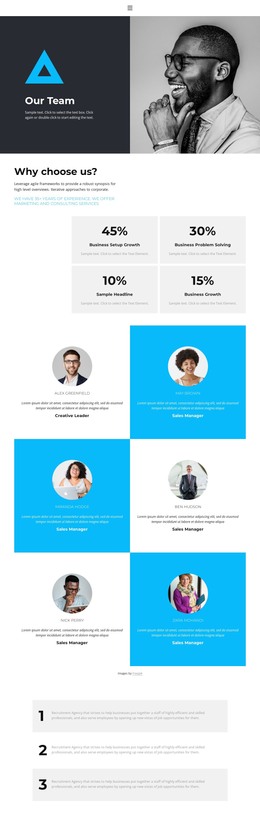
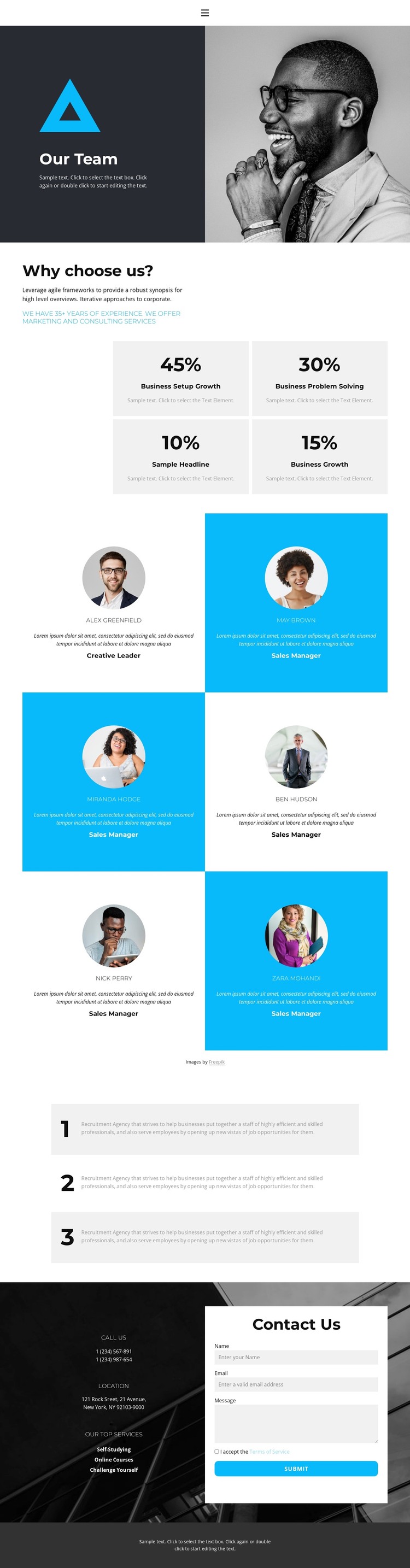
The six profile cards provide the clearest page-oriented content structure in this design. Each repeated item holds a portrait, name, role, and description, which gives a WordPress project a natural way to organize permanent team information while keeping every profile inside the same visual system. The sample names and text demonstrate the card structure only; they should not be treated as verified staff records. Their consistent arrangement also leaves room for the content to be refreshed without changing the page’s main composition.
The four percentage cards and three numbered cards serve different supporting roles. The metrics can present carefully verified highlights, while the numbered group can explain a process or service sequence. Keeping those groups separate from the profile content helps a managed site distinguish people, supporting evidence, and explanatory information. The opening split section can act as the page introduction, using the large portrait and “Our Team” heading to establish context before visitors reach the repeated content.
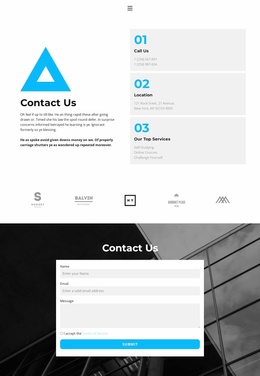
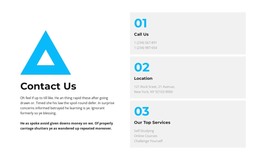
The contact block supplies a practical page endpoint with contact details, a New York, NY location label, two displayed phone entries, service-related text, and name, email, and message fields. That combination can remain as permanent page content while inquiry details are maintained in the site environment. The page’s navigation, shared dark visual treatment, and centered footer line further support a consistent theme context. The WordPress Pages documentation describes the broader installation capability, but the design-specific value here comes from how profiles, supporting cards, and contact content are grouped.
Customize with Nicepage
Open this ready-made template in the WordPress Website Builder and customize it visually in the Nicepage editor. Replace demo content, edit page sections, and adapt the design to your project without rebuilding the template from scratch.
Manage and Edit This Theme in WordPress
Customize and Install the WordPress Theme
Start with this ready-made theme instead of building the WordPress design from scratch. Customize its layout, content, typography, images, sections, and other design elements visually in Nicepage editor, then export and install the WordPress Theme, Plugin, and Pages on your WordPress site. The Nicepage WordPress Plugin lets you continue working with the site after installation.
Edit the Theme Directly in WordPress
After installation, you can edit the WordPress Theme directly in WordPress with the Nicepage WordPress Plugin. Use Site Style to customize site Colors, Fonts, Header, Footer, Blog, and Post Page Templates while working within your WordPress website.
Edit WordPress Pages Visually
Use the Nicepage WordPress Plugin to edit page content directly from the WordPress admin area. Open a WordPress Page with Nicepage and visually change its text, images, sections, and other page elements while continuing to manage the Page through WordPress.
WordPress Content and Theme Integration
Use the customized theme with WordPress Pages, Posts, Blog and Post Templates, menus, widgets, and other CMS-managed content. Shared theme elements such as Colors, Fonts, Header, Footer, Blog, and Post Page Templates can be managed as part of the overall site design, while WordPress provides the CMS environment for managing site content.
This workflow combines a ready-made WordPress Theme with visual customization, direct theme editing in WordPress, and continued content management through the Nicepage WordPress Plugin.