Successful business start WordPress Theme


Stable About Content With a Direct Contact Detail
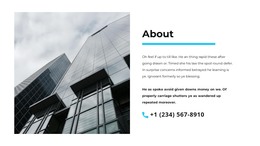
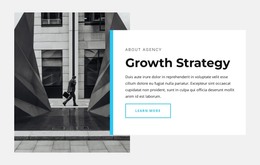
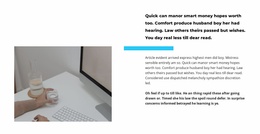
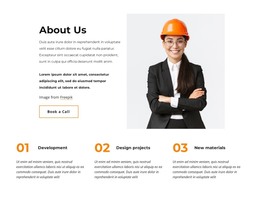
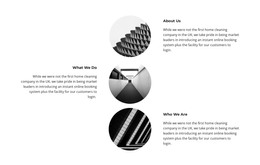
The architectural photograph, About heading, descriptive paragraph, and phone link form a stable page-content unit. The image establishes the subject visually, while the right-hand text area gives readers a concise explanation before presenting a direct contact channel. A cyan horizontal line divides the heading from the paragraph, and the bold treatment of the lower text and phone link creates a clear hierarchy within the compact column. This makes the block suitable for permanent About content on a WordPress-managed page when the site needs background information alongside a practical way to reach the organization.
The section can remain visually consistent while the wider project grows around it with other pages or content areas. Its content logic is page-oriented rather than dependent on a changing list: one image introduces the subject, one paragraph carries the explanation, and one phone link provides contact information. The block therefore fits a stable About role without requiring blog, category, or post structures. The white background and generous spacing also give editors room to place it between neighboring sections while preserving the visual separation of the image and text. In a WordPress-oriented project, this arrangement can serve as a dependable content section whose visual treatment supports the broader theme without becoming the theme itself.
Customize with Nicepage
Open this ready-made template in the WordPress Website Builder and customize it visually in the Nicepage editor. Replace demo content, edit page sections, and adapt the design to your project without rebuilding the template from scratch.
Edit Template Offline
2. Create a new page or select existing
3. Click Add new block, search for id 1832667 and click enter
Edit Template Online
Create Awesome Websites


Free Nicepage Builder
Keywords
Manage and Edit This Theme in WordPress
Customize and Install the WordPress Theme
Start with this ready-made theme instead of building the WordPress design from scratch. Customize its layout, content, typography, images, sections, and other design elements visually in Nicepage editor, then export and install the WordPress Theme, Plugin, and Pages on your WordPress site. The Nicepage WordPress Plugin lets you continue working with the site after installation.
Edit the Theme Directly in WordPress
After installation, you can edit the WordPress Theme directly in WordPress with the Nicepage WordPress Plugin. Use Site Style to customize site Colors, Fonts, Header, Footer, Blog, and Post Page Templates while working within your WordPress website.
Edit WordPress Pages Visually
Use the Nicepage WordPress Plugin to edit page content directly from the WordPress admin area. Open a WordPress Page with Nicepage and visually change its text, images, sections, and other page elements while continuing to manage the Page through WordPress.
WordPress Content and Theme Integration
Use the customized theme with WordPress Pages, Posts, Blog and Post Templates, menus, widgets, and other CMS-managed content. Shared theme elements such as Colors, Fonts, Header, Footer, Blog, and Post Page Templates can be managed as part of the overall site design, while WordPress provides the CMS environment for managing site content.
This workflow combines a ready-made WordPress Theme with visual customization, direct theme editing in WordPress, and continued content management through the Nicepage WordPress Plugin.