Finding happiness in pregnancy WordPress Theme


Four Prenatal Cards Create Stable Page Content
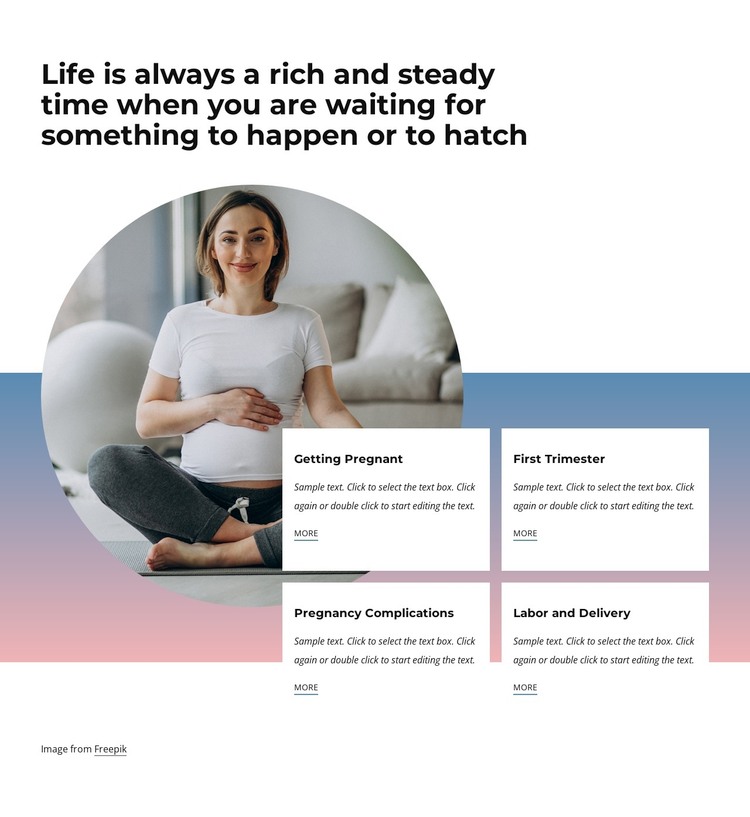
Getting Pregnant, First Trimester, Pregnancy Complications, and Labor and Delivery give this section a page-oriented content model that is easy to recognize and maintain. Each topic appears in its own white card with a title, supporting paragraph area, and “more” link, allowing a WordPress-managed page to present several pregnancy subjects without merging them into one dense text column. The repeated card structure can remain visually consistent while the surrounding project handles other healthcare information.
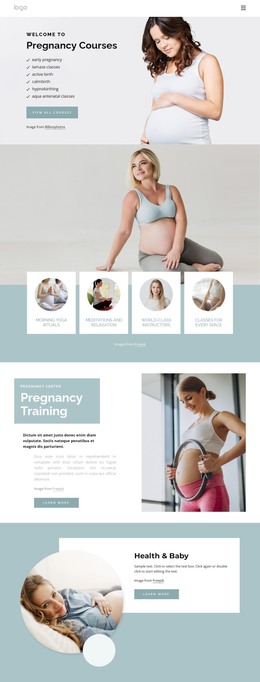
The circular photograph of a pregnant woman provides a distinct visual anchor to the left of the card group. Above it, the long heading introduces the pregnancy theme; below and beside it, the two-column, two-row arrangement organizes the four related topics into a compact reading sequence. The cards overlap a blue-to-pink horizontal gradient band, and their subtle shadows separate the content from the white background. The static layout therefore combines editorial clarity with a defined visual identity, without depending on a special interaction.
In a WordPress-oriented project, this block can function as stable content on a pregnancy or prenatal-care page while other CMS-managed areas handle additional pages and regularly maintained material. Its four topic labels provide clear entry points for related content, and the “more” links can lead visitors onward when the surrounding page supplies the destinations. The section remains one reusable content region, not a complete WordPress Theme.
Customize with Nicepage
Open this ready-made template in the WordPress Website Builder and customize it visually in the Nicepage editor. Replace demo content, edit page sections, and adapt the design to your project without rebuilding the template from scratch.
Edit Template Offline
2. Create a new page or select existing
3. Click Add new block, search for id 1586251 and click enter
Edit Template Online
Create Awesome Websites


Free Nicepage Builder
Keywords
Manage and Edit This Theme in WordPress
Customize and Install the WordPress Theme
Start with this ready-made theme instead of building the WordPress design from scratch. Customize its layout, content, typography, images, sections, and other design elements visually in Nicepage editor, then export and install the WordPress Theme, Plugin, and Pages on your WordPress site. The Nicepage WordPress Plugin lets you continue working with the site after installation.
Edit the Theme Directly in WordPress
After installation, you can edit the WordPress Theme directly in WordPress with the Nicepage WordPress Plugin. Use Site Style to customize site Colors, Fonts, Header, Footer, Blog, and Post Page Templates while working within your WordPress website.
Edit WordPress Pages Visually
Use the Nicepage WordPress Plugin to edit page content directly from the WordPress admin area. Open a WordPress Page with Nicepage and visually change its text, images, sections, and other page elements while continuing to manage the Page through WordPress.
WordPress Content and Theme Integration
Use the customized theme with WordPress Pages, Posts, Blog and Post Templates, menus, widgets, and other CMS-managed content. Shared theme elements such as Colors, Fonts, Header, Footer, Blog, and Post Page Templates can be managed as part of the overall site design, while WordPress provides the CMS environment for managing site content.
This workflow combines a ready-made WordPress Theme with visual customization, direct theme editing in WordPress, and continued content management through the Nicepage WordPress Plugin.