Center of quality medicine WordPress Theme
Edit Template Offline
2. Create new page and search for id 22907
Edit Template Online
Create Awesome Websites


Free Nicepage Builder
Keywords
Service Panels and Specialist Cards Support WordPress Page Content
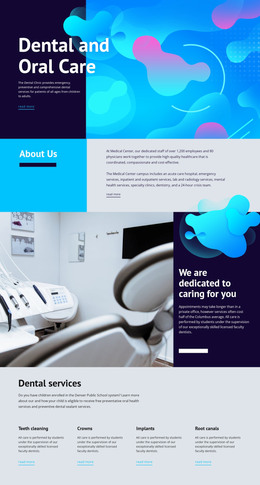
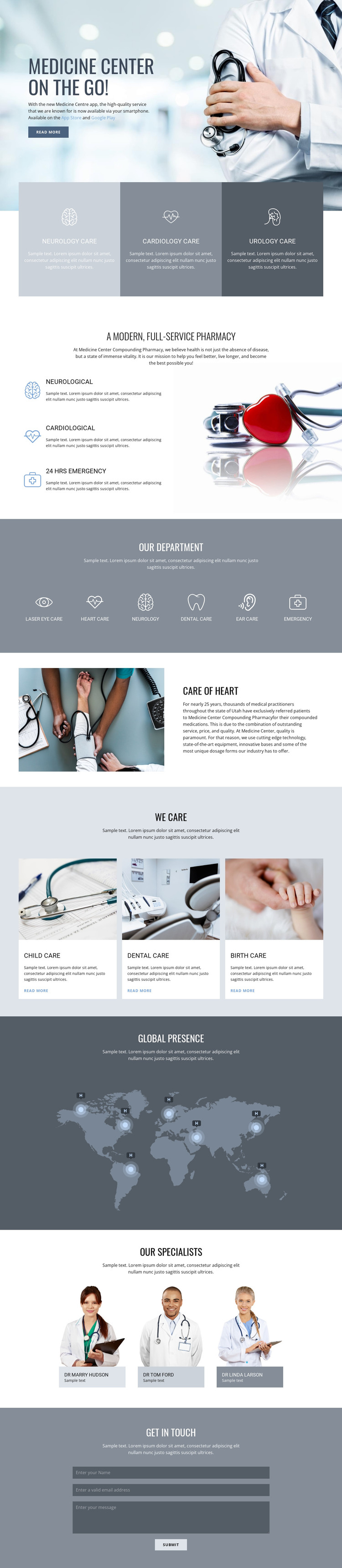
The page-oriented sections translate naturally into a WordPress-managed healthcare theme because each major subject has a visible content role. The opening app block can introduce the Medicine Center’s mobile access and place App Store and Google Play links within the primary page message. The three care panels then provide a concise overview of neurology, cardiology, and urology, while the pharmacy split section offers a more detailed explanatory area built around labeled capabilities and a medical image.
The department band and care-card grid create different patterns for recurring content. Six icon-led categories classify laser eye care, heart care, neurology, dental care, ear care, and emergency services, whereas the child, dental, and birth-care cards combine images, descriptions, and Read More links. This distinction gives a WordPress project useful models for permanent service pages and repeated content blocks without asserting that WordPress posts, categories, or blog structures already exist in the template.
The world map illustration can anchor a broader geographic statement, and the specialist portraits provide a separate profile-oriented area. The final contact form closes the page with an inquiry function after visitors have reviewed the service and people-focused content. The design therefore offers a coherent visual environment for page content, repeated cards, and future editorial additions while preserving the central healthcare identity.
Customize with Nicepage
Open this ready-made template in the WordPress Website Builder and customize it visually in the Nicepage editor. Replace demo content, edit page sections, and adapt the design to your project without rebuilding the template from scratch.
Manage and Edit This Theme in WordPress
Customize and Install the WordPress Theme
Start with this ready-made theme instead of building the WordPress design from scratch. Customize its layout, content, typography, images, sections, and other design elements visually in Nicepage editor, then export and install the WordPress Theme, Plugin, and Pages on your WordPress site. The Nicepage WordPress Plugin lets you continue working with the site after installation.
Edit the Theme Directly in WordPress
After installation, you can edit the WordPress Theme directly in WordPress with the Nicepage WordPress Plugin. Use Site Style to customize site Colors, Fonts, Header, Footer, Blog, and Post Page Templates while working within your WordPress website.
Edit WordPress Pages Visually
Use the Nicepage WordPress Plugin to edit page content directly from the WordPress admin area. Open a WordPress Page with Nicepage and visually change its text, images, sections, and other page elements while continuing to manage the Page through WordPress.
WordPress Content and Theme Integration
Use the customized theme with WordPress Pages, Posts, Blog and Post Templates, menus, widgets, and other CMS-managed content. Shared theme elements such as Colors, Fonts, Header, Footer, Blog, and Post Page Templates can be managed as part of the overall site design, while WordPress provides the CMS environment for managing site content.
This workflow combines a ready-made WordPress Theme with visual customization, direct theme editing in WordPress, and continued content management through the Nicepage WordPress Plugin.