Couples and individual therapy WordPress Theme


Service Cards Provide Stable Page Content for WordPress
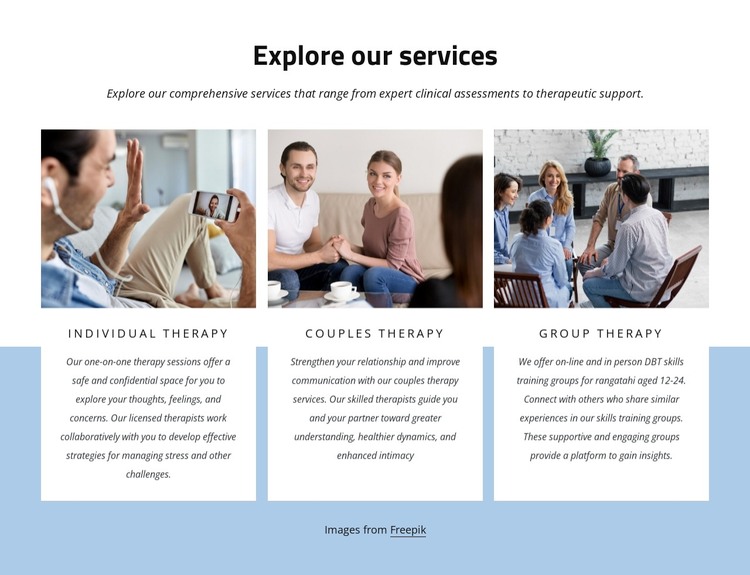
The centered heading and introductory paragraph make this block read as a stable services area rather than a time-sensitive update. It presents Individual Therapy, Couples Therapy, and Group Therapy as three named content units, each with an image, title, and descriptive text. In a WordPress-managed page, that organization can support permanent information about available therapy services while the surrounding project handles other page content and site functions.
The repeated card pattern is useful for maintaining a consistent page section: each therapy option receives comparable visual space, and the light blue background separates the group from adjacent content. White card surfaces, centered black typography, and spaced uppercase labels provide a clear reading hierarchy without changing the meaning of the service descriptions. The introductory copy connects the choices with clinical assessments and therapeutic support. The Group Therapy card gives the content model a more detailed example by describing online and in-person DBT skills training groups for rangatahi aged 12–24, while the Individual and Couples cards remain parallel service entries. This balance between repeated structure and distinct copy suits page-oriented publishing, where the section can remain visually consistent as the broader site develops. The Freepik attribution line is retained beneath the cards as part of the content arrangement. The block is therefore best understood as one publishable page section within a WordPress-managed site, not as a standalone theme or complete site structure.
Customize with Nicepage
Open this ready-made template in the WordPress Website Builder and customize it visually in the Nicepage editor. Replace demo content, edit page sections, and adapt the design to your project without rebuilding the template from scratch.
Edit Template Offline
2. Create a new page or select existing
3. Click Add new block, search for id 6009813 and click enter
Edit Template Online
Create Awesome Websites


Free Nicepage Builder
Keywords
Manage and Edit This Theme in WordPress
Customize and Install the WordPress Theme
Start with this ready-made theme instead of building the WordPress design from scratch. Customize its layout, content, typography, images, sections, and other design elements visually in Nicepage editor, then export and install the WordPress Theme, Plugin, and Pages on your WordPress site. The Nicepage WordPress Plugin lets you continue working with the site after installation.
Edit the Theme Directly in WordPress
After installation, you can edit the WordPress Theme directly in WordPress with the Nicepage WordPress Plugin. Use Site Style to customize site Colors, Fonts, Header, Footer, Blog, and Post Page Templates while working within your WordPress website.
Edit WordPress Pages Visually
Use the Nicepage WordPress Plugin to edit page content directly from the WordPress admin area. Open a WordPress Page with Nicepage and visually change its text, images, sections, and other page elements while continuing to manage the Page through WordPress.
WordPress Content and Theme Integration
Use the customized theme with WordPress Pages, Posts, Blog and Post Templates, menus, widgets, and other CMS-managed content. Shared theme elements such as Colors, Fonts, Header, Footer, Blog, and Post Page Templates can be managed as part of the overall site design, while WordPress provides the CMS environment for managing site content.
This workflow combines a ready-made WordPress Theme with visual customization, direct theme editing in WordPress, and continued content management through the Nicepage WordPress Plugin.