Evidence-based medicine WordPress Theme



Edit Template Offline
2. Create new page and search for id 1097414
Edit Template Online
Create Awesome Websites


Free Nicepage Builder
Keywords
Page-Oriented Service Content Extends Naturally Through the Medical Theme
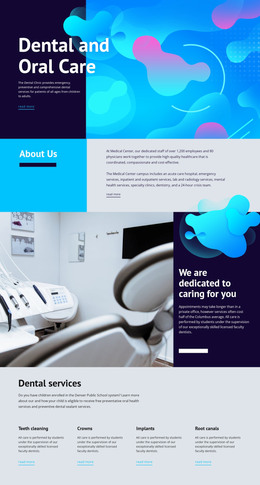
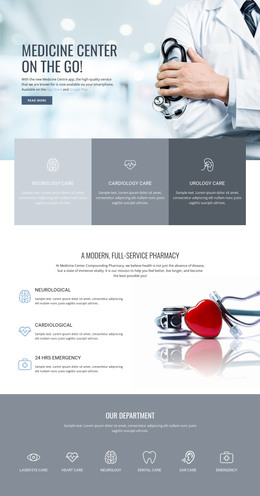
The page-oriented content is especially clear in the six Medical Services cards. Family Care, Urgent Care, Pediatric care, Lab Services, Surgery, and Palliative care are presented as separate but related topics, giving a WordPress-managed healthcare site a strong set of permanent service areas. The Dental Care section adds three more content topics—General Information, Child Dental Health, and Diagnosis and Tests—without breaking the visual direction established by the main card grid.
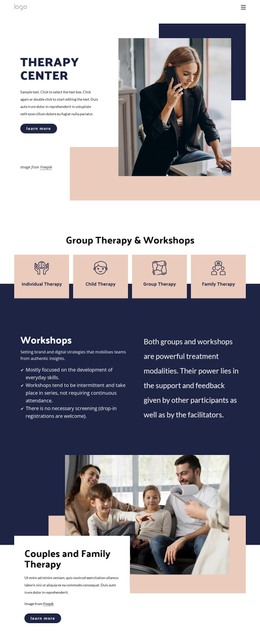
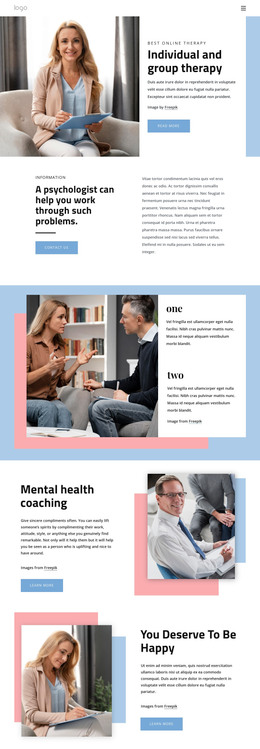
The therapy section offers another useful content relationship. Its promotional message is supported by Our Mission, Our Counselors, and Our Support, creating a compact group that could sit alongside other informational page content. Preventive services and Direct Primary Care each connect explanatory material with a Book Appointment action, so the design keeps service information and response opportunities close together. The contact block then gathers office details, an inquiry form, and a map into a practical site region.
These areas can remain visually coordinated as healthcare content is maintained and expanded. The page's navigation, social links, shared palette, and dark footer provide surrounding theme elements, while the repeated cards and image-led sections give different content types a consistent presentation. The design does not require unsupported claims about existing posts or blog structures; its strongest WordPress interpretation comes from the clear relationship between permanent service pages, repeated information groups, and shared site elements.
Customize with Nicepage
Open this ready-made template in the WordPress Website Builder and customize it visually in the Nicepage editor. Replace demo content, edit page sections, and adapt the design to your project without rebuilding the template from scratch.
Manage and Edit This Theme in WordPress
Customize and Install the WordPress Theme
Start with this ready-made theme instead of building the WordPress design from scratch. Customize its layout, content, typography, images, sections, and other design elements visually in Nicepage editor, then export and install the WordPress Theme, Plugin, and Pages on your WordPress site. The Nicepage WordPress Plugin lets you continue working with the site after installation.
Edit the Theme Directly in WordPress
After installation, you can edit the WordPress Theme directly in WordPress with the Nicepage WordPress Plugin. Use Site Style to customize site Colors, Fonts, Header, Footer, Blog, and Post Page Templates while working within your WordPress website.
Edit WordPress Pages Visually
Use the Nicepage WordPress Plugin to edit page content directly from the WordPress admin area. Open a WordPress Page with Nicepage and visually change its text, images, sections, and other page elements while continuing to manage the Page through WordPress.
WordPress Content and Theme Integration
Use the customized theme with WordPress Pages, Posts, Blog and Post Templates, menus, widgets, and other CMS-managed content. Shared theme elements such as Colors, Fonts, Header, Footer, Blog, and Post Page Templates can be managed as part of the overall site design, while WordPress provides the CMS environment for managing site content.
This workflow combines a ready-made WordPress Theme with visual customization, direct theme editing in WordPress, and continued content management through the Nicepage WordPress Plugin.