Start eating well WordPress Theme


A Diet Introduction That Fits Stable WordPress Page Content
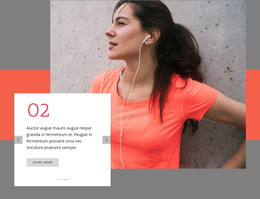
The heading and supporting copy give this section the character of stable informational content rather than a repeated feed or catalog. “25 Simple Tips to Make Your Diet Healthier” states the subject directly, while the read-more action provides a clear route toward additional material. A single circular portrait occupies the lower-left area, adding visual context without competing with the text. The three decorative circles support the composition as accents, not as separate content items.
In a WordPress-managed project, this block can function as a durable section on a wellness, lifestyle, or informational page. Its page-oriented content can remain visually consistent while the surrounding project adds other sections, deeper articles, or related topics. The block itself keeps a narrow purpose: introduce one diet theme, establish its visual identity, and invite the visitor to continue. It does not need to carry the site's full publishing structure or behave as a standalone theme.
The asymmetric layout is useful for keeping this content distinct from neighboring sections. The left side combines explanation, action, and portrait imagery, while the lower-right heading creates a strong point of recognition when visitors scan the page. Since the interaction is static, the arrangement can serve as dependable page content without relying on a slider, form, or other dynamic component. The result is a clear WordPress content region with editorial emphasis and a defined next step.
Customize with Nicepage
Open this ready-made template in the WordPress Website Builder and customize it visually in the Nicepage editor. Replace demo content, edit page sections, and adapt the design to your project without rebuilding the template from scratch.
Edit Template Offline
2. Create a new page or select existing
3. Click Add new block, search for id 1324174 and click enter
Edit Template Online
Create Awesome Websites


Free Nicepage Builder
Keywords
Manage and Edit This Theme in WordPress
Customize and Install the WordPress Theme
Start with this ready-made theme instead of building the WordPress design from scratch. Customize its layout, content, typography, images, sections, and other design elements visually in Nicepage editor, then export and install the WordPress Theme, Plugin, and Pages on your WordPress site. The Nicepage WordPress Plugin lets you continue working with the site after installation.
Edit the Theme Directly in WordPress
After installation, you can edit the WordPress Theme directly in WordPress with the Nicepage WordPress Plugin. Use Site Style to customize site Colors, Fonts, Header, Footer, Blog, and Post Page Templates while working within your WordPress website.
Edit WordPress Pages Visually
Use the Nicepage WordPress Plugin to edit page content directly from the WordPress admin area. Open a WordPress Page with Nicepage and visually change its text, images, sections, and other page elements while continuing to manage the Page through WordPress.
WordPress Content and Theme Integration
Use the customized theme with WordPress Pages, Posts, Blog and Post Templates, menus, widgets, and other CMS-managed content. Shared theme elements such as Colors, Fonts, Header, Footer, Blog, and Post Page Templates can be managed as part of the overall site design, while WordPress provides the CMS environment for managing site content.
This workflow combines a ready-made WordPress Theme with visual customization, direct theme editing in WordPress, and continued content management through the Nicepage WordPress Plugin.