Meet our leaders and other team WordPress Theme



A Stable Leadership Content Area for WordPress Pages
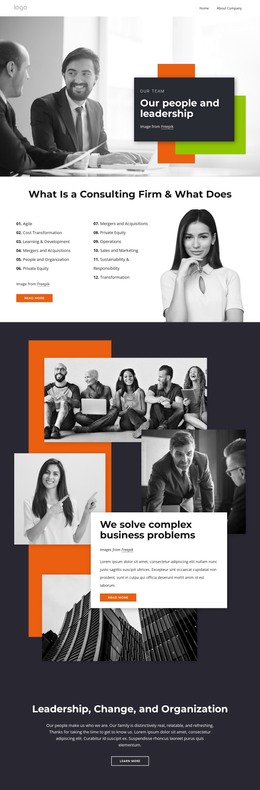
The heading “Our people and leadership” gives this section a durable page-content role: it introduces the subject before visitors encounter more specific team information. The smaller “our Team” label establishes the category, while the dark rectangular card keeps both text elements readable over the grayscale workplace photograph. In a WordPress-managed page, this combination can remain a stable visual section while other content areas handle profiles, biographies, services, or contact information.
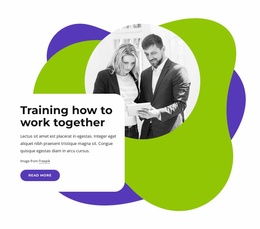
The photograph shows a workplace collaboration setting and functions as contextual imagery rather than a collection of identified people. That distinction allows the section to communicate a general leadership theme without requiring names or individual claims. Two colored rectangular accents sit behind and beside the card, giving the composition a recognizable visual signature and helping the section stand apart from adjacent page content. Their geometric treatment can be retained as part of the block’s presentation when the surrounding project changes.
The static arrangement is especially suited to permanent introductory content because its meaning does not depend on slides, tabs, or other interaction. WordPress can manage the wider page and its publishable content, while this block supplies one clearly bounded team-related region. It can therefore introduce a leadership area or precede detailed member content without being treated as a complete WordPress Theme.
Customize with Nicepage
Open this ready-made template in the WordPress Website Builder and customize it visually in the Nicepage editor. Replace demo content, edit page sections, and adapt the design to your project without rebuilding the template from scratch.
Edit Template Offline
2. Create a new page or select existing
3. Click Add new block, search for id 6031435 and click enter
Edit Template Online
Create Awesome Websites


Free Nicepage Builder
Keywords
Manage and Edit This Theme in WordPress
Customize and Install the WordPress Theme
Start with this ready-made theme instead of building the WordPress design from scratch. Customize its layout, content, typography, images, sections, and other design elements visually in Nicepage editor, then export and install the WordPress Theme, Plugin, and Pages on your WordPress site. The Nicepage WordPress Plugin lets you continue working with the site after installation.
Edit the Theme Directly in WordPress
After installation, you can edit the WordPress Theme directly in WordPress with the Nicepage WordPress Plugin. Use Site Style to customize site Colors, Fonts, Header, Footer, Blog, and Post Page Templates while working within your WordPress website.
Edit WordPress Pages Visually
Use the Nicepage WordPress Plugin to edit page content directly from the WordPress admin area. Open a WordPress Page with Nicepage and visually change its text, images, sections, and other page elements while continuing to manage the Page through WordPress.
WordPress Content and Theme Integration
Use the customized theme with WordPress Pages, Posts, Blog and Post Templates, menus, widgets, and other CMS-managed content. Shared theme elements such as Colors, Fonts, Header, Footer, Blog, and Post Page Templates can be managed as part of the overall site design, while WordPress provides the CMS environment for managing site content.
This workflow combines a ready-made WordPress Theme with visual customization, direct theme editing in WordPress, and continued content management through the Nicepage WordPress Plugin.