Best girl fashion WordPress Theme


Trend Topics and Outfit Guidance Form Stable Page Content
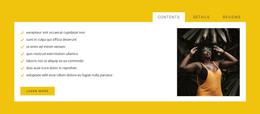
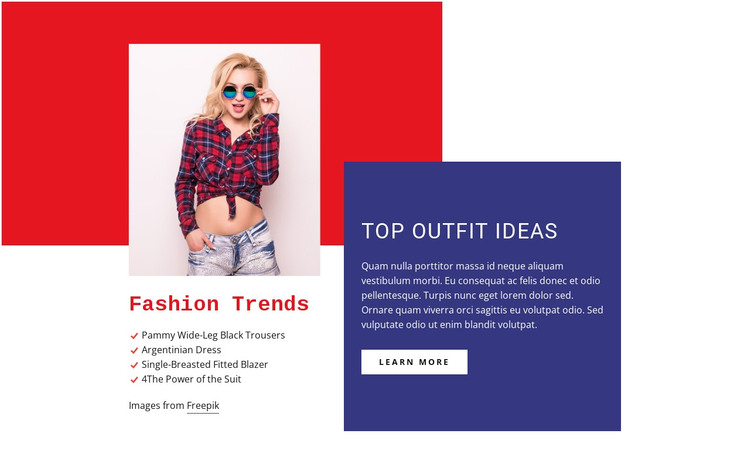
The four-item list gives this section a clear page-content role. Beneath the “Fashion Trends” heading, the labels for wide-leg trousers, an Argentinian dress, a fitted blazer, and the power of the suit organize several fashion subjects without requiring visitors to read one long passage. The portrait above the left column provides editorial context and creates a visual entry point, while the list preserves the section’s scannable information structure.
On the opposite side, the “Top Outfit Ideas” panel supports a different kind of content. Its colored background contains a heading, explanatory paragraph, and “learn more” button, so the block can move from named trend topics toward a related destination or deeper fashion information. The action is best understood as a link onward from the section; it does not by itself establish a form, product transaction, or complete publishing workflow.
In a WordPress-oriented project, this block can remain a visually consistent section on a stable page while the wider site manages other content around it. The distinction between its permanent trend material and the surrounding site’s broader editorial or commerce content keeps the section focused. Its red geometric shape, deep blue-violet panel, portrait treatment, and strong heading contrast can also be retained as a recognizable design pattern when related page sections are developed.
Customize with Nicepage
Open this ready-made template in the WordPress Website Builder and customize it visually in the Nicepage editor. Replace demo content, edit page sections, and adapt the design to your project without rebuilding the template from scratch.
Edit Template Offline
2. Create a new page or select existing
3. Click Add new block, search for id 107410 and click enter
Edit Template Online
Create Awesome Websites


Free Nicepage Builder
Keywords
Manage and Edit This Theme in WordPress
Customize and Install the WordPress Theme
Start with this ready-made theme instead of building the WordPress design from scratch. Customize its layout, content, typography, images, sections, and other design elements visually in Nicepage editor, then export and install the WordPress Theme, Plugin, and Pages on your WordPress site. The Nicepage WordPress Plugin lets you continue working with the site after installation.
Edit the Theme Directly in WordPress
After installation, you can edit the WordPress Theme directly in WordPress with the Nicepage WordPress Plugin. Use Site Style to customize site Colors, Fonts, Header, Footer, Blog, and Post Page Templates while working within your WordPress website.
Edit WordPress Pages Visually
Use the Nicepage WordPress Plugin to edit page content directly from the WordPress admin area. Open a WordPress Page with Nicepage and visually change its text, images, sections, and other page elements while continuing to manage the Page through WordPress.
WordPress Content and Theme Integration
Use the customized theme with WordPress Pages, Posts, Blog and Post Templates, menus, widgets, and other CMS-managed content. Shared theme elements such as Colors, Fonts, Header, Footer, Blog, and Post Page Templates can be managed as part of the overall site design, while WordPress provides the CMS environment for managing site content.
This workflow combines a ready-made WordPress Theme with visual customization, direct theme editing in WordPress, and continued content management through the Nicepage WordPress Plugin.