Gallery with cote d'azur WordPress Theme


Coastal Images and Supporting Copy Form Stable Page Content
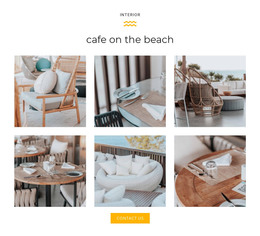
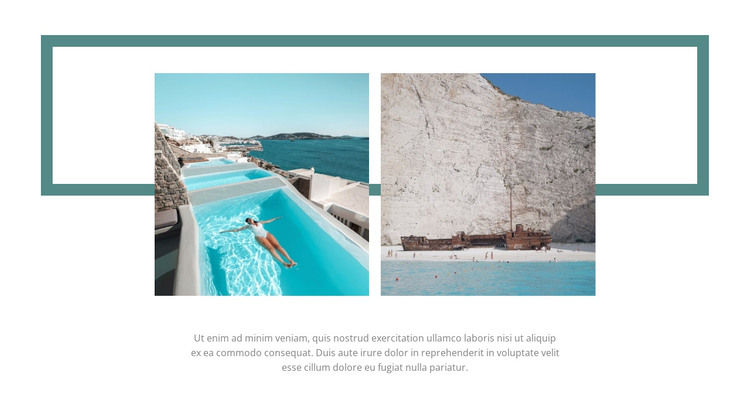
The two coastal photographs give this block a clear content role that can fit a WordPress-managed page as one gallery section. Their side-by-side arrangement presents turquoise water and beach scenes with equal prominence, making the pair function as a unified visual topic rather than as separate editorial entries. The centered supporting paragraph beneath the images can carry descriptive context while remaining visually subordinate to the photographs.
A wide muted teal outlined rectangle sits behind the image row and provides the section with a recognizable presentation style. It is not a separate content item competing for attention; instead, it frames the relationship between the two photographs and adds structure against the white background. This combination can remain visually consistent when the surrounding page contains other managed content areas, such as destination information or additional travel sections. The block's static interaction also suits stable page content because visitors see both images immediately without relying on a carousel, tabs, or expanding controls. In a WordPress-oriented project, the section can therefore serve as a publishable gallery area while the broader site manages its surrounding pages and content. Its value lies in preserving a focused image-and-description arrangement that can be updated or placed within a larger page without turning the gallery block itself into a complete theme or site.
Customize with Nicepage
Open this ready-made template in the WordPress Website Builder and customize it visually in the Nicepage editor. Replace demo content, edit page sections, and adapt the design to your project without rebuilding the template from scratch.
Edit Template Offline
2. Create a new page or select existing
3. Click Add new block, search for id 927744 and click enter
Edit Template Online
Create Awesome Websites


Free Nicepage Builder
Keywords
Manage and Edit This Theme in WordPress
Customize and Install the WordPress Theme
Start with this ready-made theme instead of building the WordPress design from scratch. Customize its layout, content, typography, images, sections, and other design elements visually in Nicepage editor, then export and install the WordPress Theme, Plugin, and Pages on your WordPress site. The Nicepage WordPress Plugin lets you continue working with the site after installation.
Edit the Theme Directly in WordPress
After installation, you can edit the WordPress Theme directly in WordPress with the Nicepage WordPress Plugin. Use Site Style to customize site Colors, Fonts, Header, Footer, Blog, and Post Page Templates while working within your WordPress website.
Edit WordPress Pages Visually
Use the Nicepage WordPress Plugin to edit page content directly from the WordPress admin area. Open a WordPress Page with Nicepage and visually change its text, images, sections, and other page elements while continuing to manage the Page through WordPress.
WordPress Content and Theme Integration
Use the customized theme with WordPress Pages, Posts, Blog and Post Templates, menus, widgets, and other CMS-managed content. Shared theme elements such as Colors, Fonts, Header, Footer, Blog, and Post Page Templates can be managed as part of the overall site design, while WordPress provides the CMS environment for managing site content.
This workflow combines a ready-made WordPress Theme with visual customization, direct theme editing in WordPress, and continued content management through the Nicepage WordPress Plugin.