Mountain Bliss Experience WordPress Theme


Edit Template Offline
2. Create new page and search for id 6423493
Edit Template Online
Create Awesome Websites


Free Nicepage Builder
Keywords
Activity Cards and Resort Proof Create Clear WordPress Page Content
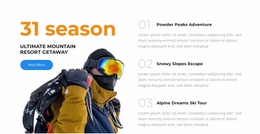
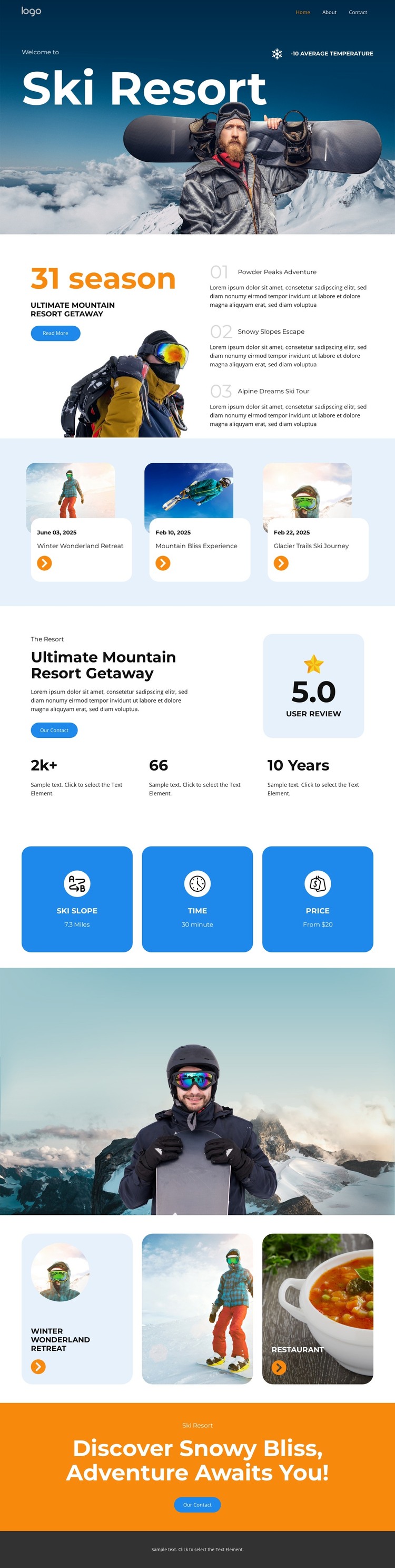
The page divides the resort concept into permanent content areas that can be interpreted naturally within a WordPress-managed site. The mountain hero introduces the destination, while the overview section combines seasonal messaging with a skier image and three experience cards. Those repeated cards provide a useful pattern for presenting individual activities or retreat topics as separate pieces of page content without changing the design’s visual character.
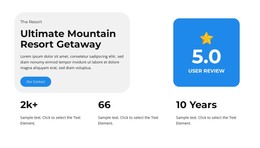
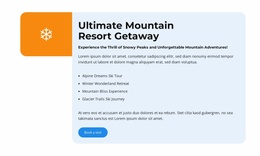
The resort summary offers another page-oriented area, pairing descriptive text with a displayed review rating and three statistics. The blue benefit panels then reduce practical subjects to three concise content units, while the later activity cards bring together winter retreat, mountain activity, and restaurant imagery. This combination leaves room for a site to distinguish enduring resort information from regularly updated or expanded content, without claiming that blog posts or other CMS entries already exist in the template.
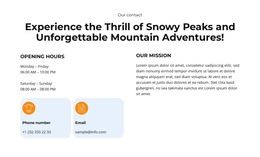
Navigation, the shared footer, and the final orange CTA help connect those areas into a recognizable theme presentation. In WordPress, the design could support permanent resort pages and additional editorial material while retaining the same mountain photography, blue-and-white foundation, rounded cards, and orange emphasis treatment. The value lies in the relationship between the existing content zones and the CMS environment, not in replacing the ski resort structure with generic theme terminology.
Customize with Nicepage
Open this ready-made template in the WordPress Website Builder and customize it visually in the Nicepage editor. Replace demo content, edit page sections, and adapt the design to your project without rebuilding the template from scratch.
Manage and Edit This Theme in WordPress
Customize and Install the WordPress Theme
Start with this ready-made theme instead of building the WordPress design from scratch. Customize its layout, content, typography, images, sections, and other design elements visually in Nicepage editor, then export and install the WordPress Theme, Plugin, and Pages on your WordPress site. The Nicepage WordPress Plugin lets you continue working with the site after installation.
Edit the Theme Directly in WordPress
After installation, you can edit the WordPress Theme directly in WordPress with the Nicepage WordPress Plugin. Use Site Style to customize site Colors, Fonts, Header, Footer, Blog, and Post Page Templates while working within your WordPress website.
Edit WordPress Pages Visually
Use the Nicepage WordPress Plugin to edit page content directly from the WordPress admin area. Open a WordPress Page with Nicepage and visually change its text, images, sections, and other page elements while continuing to manage the Page through WordPress.
WordPress Content and Theme Integration
Use the customized theme with WordPress Pages, Posts, Blog and Post Templates, menus, widgets, and other CMS-managed content. Shared theme elements such as Colors, Fonts, Header, Footer, Blog, and Post Page Templates can be managed as part of the overall site design, while WordPress provides the CMS environment for managing site content.
This workflow combines a ready-made WordPress Theme with visual customization, direct theme editing in WordPress, and continued content management through the Nicepage WordPress Plugin.