Protect your mental health WordPress Theme



A Topic-Led Hero Region for WordPress Page Content
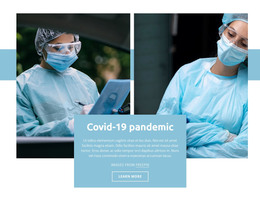
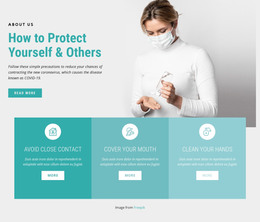
The prominent heading, “Protect your mental health during COVID-19,” gives the section a stable subject that can fit permanent page content in a WordPress-managed site. Its structure is intentionally focused: the heading sits near the bottom of a left image panel containing a hand-washing poster, while a second equal-width panel shows two masked healthcare workers holding a globe marked “PANDEMIC.” The two images therefore work as connected context rather than unrelated decoration.
For a WordPress-oriented page, this block can introduce a health-information area before additional publishable content explains guidance, background, or resources in greater depth. The block itself remains one visual section, but its clear topic and bounded composition make it suitable for a stable page region that can be reused alongside other content areas. It does not depend on a form, carousel, or expandable control to communicate its opening message.
The muted light gray background keeps the paired photographs visually unified, and the large dark condensed typography gives the heading enough weight to anchor the section. The left panel begins with a personal health cue, while the healthcare workers and pandemic globe on the right connect that message to a wider public-health setting. This relationship allows the section to retain a consistent appearance as surrounding WordPress-managed page content develops around it.
Customize with Nicepage
Open this ready-made template in the WordPress Website Builder and customize it visually in the Nicepage editor. Replace demo content, edit page sections, and adapt the design to your project without rebuilding the template from scratch.
Edit Template Offline
2. Create a new page or select existing
3. Click Add new block, search for id 80029 and click enter
Edit Template Online
Create Awesome Websites


Free Nicepage Builder
Keywords
Manage and Edit This Theme in WordPress
Customize and Install the WordPress Theme
Start with this ready-made theme instead of building the WordPress design from scratch. Customize its layout, content, typography, images, sections, and other design elements visually in Nicepage editor, then export and install the WordPress Theme, Plugin, and Pages on your WordPress site. The Nicepage WordPress Plugin lets you continue working with the site after installation.
Edit the Theme Directly in WordPress
After installation, you can edit the WordPress Theme directly in WordPress with the Nicepage WordPress Plugin. Use Site Style to customize site Colors, Fonts, Header, Footer, Blog, and Post Page Templates while working within your WordPress website.
Edit WordPress Pages Visually
Use the Nicepage WordPress Plugin to edit page content directly from the WordPress admin area. Open a WordPress Page with Nicepage and visually change its text, images, sections, and other page elements while continuing to manage the Page through WordPress.
WordPress Content and Theme Integration
Use the customized theme with WordPress Pages, Posts, Blog and Post Templates, menus, widgets, and other CMS-managed content. Shared theme elements such as Colors, Fonts, Header, Footer, Blog, and Post Page Templates can be managed as part of the overall site design, while WordPress provides the CMS environment for managing site content.
This workflow combines a ready-made WordPress Theme with visual customization, direct theme editing in WordPress, and continued content management through the Nicepage WordPress Plugin.