A full-term pregnancy WordPress Theme


Stable Pregnancy Page Content With an Expandable Question Group
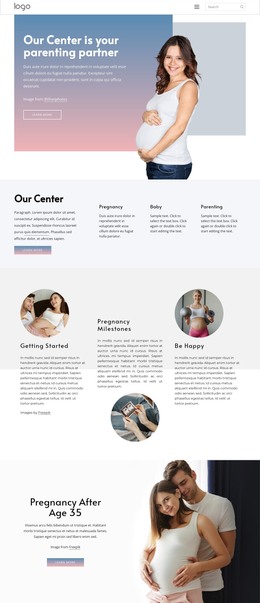
The left column reads as stable page content: one pregnancy photograph introduces the subject, followed by a prominent heading about three trimesters and approximately 40 weeks, supporting copy, a Read more button, and a credit line. This gives the section a durable informational role rather than the changing rhythm of a dated update. The right column adds a related group of four questions covering cravings, sleep, birth plans, and flu vaccination, keeping those topics together within the same visual section.
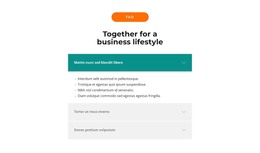
The accordion makes the content easier to organize on a WordPress-managed page. The displayed first item is open and contains four bullet points, while the remaining three questions are collapsed. That structure allows one topic to receive immediate attention without forcing every answer into the initial page view. Circular plus controls identify the repeated question rows, and the lightly tinted panel separates the FAQ content from the photograph and article-style introduction.
In a WordPress-oriented project, this block can remain a reusable page section within a wider theme and content system. The surrounding site may provide other pages, navigation, and additional healthcare information, while this section keeps its own pregnancy subject and two-column arrangement. The Read more button can support a separate destination when the broader page requires it, but the block’s primary role remains the presentation of an introduction and focused questions. Its CMS value comes from stable, visually organized content rather than from being a standalone theme.
Customize with Nicepage
Open this ready-made template in the WordPress Website Builder and customize it visually in the Nicepage editor. Replace demo content, edit page sections, and adapt the design to your project without rebuilding the template from scratch.
Edit Template Offline
2. Create a new page or select existing
3. Click Add new block, search for id 1563964 and click enter
Edit Template Online
Create Awesome Websites


Free Nicepage Builder
Keywords
Use This Block in a WordPress-Managed Website
Keep the Block as Page Content
Use the block as one content/layout section inside a WordPress-oriented site rather than treating the Block ID as a complete WordPress Theme. Its verified text, images, repeated items, forms, galleries, or other elements can remain part of permanent page content while WordPress manages the wider site.
Work With Nicepage and WordPress
A Nicepage WordPress project can be installed using the WordPress Theme, Plugin, and Pages workflow. After installation, the same visual section can participate in WordPress-managed pages as part of the broader theme/site structure.
Continue Editing in WordPress
Nicepage supports editing the WordPress Theme directly in WordPress. Use WordPress Pages, Posts, Blog structures, and other CMS concepts only when they are relevant to the surrounding project; their existence must not be inferred from the analyzed block alone.
This workflow keeps the block's verified section function separate from the WordPress theme architecture while allowing it to participate in a CMS-managed website.